Unpatched software is any program that has not received its latest security updates. These updates fix known vulnerabilities that attackers can exploit. Leaving software unpatched gives threat actors a known path into your system. You must keep applications current to close these open doors.
The House with Broken Windows
Imagine your computer is a house. The operating system and applications are the walls and doors. When a builder spots a crack in the wall, they issue a repair kit. This kit is the patch. If you ignore the kit, the crack remains. A thief does not need to pick the lock. They simply step through the broken window.
This analogy holds true for digital systems. Developers find flaws in their code. They release fixes. If you do not apply the fix, the flaw stays open. Attackers use public records of these flaws to target users who have not updated.
Defining the Vulnerability
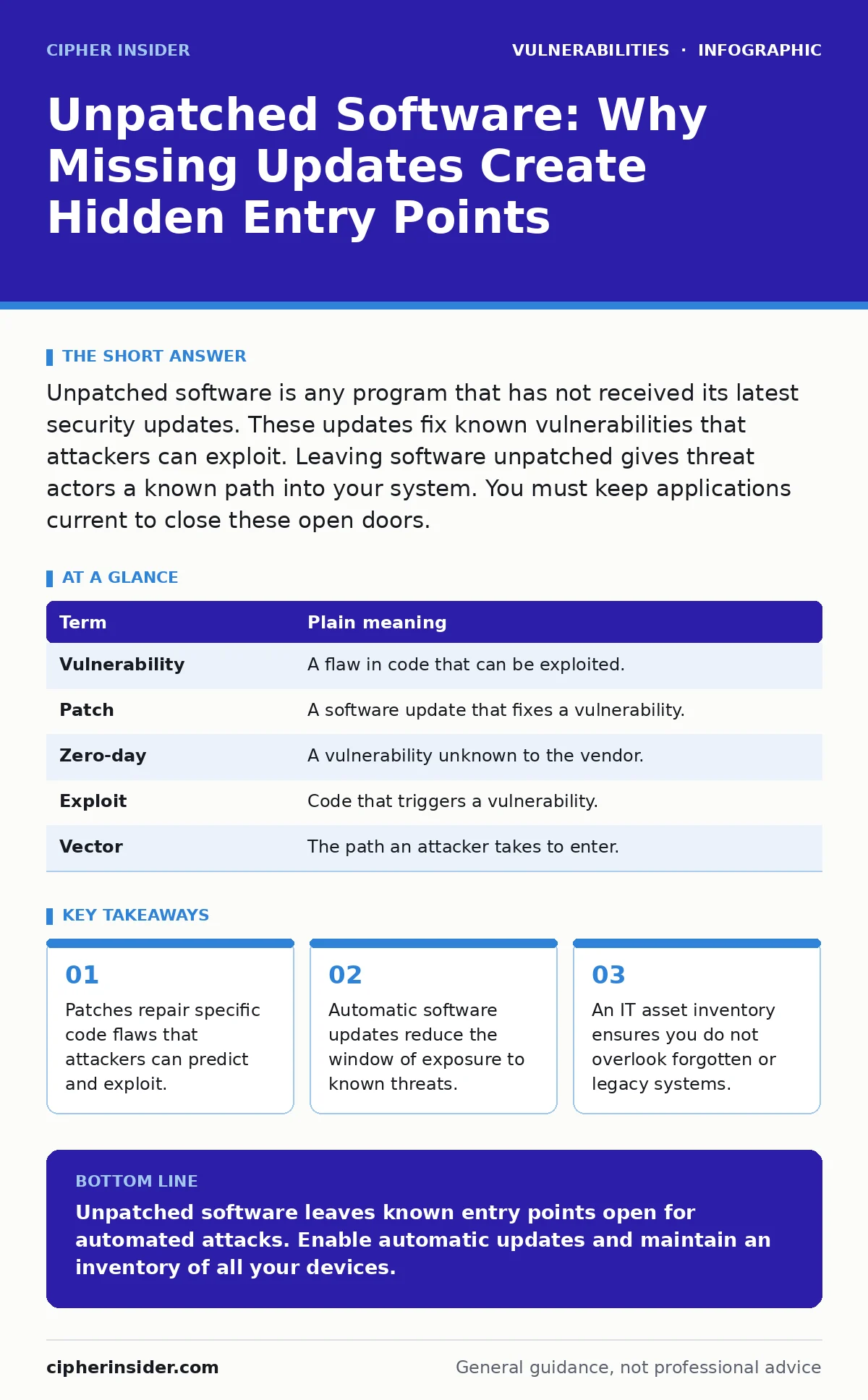
A vulnerability is a weakness in software that allows an attacker to violate security policies. A patch is a small piece of code that fixes a vulnerability. Unpatched software is any application that still contains a known vulnerability for which a fix exists.
The danger is not theoretical. Attackers scan the internet for devices running specific versions of software. They know exactly how to exploit the cracks in those versions. This makes unpatched systems easy targets.
| Term | Plain meaning |
|---|---|
| Vulnerability | A flaw in code that can be exploited. |
| Patch | A software update that fixes a vulnerability. |
| Zero-day | A vulnerability unknown to the vendor. |
| Exploit | Code that triggers a vulnerability. |
| Vector | The path an attacker takes to enter. |
The Cost of Delay
You might think delaying an update is harmless. Suppose you wait until the end of the month to update. During that time, automated bots scan for your software version. They test for known exploits. If your system is vulnerable, they attempt entry.
This is where automatic software updates become critical. They remove the delay between the release of a fix and its application. Manual updates rely on human memory and habit. Humans forget. Automations do not.
Hidden Costs and Side Effects
Updating is not always simple. Sometimes a patch introduces new bugs. This is a trade-off. You accept a small risk of instability to eliminate a large risk of compromise. Developers test patches, but errors occur.
Another hidden cost is compatibility. An old plugin might break after an update. You must check if your tools still work. This is why dynamic application security testing (DAST) is used by developers. It checks for flaws before the code goes live. For users, it means testing updates in a non-critical environment first.
Side-channel attacks are a different threat. These do not use software bugs. They use timing, power, or sound. Patching does not stop these. You must understand that patches fix code flaws, not physical or timing leaks.
What This Means for You
As a user, you control the perimeter. You decide when to click "update". If you ignore the notification, you keep the broken window. Attackers do not need advanced skills to use known exploits. They use automated tools.
This applies to browsers, operating systems, and plugins. Every piece of software is a potential entry point. A vulnerability in a browser plugin is as dangerous as one in the kernel. You must treat all updates with equal importance.
See also: Remediation Tracking Mistakes That Leave Systems Exposed · Out-of-band security patches explained with clear examples
Building a Defence Habit
You need a system that works without constant attention. The first step is enabling automatic updates wherever possible. This closes the window of exposure quickly.
Second, maintain an IT asset inventory. You cannot patch what you do not know you have. List every device and application you use. Forgetful users often miss updates for firmware or IoT devices.
Third, check for security misconfigurations. Sometimes the software is patched, but it is set up incorrectly. This leaves the door unlocked even if the window is fixed.
- Enable automatic updates for your operating system.
- Enable automatic updates for your web browser.
- Review your device list monthly for forgotten items.
Beyond the Patch
Patching is not enough. You must also secure your data. Command injection flaws allow attackers to run commands on your server. This is a code-level issue.
Insecure direct object references (IDOR) allow users to access data they should not see. This is a logic flaw. CWE weakness categories help classify these issues. Understanding them helps you see that not all risks are from unpatched code.
Some risks are design flaws. You cannot patch a bad design. You must replace the software. This is the hard truth. Sometimes the only fix is to stop using a product.
The Human Element
You are the last line of defence. Tools can fail. Policies can be ignored. Your habit of updating determines your safety. Do not wait for a breach to act. The window of exposure is real.
Imagine you leave your house key under the mat. It is not a broken window. It is a poor habit. Unpatched software is similar. It is a known weakness you choose to keep.
Key takeaways
- Patches repair specific code flaws that attackers can predict and exploit.
- Automatic software updates reduce the window of exposure to known threats.
- An IT asset inventory ensures you do not overlook forgotten or legacy systems.
- Security misconfigurations often accompany unpatched systems, compounding risk.
Unpatched software leaves known entry points open for automated attacks. Enable automatic updates and maintain an inventory of all your devices.
Frequently asked questions
Why can't I just use a firewall?
Firewalls block network traffic, but they cannot fix code flaws inside the software. If the software is already running, a firewall may not stop the exploit.
Are automatic updates safe?
They are generally safe and reduce risk. Occasionally, a patch may cause issues, but the risk of compromise usually outweighs the risk of instability.
What is a zero-day?
A zero-day is a vulnerability unknown to the vendor. There is no patch yet. You must rely on other defences like firewalls and monitoring.
How do I know if software is patched?
Check the version number against the vendor's website. Most update settings will tell you if you are running the latest version.
How this guide was produced: written by the Cipher Insider editorial team with AI assistance, checked against the public references listed below, and reviewed when the facts change. See our editorial policy or report an error.