Most teams fail because they mark tickets closed upon patching rather than verification. You must separate deployment from validation. Track the specific configuration change, not just the software version. Use automated scanning to confirm the vulnerability is gone before closing the record.
Mistake 1: Closing tickets upon patch deployment
Why it hurts: Deploying a patch does not guarantee the vulnerability is resolved. The patch might fail to install, the configuration might revert, or the fix might be incomplete. Closing the ticket immediately assumes success without evidence. This creates a gap where the system remains vulnerable, but the tracking system reports it as secure. Attackers exploit this window by scanning for known vulnerabilities that should have been patched. The tracking data becomes unreliable for audits and risk assessments.
The fix: Implement a mandatory verification step before closure. Use automated scanning tools to confirm the vulnerability is absent. Require a second scan after the patch is applied. Do not rely on the patch management system’s success log alone. Define a specific test case that proves the fix works. Record the evidence of the successful scan in the ticket. This ensures the state matches reality.
Mistake 2: Ignoring configuration drift
Why it hurts: Many vulnerabilities arise from misconfigurations rather than code flaws. A server might be patched, but a default setting remains insecure. If you only track software versions, you miss these configuration issues. Over time, changes accumulate, and the system drifts from its secure baseline. This drift is hard to detect without continuous monitoring. The tracking system shows the software is up to date, but the configuration exposes the system to attacks like remote code execution vulnerabilities.
The fix: Track configuration states alongside software versions. Use infrastructure as code to define the desired secure state. Automate checks to compare the current state against the desired state. Alert when drift is detected. Include configuration checks in your remediation workflow. Treat configuration fixes with the same rigor as software patches. This ensures the entire system, not just the binaries, is secure.
Mistake 3: Using binary severity ratings
Why it hurts: Standard severity scores often lack context. A high score might apply to a system that is isolated and rarely accessed. Treating all high scores equally wastes resources on low-risk items. Meanwhile, a medium score on a critical internet-facing server might be ignored. This binary approach fails to prioritise effectively. You spend time fixing low-impact issues while leaving critical paths exposed. The tracking system becomes a noise generator rather than a prioritisation tool.
The fix: Adjust severity based on context. Consider the asset’s exposure, data sensitivity, and business impact. Create a custom risk score that combines the base severity with contextual factors. Prioritise remediation based on this adjusted score. Review and update these factors regularly. This ensures you address the most dangerous vulnerabilities first. It aligns security efforts with business risk.
Mistake 4: Failing to track false positives
Why it hurts: Scanning tools generate false positives. If you do not track these, your team wastes time investigating non-existent issues. This leads to alert fatigue. Analysts might start ignoring alerts, including real ones. The tracking system loses credibility. You cannot measure the effectiveness of your tools if you do not account for errors. Over time, the noise drowns out the signal, making it harder to identify real threats.
The fix: Create a specific category for false positives in your tracking system. Document the reason for the false positive. Share this knowledge with the scanning tool configuration team. Use this data to tune your scanners. Reduce future noise by excluding known false positives. This improves efficiency and trust in the tracking system. It ensures your team focuses on real vulnerabilities.
Mistake 5: Neglecting out-of-band security patches
Why it hurts: Standard update cycles miss critical fixes released between scheduled patches. These out-of-band patches address severe vulnerabilities that require immediate attention. If your tracking system only looks at scheduled updates, these critical fixes are delayed. The system remains vulnerable for weeks or months. Attackers exploit this delay, knowing standard processes will not catch these urgent fixes. The tracking system fails to highlight the urgency of these specific vulnerabilities.
The fix: Monitor vendor advisories for out-of-band releases. Integrate these alerts into your tracking system. Create a high-priority workflow for these patches. Bypass standard scheduling for critical fixes. Ensure your tracking system flags these items immediately. This reduces the window of exposure. It ensures you respond to critical threats as soon as fixes are available.
See also: Automatic Software Updates Checklist: Preventing Silent Failures · Unpatched Software: Why Missing Updates Create Hidden Entry Points
Mistake 6: Overlooking dependencies in PyPI packages
Why it hurts: Modern applications rely on third-party libraries. Vulnerabilities in these dependencies are common. If you only track your own code, you miss these risks. A vulnerable library can compromise your entire application. Tracking these dependencies is complex because they change frequently. Without specific tracking, you do not know when a library update fixes a vulnerability. You remain exposed to known issues in your supply chain.
The fix: Implement Software Composition Analysis to track third-party dependencies. Integrate this with your remediation workflow. Alert when a vulnerable version is detected. Track the specific version of each library. Ensure updates are applied promptly. Consider vulnerabilities in PyPI packages as part of your overall risk. This ensures you address the full attack surface, not just your own code.
Mistake 7: Assuming JWT vulnerabilities are fixed by rotation
Why it hurts: JSON Web Tokens are often misconfigured. Rotating keys does not fix implementation flaws. If the token validation logic is weak, new keys do not help. Teams often assume key rotation solves all token issues. This assumption leaves the application vulnerable to forgery and manipulation. The tracking system closes the ticket after key rotation, but the vulnerability persists. Attackers exploit the weak validation logic regardless of the key.
The fix: Audit the token validation logic separately from key management. Ensure the implementation follows secure standards. Test for common JWT vulnerabilities. Track these implementation issues as distinct from key rotation. Verify that the application correctly validates signatures and claims. This ensures the token mechanism is secure, not just the keys.
Summary of Remediation Tracking Fixes
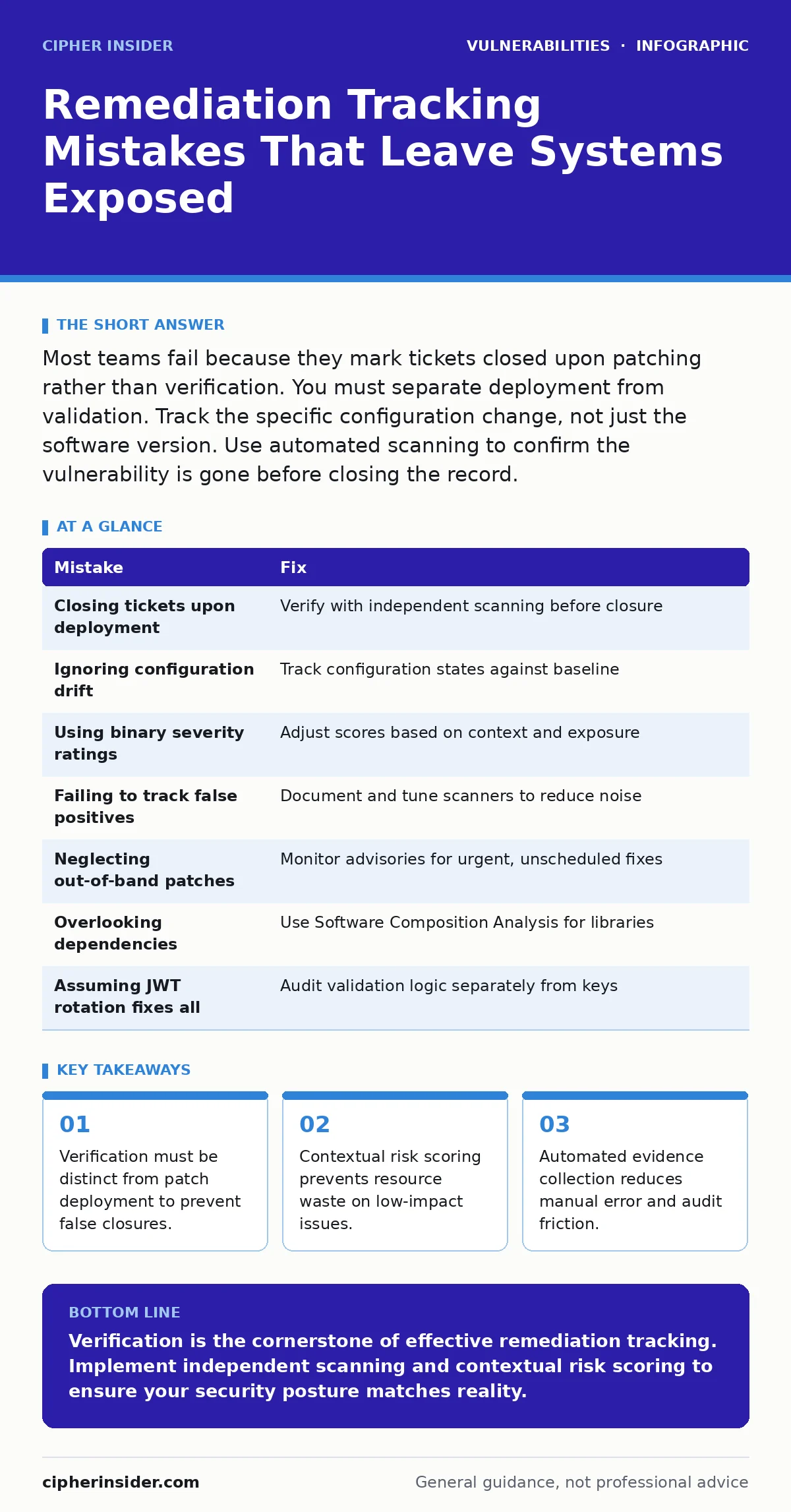
| Mistake | Fix |
|---|---|
| Closing tickets upon deployment | Verify with independent scanning before closure |
| Ignoring configuration drift | Track configuration states against baseline |
| Using binary severity ratings | Adjust scores based on context and exposure |
| Failing to track false positives | Document and tune scanners to reduce noise |
| Neglecting out-of-band patches | Monitor advisories for urgent, unscheduled fixes |
| Overlooking dependencies | Use Software Composition Analysis for libraries |
| Assuming JWT rotation fixes all | Audit validation logic separately from keys |
Key takeaways
- Verification must be distinct from patch deployment to prevent false closures.
- Contextual risk scoring prevents resource waste on low-impact issues.
- Automated evidence collection reduces manual error and audit friction.
Verification is the cornerstone of effective remediation tracking. Implement independent scanning and contextual risk scoring to ensure your security posture matches reality.
Frequently asked questions
How do I handle vulnerabilities that cannot be patched immediately?
Implement compensating controls such as network segmentation or web application firewall rules. Track these controls as temporary mitigations with a defined expiry date.
What is the best way to automate remediation tracking?
Integrate your scanning tools with your ticketing system. Use APIs to create, update, and close tickets based on scan results. Ensure verification steps are automated.
How often should I review my remediation process?
Review the process quarterly. Assess the time to remediate, the rate of false positives, and the effectiveness of your prioritisation. Adjust based on these metrics.
Can I use dynamic application security testing for tracking?
Yes, dynamic application security testing identifies runtime vulnerabilities. Integrate DAST results into your tracking system to ensure runtime issues are remediated alongside static findings.
How this guide was produced: written by the Cipher Insider editorial team with AI assistance, checked against the public references listed below, and reviewed when the facts change. See our editorial policy or report an error.