
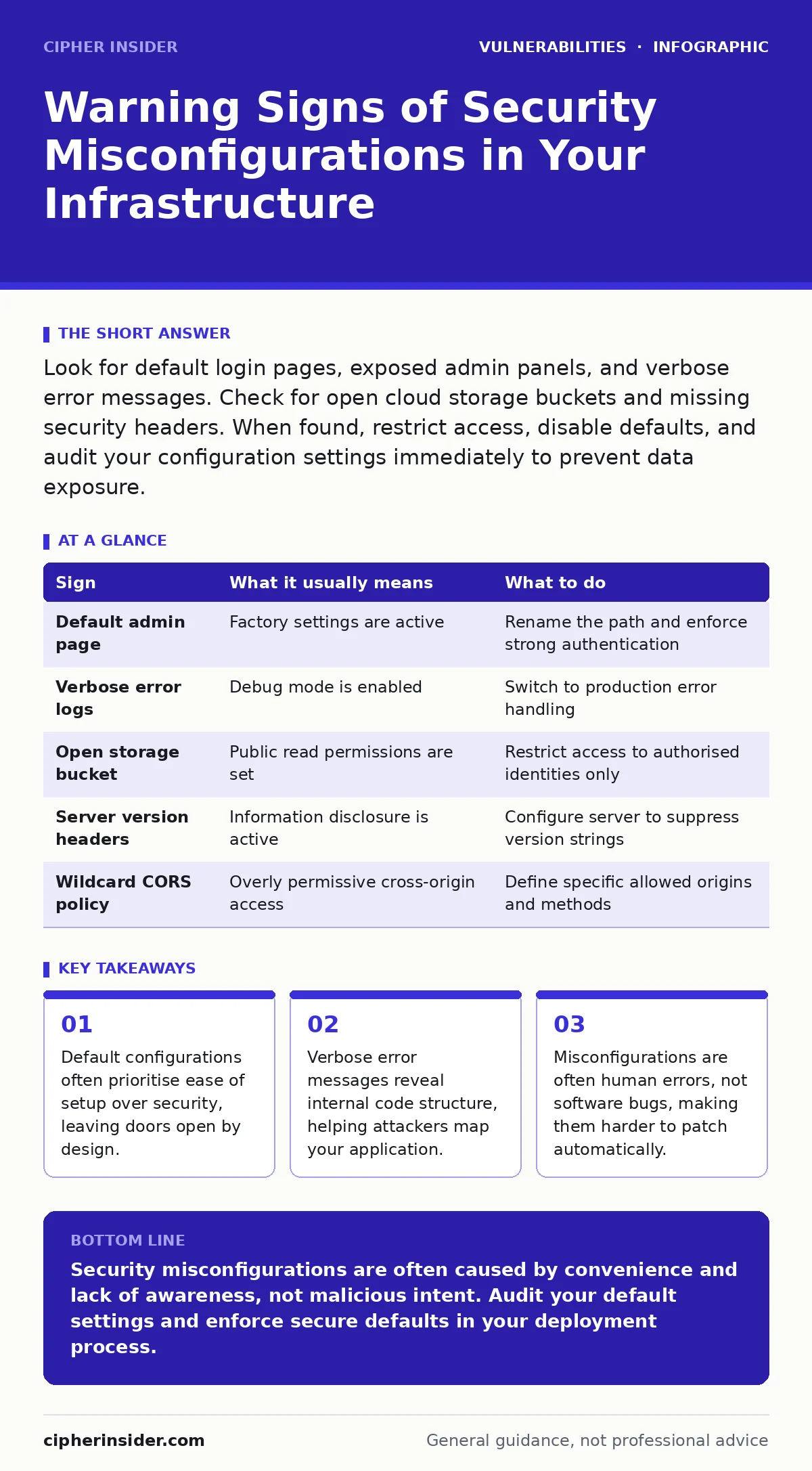
Look for default login pages, exposed admin panels, and verbose error messages. Check for open cloud storage buckets and missing security headers. When found, restrict access, disable defaults, and audit your configuration settings immediately to prevent data exposure.
The Obvious Entry Points
You often notice security misconfigurations first because they break the expected user experience. A default login page that has not been renamed or moved is a clear signal. Attackers know these paths by heart. They scan for well-known administrative interfaces. If you see a generic "Admin" or "Login" page without custom branding, it is likely still using factory settings.
Another obvious sign is the presence of test or development environments accessible from the public internet. Suppose you deploy a staging server for testing new features. If that server shares the same domain or IP range as your production environment, it becomes a target. Attackers will probe these less-protected areas to find weaknesses. They then use those weaknesses to pivot into your main systems.
Hidden Indicators in Headers and Errors
Signs that are easy to miss often hide in the metadata of your web traffic. Inspect the HTTP response headers returned by your server. If you see headers that reveal the exact version of your web server or application framework, you are leaking information. This is known as information disclosure. It helps attackers choose specific exploits that target known vulnerabilities in those versions.
Verbose error messages are another hidden trap. When an application crashes, it should return a generic error page. Instead, many misconfigured systems dump stack traces or database query errors. These traces show file paths, variable names, and logic flow. An attacker can use this data to reconstruct your application’s internal architecture. This is particularly dangerous if the error reveals database schema details.
Cloud Storage and Network Perms
Cloud storage buckets are frequently misconfigured due to complex permission models. A bucket that is set to "public read" by default allows anyone to download its contents. You might not notice this until someone else has accessed your data. Similarly, overly permissive network security groups can expose internal services. If a database port is open to the entire internet, it is a critical failure.
Cross-Origin Resource Sharing (CORS) misconfigurations are subtle but severe. CORS controls which websites can access your data via browser requests. If your CORS policy allows any origin, or uses a wildcard for credentials, you enable cross-site request forgery attacks. This allows malicious sites to act on behalf of your users. The trade-off here is often convenience versus security, and convenience usually wins in bad configurations.
| Sign | What it usually means | What to do |
|---|---|---|
| Default admin page | Factory settings are active | Rename the path and enforce strong authentication |
| Verbose error logs | Debug mode is enabled | Switch to production error handling |
| Open storage bucket | Public read permissions are set | Restrict access to authorised identities only |
| Server version headers | Information disclosure is active | Configure server to suppress version strings |
| Wildcard CORS policy | Overly permissive cross-origin access | Define specific allowed origins and methods |
The Cost of Convenience
Why do these misconfigurations persist? Because secure defaults often require more setup time. Developers and system administrators often prioritise getting a system running quickly. They accept the default configuration to meet a deadline. Later, they assume the system is secure because it is "working". This assumption is dangerous. The system works, but it works with its doors open.
Imagine a scenario where a new employee sets up a database. They use the default credentials because the documentation says it is the fastest way. They forget to change them before going live. This is not a software bug. It is a process failure. No amount of patching will fix a credential that was never changed. This is why an IT asset inventory is necessary. You cannot secure what you do not know exists or how it was configured.
Verifying Your Configuration
You need to actively test your configurations, not just rely on setup scripts. Manual review is slow and error-prone. Automated tools can help, but they must be configured correctly. Dynamic application security testing (DAST) tools can scan your running application for common misconfigurations. They simulate attacks to find open doors. However, they may miss logic errors that require specific user interactions.
Regular audits of your cloud permissions are also necessary. Cloud providers change their interfaces and defaults frequently. A setting that was secure last year might be insecure today. You must review your permissions regularly. Check for unused services and remove them. Reduce the attack surface by deleting what you do not need. This is known as least privilege. Give users and services only the access they strictly need.
See also: Secure Configuration Baselines for Small Businesses · Host Header Injection: Risks and Protection for Small Businesses
Responding to a Finding
When you find a misconfiguration, do not just patch it. Understand why it happened. Was it a lack of documentation? Was it a rushed deployment? If you do not address the root cause, it will happen again. Update your deployment scripts to enforce secure defaults. Use infrastructure as code to define your desired state. This ensures that every new instance is configured securely from the start.
Also, consider the impact of unpatched software in this context. A misconfiguration might expose an older version of a library. Even if the configuration is fixed, the underlying software might still be vulnerable. You need a holistic approach. Secure the configuration and keep the software updated. This dual approach reduces risk significantly. Remember, automatic software updates can help, but they do not fix configuration errors. You still need to manage your settings manually or via code.
The Human Element
Security misconfigurations are ultimately a human problem. Tools can help, but humans make the decisions. Training your team on secure configuration practices is vital. Teach them how to read configuration files. Show them the consequences of verbose errors and open ports. Make security a part of the development lifecycle, not an afterthought.
If you are unsure about a setting, err on the side of caution. Restrict access until you have verified it is needed. This is the principle of default deny. Start with nothing allowed and add permissions as required. This is slower initially, but it prevents many common misconfigurations. It also makes auditing easier. You can clearly see who has access and why.
Key takeaways
- Default configurations often prioritise ease of setup over security, leaving doors open by design.
- Verbose error messages reveal internal code structure, helping attackers map your application.
- Misconfigurations are often human errors, not software bugs, making them harder to patch automatically.
Security misconfigurations are often caused by convenience and lack of awareness, not malicious intent. Audit your default settings and enforce secure defaults in your deployment process.
Frequently asked questions
How do I know if my cloud storage is publicly accessible?
Check the permission settings of your storage buckets. Look for "public read" or "public write" options. Use your cloud provider’s security centre to scan for open buckets.
Can a firewall fix security misconfigurations?
A firewall can block access to exposed ports, but it does not fix the underlying configuration. You must still secure the application and server settings to prevent internal access or other attack vectors.
What is the difference between a vulnerability and a misconfiguration?
A vulnerability is a flaw in the code or design. A misconfiguration is an error in how the system is set up. Both can lead to breaches, but misconfigurations are often easier to fix if caught early.
How often should I audit my configurations?
You should audit configurations after every significant change or deployment. Regular quarterly audits are also recommended to catch drift from your intended secure state.
How this guide was produced: written by the Cipher Insider editorial team with AI assistance, checked against the public references listed below, and reviewed when the facts change. See our editorial policy or report an error.