
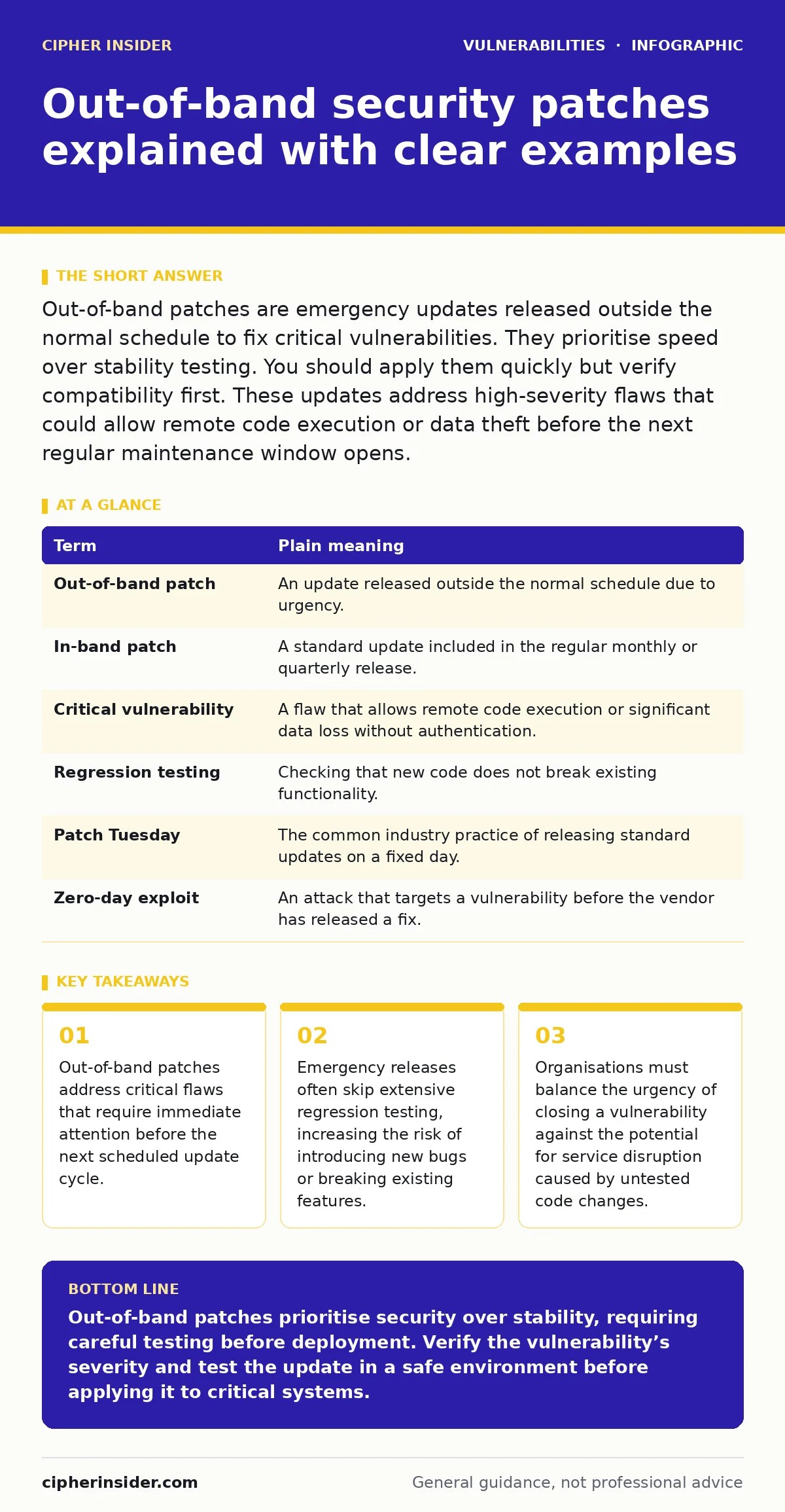
Out-of-band patches are emergency updates released outside the normal schedule to fix critical vulnerabilities. They prioritise speed over stability testing. You should apply them quickly but verify compatibility first. These updates address high-severity flaws that could allow remote code execution or data theft before the next regular maintenance window opens.
The mechanic analogy for emergency repairs
Imagine you run a delivery fleet. Every month, you schedule routine maintenance to check brakes, oil and filters. This is your standard patch cycle. Now suppose a supplier issues a recall because a specific engine component cracks under heat, causing fires. You cannot wait for next month’s appointment. You pull every vehicle into the bay immediately to replace the part.
This urgent, unscheduled repair is an out-of-band patch. It solves a dangerous problem quickly but disrupts your schedule. The mechanic might install the part hastily. The vehicle is safer from fire, but the new part might rattle. The trade-off is clear. You accept a higher risk of minor mechanical issues to prevent catastrophic failure. This dynamic mirrors how software vendors handle severe security flaws.
Defining the terminology
Understanding these updates requires clarity on specific terms. Standard releases follow a predictable rhythm. Emergency releases break that rhythm. The table below defines the core concepts.
| Term | Plain meaning |
|---|---|
| Out-of-band patch | An update released outside the normal schedule due to urgency. |
| In-band patch | A standard update included in the regular monthly or quarterly release. |
| Critical vulnerability | A flaw that allows remote code execution or significant data loss without authentication. |
| Regression testing | Checking that new code does not break existing functionality. |
| Patch Tuesday | The common industry practice of releasing standard updates on a fixed day. |
| Zero-day exploit | An attack that targets a vulnerability before the vendor has released a fix. |
Why vendors break the schedule
Vendors stick to schedules for quality. Regular releases allow time for rigorous testing. They ensure that new code does not conflict with old systems. When a researcher discovers a flaw that allows remote code execution vulnerabilities, the clock starts ticking. Attackers can automate attacks against such flaws. Waiting weeks for a standard release leaves users exposed.
The vendor faces pressure. They must choose between letting users suffer an attack or releasing a fix that might contain bugs. Most choose speed. The resulting out-of-band patch closes the hole. It might introduce instability. This is why you see emergency alerts for high-severity issues. The alternative is leaving the door open for attackers.
The hidden cost of speed
Speed has a price. Standard patches undergo weeks of testing. Engineers check for conflicts with other software. They verify that the update does not crash the system. Emergency patches skip much of this. The vendor fixes the specific flaw and ships it. They may not test every possible configuration. This creates a risk of regression. A regression is when a fix breaks a previously working feature.
Imagine a web server that stops responding after an emergency update. The security hole is closed, but your service is down. Downtime costs money and reputation. You must weigh the severity of the flaw against the risk of breaking your environment. Not every out-of-band patch requires immediate installation. Some can wait for a maintenance window if the risk is low.
Common points of confusion
Many users misunderstand how these updates work. One confusion is the term "band". It refers to the schedule, not a frequency range. Another is the assumption that all emergency patches are equal. Some address flaws that are actively being exploited. Others address flaws that are theoretical. You need to check the advisory. It will state if the flaw is being used in the wild. If attackers are already using it, apply the patch now. If not, you might have time to test it. Do not assume that skipping a patch is safe. Attackers scan for known vulnerabilities automatically. The longer you wait, the higher the chance of detection.
See also: Automatic Software Updates Checklist: Preventing Silent Failures · Unpatched Software: Why Missing Updates Create Hidden Entry Points
Managing the update process
You cannot patch everything at once. You need a strategy. Start by identifying which systems are affected. Not every device runs the vulnerable software. An accurate IT asset inventory tells you where the risk lives. Without this list, you are guessing. You might patch a server that does not have the flaw. You might miss a laptop that does.
Next, test the patch in a non-production environment. Verify that critical applications still work. If the patch breaks a key process, delay the rollout. Contact the vendor for guidance. Finally, apply the patch to production. Monitor the system closely for errors. This controlled approach reduces the risk of downtime. It ensures that you fix the problem without creating new ones.
Real-world implications
Consider the case of vulnerabilities in VPN appliances. These devices sit at the edge of your network. They handle external traffic. A flaw here can allow attackers to bypass security controls. If a vendor releases an out-of-band patch for such a flaw, the pressure is immense. Delaying the patch leaves the entire network exposed.
Applying it blindly might crash the VPN service. This cuts off remote workers. The decision is difficult. You must assess the exposure. If the VPN is internet-facing, patch immediately. If it is internal only, you might have more time. Always check the vendor’s guidance. They often provide workarounds. These temporary measures can reduce risk while you test the patch.
Try this now
Implement these steps to manage emergency updates effectively.
- Maintain an up-to-date inventory of all software versions running in your environment.
- Subscribe to security advisories from vendors for critical software components.
- Establish a testing procedure for emergency patches before applying them to production.
Key takeaways
- Out-of-band patches address critical flaws that require immediate attention before the next scheduled update cycle.
- Emergency releases often skip extensive regression testing, increasing the risk of introducing new bugs or breaking existing features.
- Organisations must balance the urgency of closing a vulnerability against the potential for service disruption caused by untested code changes.
Out-of-band patches prioritise security over stability, requiring careful testing before deployment. Verify the vulnerability’s severity and test the update in a safe environment before applying it to critical systems.
Frequently asked questions
How do I know if a patch is out-of-band?
Check the release date and the vendor’s advisory. If it falls outside the regular schedule and addresses a critical flaw, it is out-of-band. Look for emergency language in the announcement.
Can I skip an out-of-band patch?
You should not skip patches for critical vulnerabilities. Skipping leaves you exposed to known attacks. If the risk is low, you might delay for testing, but you must apply it eventually.
What if the patch breaks my system?
Roll back to the previous version if possible. Contact the vendor for a fix. Monitor your systems closely after applying emergency patches to detect issues early.
Do all vendors release out-of-band patches?
Most major vendors do, but the frequency varies. Open-source projects may release them through community channels. Commercial vendors usually issue formal advisories with download links.
How this guide was produced: written by the Cipher Insider editorial team with AI assistance, checked against the public references listed below, and reviewed when the facts change. See our editorial policy or report an error.