
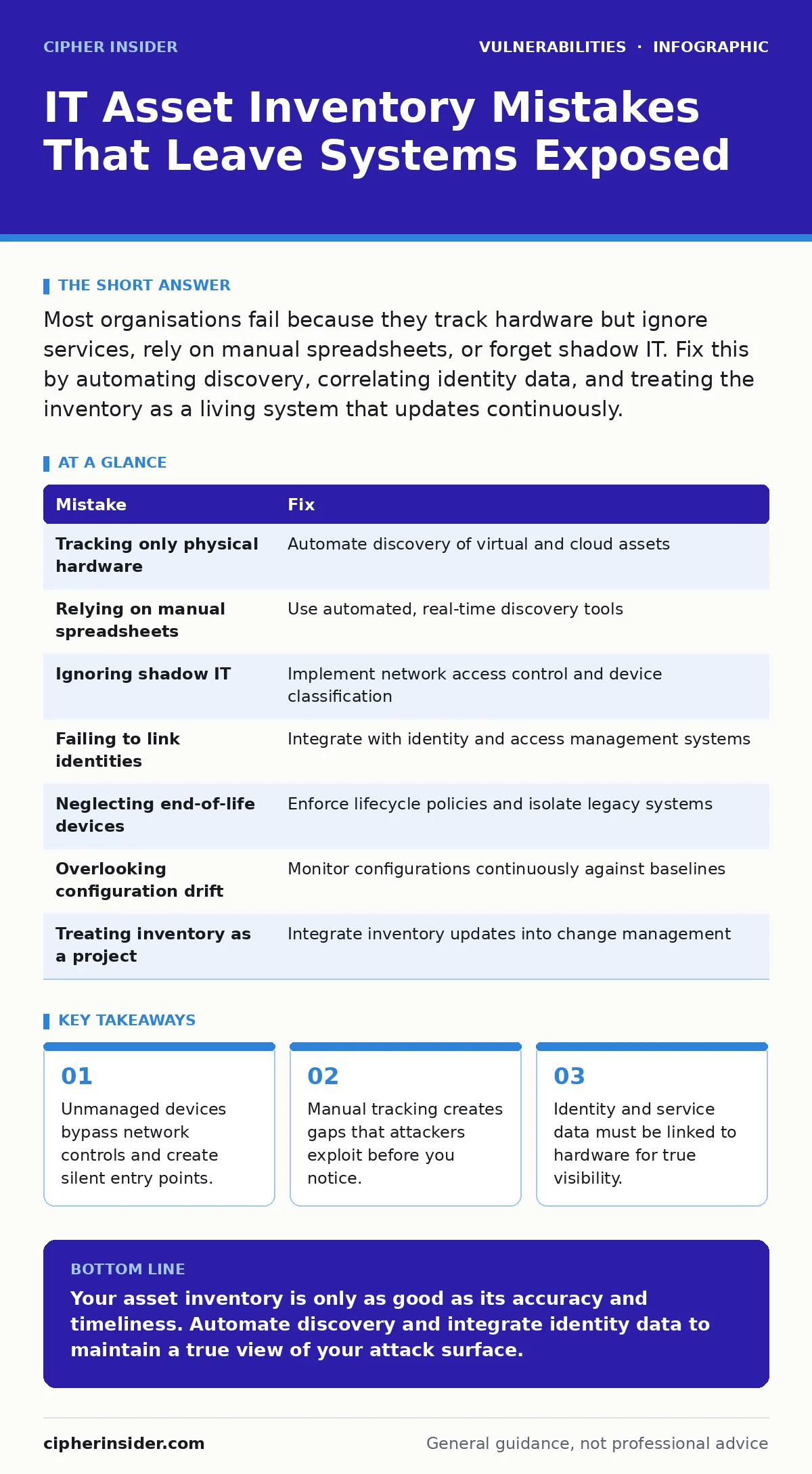
Most organisations fail because they track hardware but ignore services, rely on manual spreadsheets, or forget shadow IT. Fix this by automating discovery, correlating identity data, and treating the inventory as a living system that updates continuously.
Mistake 1: Tracking Only Physical Hardware
Many teams build inventories based on what they can touch. They record servers, laptops and network switches. This approach ignores virtual machines, containers and cloud instances that exist only as software definitions.
Why it hurts:
Virtual assets often have fewer physical security controls. They can be spun up and destroyed in minutes, leaving no physical trace. If your inventory does not track these ephemeral resources, you cannot verify their configuration or patch status. This creates blind spots where unpatched software remains exposed for weeks.
The fix:
Implement automated discovery tools that query hypervisors and cloud APIs. These tools should detect virtual instances as soon as they boot. Ensure your inventory system distinguishes between persistent physical hardware and transient virtual resources.
Mistake 2: Relying on Manual Spreadsheets
Spreadsheets are static. They capture a snapshot of your environment at a single moment in time. As soon as a device is added, moved or decommissioned, the spreadsheet becomes inaccurate.
Why it hurts:
Human error is inevitable in manual data entry. Typos, missing rows and outdated records accumulate quickly. When an incident occurs, responders waste time verifying if an asset even exists. This delay allows attackers to move laterally through the network before containment begins.
The fix:
Replace manual entry with automated asset discovery. Use agents or agentless scanners that poll network segments regularly. The system should update the inventory in real time, flagging discrepancies between expected and observed assets.
Mistake 3: Ignoring Shadow IT
Shadow IT refers to software and hardware used by employees without formal approval. This includes personal devices, unauthorized cloud storage and unapproved applications. These assets often connect to the corporate network via Wi-Fi or VPN.
Why it hurts:
Shadow IT bypasses centralised security policies. These devices may lack encryption, multi-factor authentication or endpoint detection. They become easy targets for initial compromise. An attacker can use a personal tablet to pivot into the main network, exploiting the trust relationship.
The fix:
Deploy network access control (NAC) solutions that inspect all connecting devices. Classify devices based on their behaviour and identity. Restrict access for unrecognised devices to a quarantined segment until they are verified and managed.
Mistake 4: Failing to Link Identities to Assets
An asset is not just a machine. It is also the people and processes that interact with it. Many inventories list a server but do not record who owns it, who manages it or which applications run on it.
Why it hurts:
Without identity linkage, you cannot determine the impact of a compromise. If a server is breached, you do not know which users or data sets are at risk. This ambiguity slows incident response and recovery. It also complicates compliance audits, as you cannot prove who had access to sensitive information.
The fix:
Integrate your asset inventory with your identity and access management (IAM) system. Map users, groups and service accounts to specific assets. Regularly review these mappings to ensure they reflect current organisational roles.
Mistake 5: Neglecting End-of-Life Devices
Organisations often keep old devices in storage or connected to the network for legacy reasons. These devices may run obsolete operating systems or firmware that no longer receives security updates.
Why it hurts:
End-of-life devices are vulnerable to known exploits. Attackers frequently scan for these weak points because the fix is simple: exploit the known vulnerability. These devices can serve as a foothold for deeper penetration. They may also suffer from side-channel attacks if their hardware lacks modern mitigations.
The fix:
Establish a clear lifecycle management policy. Identify end-of-life devices and plan their decommissioning. If immediate removal is impossible, isolate them on a separate network segment with strict access controls.
See also: External Attack Surface Scanning: Correcting Common Misconceptions · Automatic Software Updates Checklist: Preventing Silent Failures
Mistake 6: Overlooking Configuration Drift
Configuration drift occurs when a system’s settings change from its approved baseline over time. This can happen through manual changes, software updates or misconfigurations. The inventory records the initial state but not the current state.
Why it hurts:
Drift introduces unexpected vulnerabilities. A firewall rule may be opened for testing and never closed. A service may be enabled that was previously disabled. These changes expand the attack surface without your knowledge. Automated tools may not detect these logical changes if they only check hardware presence.
The fix:
Implement continuous configuration monitoring. Compare the current state of each asset against its approved baseline. Alert on any deviations and enforce automatic remediation where possible. This ensures that your inventory reflects the actual security posture, not just the intended one.
Mistake 7: Treating Inventory as a One-Time Project
Some teams build an inventory and then stop updating it. They treat it as a project with a start and end date. This mindset fails to account for the dynamic nature of modern IT environments.
Why it hurts:
Stale data provides a false sense of security. You believe you have visibility, but you do not. When new threats emerge, such as command injection vulnerabilities in web applications, you cannot quickly identify which assets are affected. This lag allows attackers to exploit vulnerabilities before you can patch them.
The fix:
Treat inventory management as an ongoing operational process. Integrate it with your change management procedures. Ensure that every change to the infrastructure triggers an update to the inventory. Regular audits should verify the accuracy and completeness of the data.
| Mistake | Fix |
|---|---|
| Tracking only physical hardware | Automate discovery of virtual and cloud assets |
| Relying on manual spreadsheets | Use automated, real-time discovery tools |
| Ignoring shadow IT | Implement network access control and device classification |
| Failing to link identities | Integrate with identity and access management systems |
| Neglecting end-of-life devices | Enforce lifecycle policies and isolate legacy systems |
| Overlooking configuration drift | Monitor configurations continuously against baselines |
| Treating inventory as a project | Integrate inventory updates into change management |
Key takeaways
- Unmanaged devices bypass network controls and create silent entry points.
- Manual tracking creates gaps that attackers exploit before you notice.
- Identity and service data must be linked to hardware for true visibility.
Your asset inventory is only as good as its accuracy and timeliness. Automate discovery and integrate identity data to maintain a true view of your attack surface.
Frequently asked questions
How often should I update my asset inventory?
Updates should occur in real time or near real time. Any delay creates a window where new assets are invisible to your security controls.
Can I use agentless scanning for all devices?
Agentless scanning works for network-visible devices. For internal state and detailed configuration, agents provide deeper visibility and reliability.
What is the role of CMDB in asset inventory?
A Configuration Management Database (CMDB) stores relationships between assets. It helps you understand dependencies and the impact of changes or failures.
How do I handle cloud assets in my inventory?
Use cloud provider APIs to discover and track resources. Integrate this data with your central inventory to maintain a unified view across on-premise and cloud environments.
How this guide was produced: written by the Cipher Insider editorial team with AI assistance, checked against the public references listed below, and reviewed when the facts change. See our editorial policy or report an error.