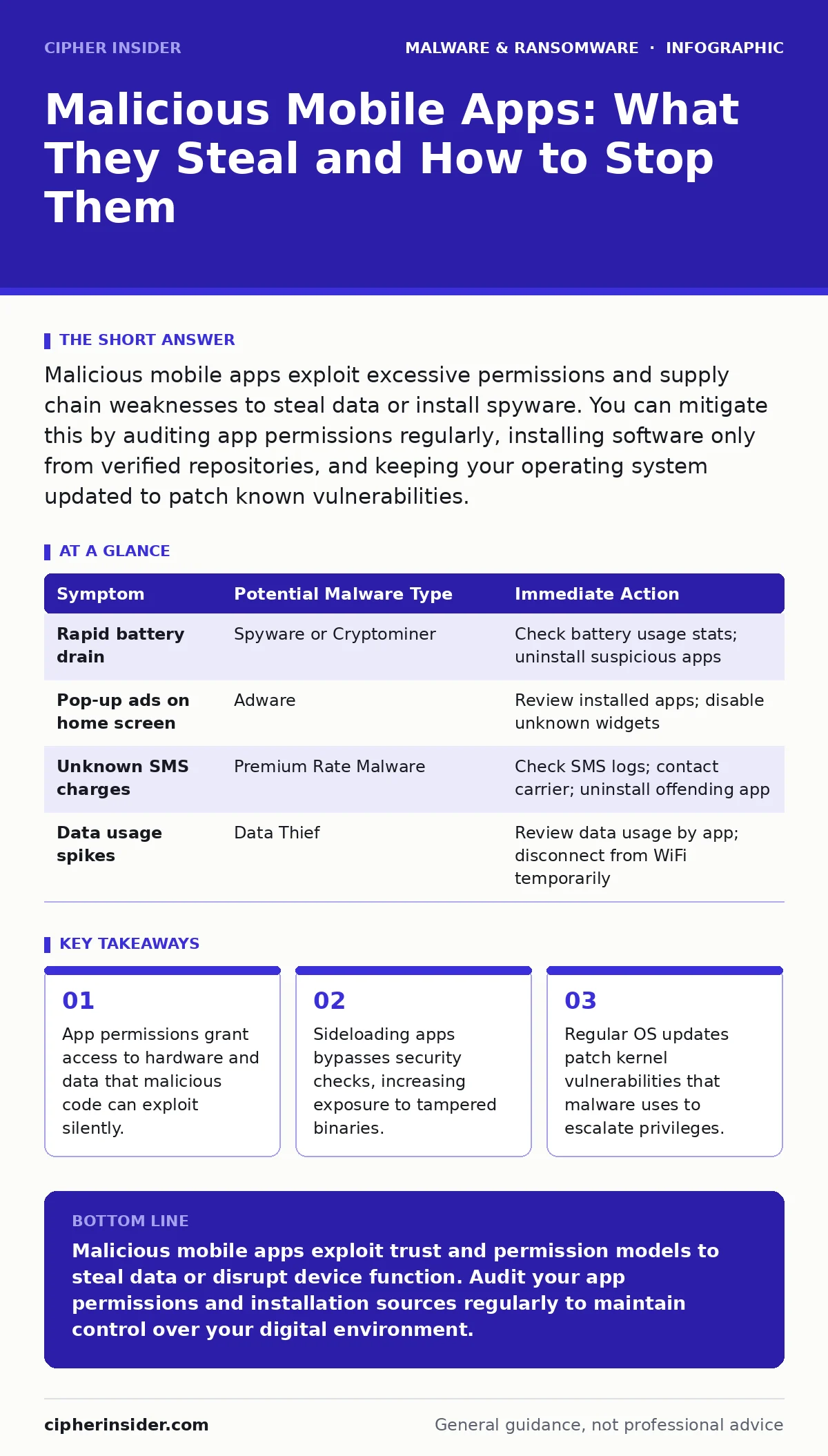
Malicious mobile apps exploit excessive permissions and supply chain weaknesses to steal data or install spyware. You can mitigate this by auditing app permissions regularly, installing software only from verified repositories, and keeping your operating system updated to patch known vulnerabilities.
How do malicious apps hide in official app stores?
Developers disguise malicious code within legitimate features to bypass automated security scans. They often use obfuscation, which scrambles the source code to make it unreadable to humans and static analysis tools. The app may appear to function correctly for a period before the malicious payload activates. This delay helps the app accumulate user reviews and reach a threshold that triggers manual review exemption.
Why are permissions so dangerous on mobile devices?
Permissions define what an app can access on your device, such as your camera, contacts, or location data. Granting unnecessary permissions gives malicious code a direct pathway to sensitive information without further interaction. For example, a simple calculator app has no technical reason to access your microphone. If it does, it may be recording ambient audio or using your device for botnet activities. See our guide on botnets to understand how compromised devices are used in coordinated attacks.
What is the risk of sideloading applications?
Sideloading involves installing apps from sources other than the official operating system store, bypassing built-in security verification. These apps have not undergone the same rigorous scrutiny for malware or privacy violations. You might download a cracked version of a popular game or a utility that promises free premium features. These files often contain hidden trojans that install additional malicious components silently.
How do clipboard hijackers operate?
Clipboard hijackers monitor your device’s clipboard for specific patterns, such as cryptocurrency wallet addresses or authentication codes. When you copy such data, the malware replaces it with the attacker’s own address before you paste it. You send funds or credentials to the wrong recipient without noticing the swap. This technique relies on the user’s trust in their own copy-paste actions. Read more about this specific threat in our guide on clipboard hijackers.
Can mobile apps install ransomware?
Mobile ransomware is less common than on desktops but remains a serious threat, particularly on unpatched systems. It encrypts files on the device and demands payment for the decryption key. Unlike desktop variants, mobile ransomware often targets photo galleries and document storage. It may also lock the user interface entirely, rendering the device unusable. The ransomware payment debate highlights why paying never guarantees file recovery and often funds further criminal activity.
See also: Packers and Crypters: How Malware Hides from Small Business Defences · EDR Misconceptions: Why Endpoint Detection Fails Without Context
How do fake antivirus apps deceive users?
Fake antivirus apps mimic legitimate security software to create a false sense of protection. They display alarming pop-ups claiming your device is infected with multiple threats. These alerts pressure you into purchasing a premium subscription or granting full device admin rights. Once installed, they may steal data or install additional malware while doing nothing to protect you. Our guide on fake antivirus software explains how to distinguish these scams from genuine tools.
What role do browser hijackers play in mobile security?
Browser hijackers alter your default search engine or homepage to redirect traffic through malicious domains. They inject ads into web pages and track your browsing history for targeted advertising or data sale. This behaviour degrades performance and exposes you to phishing sites that mimic legitimate services. The browser hijackers guide details how these changes occur and how to revert them.
How can you detect a compromised app?
Unexplained battery drain, increased data usage, or slow performance often indicate background malicious activity. Check the list of apps with device administrator privileges, as malware uses this status to prevent removal. Look for apps with generic names, no developer information, or excessive permissions. If an app behaves strangely, uninstall it immediately and run a scan using trusted security software. Refer to our guide on antivirus quarantine to understand how isolated threats are managed.
| Symptom | Potential Malware Type | Immediate Action |
|---|---|---|
| Rapid battery drain | Spyware or Cryptominer | Check battery usage stats; uninstall suspicious apps |
| Pop-up ads on home screen | Adware | Review installed apps; disable unknown widgets |
| Unknown SMS charges | Premium Rate Malware | Check SMS logs; contact carrier; uninstall offending app |
| Data usage spikes | Data Thief | Review data usage by app; disconnect from WiFi temporarily |
What is the impact of adware on mobile devices?
Adware floods your screen with unwanted advertisements, often disrupting normal app usage. It may redirect your browser to unwanted sites or install other apps without consent. While less destructive than ransomware, adware generates revenue for attackers through clicks and impressions. It also serves as a vector for more serious malware, acting as a delivery mechanism. Our guide on adware provides strategies for identifying and removing these intrusive programs.
How does memory forensics help in mobile malware analysis?
Memory forensics examines the volatile memory of a device to detect malware that does not reside on the storage drive. Some advanced threats load entirely into RAM to avoid detection by file-based scanners. This technique reveals active processes, network connections, and injected code. It is a critical tool for understanding sophisticated attacks that leave no trace on disk. Explore the techniques in our guide on memory forensics for deeper technical insights.
Key takeaways
- App permissions grant access to hardware and data that malicious code can exploit silently.
- Sideloading apps bypasses security checks, increasing exposure to tampered binaries.
- Regular OS updates patch kernel vulnerabilities that malware uses to escalate privileges.
Malicious mobile apps exploit trust and permission models to steal data or disrupt device function. Audit your app permissions and installation sources regularly to maintain control over your digital environment.
Frequently asked questions
Can a malicious app steal my photos without permission?
Modern operating systems generally block access to photos without explicit permission, but older or unpatched devices may have vulnerabilities that bypass this control.
How do I remove an app that won’t uninstall?
Check if the app has device administrator privileges. Disable this permission in your security settings before attempting to uninstall it.
Are mobile apps safe for banking?
Banking apps are generally secure if downloaded from official stores and kept updated, but they remain vulnerable if your device is rooted or infected with spyware.
Does turning off location services stop tracking?
It stops GPS-based tracking, but apps may still estimate your location through WiFi networks and cell tower triangulation if those permissions are granted.
How this guide was produced: written by the Cipher Insider editorial team with AI assistance, checked against the public references listed below, and reviewed when the facts change. See our editorial policy or report an error.