
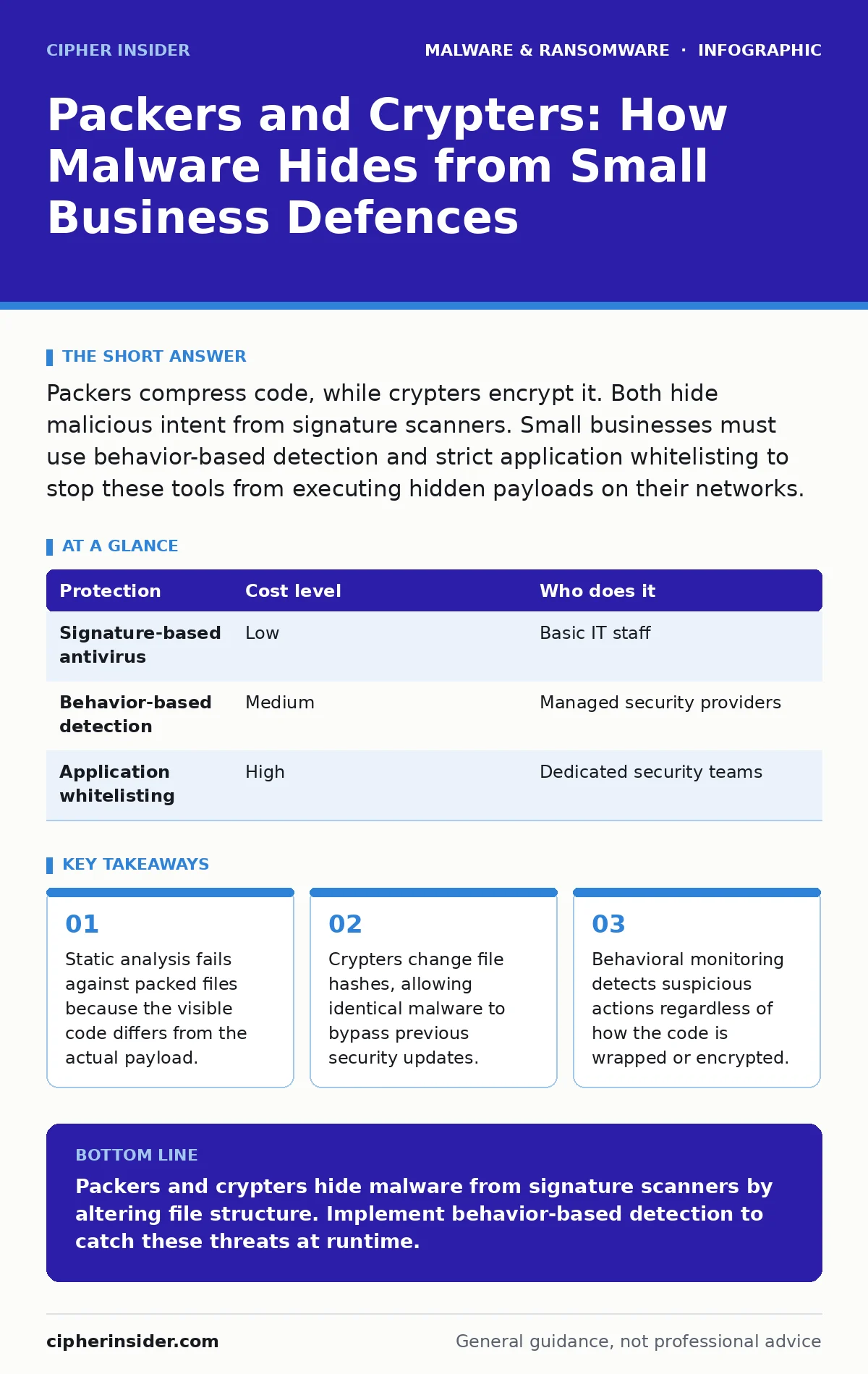
Packers compress code, while crypters encrypt it. Both hide malicious intent from signature scanners. Small businesses must use behavior-based detection and strict application whitelisting to stop these tools from executing hidden payloads on their networks.
The Hidden Layer in Small Business Attacks
Packers and crypters are tools that alter the appearance of executable files. Attackers use them to bypass security software that relies on known signatures. A signature is a unique string of data that identifies a specific piece of malware. When malware is packed or encrypted, its signature changes. The security tool sees a new, unknown file and allows it to run.
This matters for small businesses because they often rely on basic antivirus protection. These tools are good at stopping known threats but struggle with modified files. Large organisations use advanced heuristics and sandboxing. Small teams usually do not have these resources. The gap leaves them vulnerable to simple obfuscation techniques.
How Packers Compress Malicious Code
A packer compresses executable code to reduce its size. Legitimate software developers use packers to make installation files smaller. Attackers use the same technology to hide malicious code inside a compressed container. When the program runs, it decompresses the code in memory. The operating system executes the hidden instructions.
The key insight here is that the file on the disk is not the file in the memory. Security scanners look at the file on the disk. They see a compressed blob of data that may resemble legitimate software. They do not see the malicious payload until it is decompressed. By then, the damage is often done.
This mechanism creates a false sense of security. The file might pass a quick scan because the outer layer is clean. The inner payload remains hidden until execution. You cannot rely on file size or basic header checks to identify packed malware. The compression ratio and algorithm vary widely, making pattern matching difficult.
How Crypters Encrypt Payloads
Crypters encrypt the malicious code using a key. This changes every byte of the file. The file hash, which is a digital fingerprint, changes completely. Security databases store hashes of known malware. If the hash changes, the database cannot recognise the threat.
This is why the same malware can infect a network multiple times. The attacker changes the encryption key. The file looks entirely different to the scanner. It is a new file, even though the underlying instructions are identical. This defeats static analysis. Static analysis examines code without running it. It cannot read encrypted data without the key.
The trade-off for the attacker is complexity. They must ensure the decryption routine works correctly on the target system. If the decryption fails, the malware does not run. However, modern crypters are highly reliable. They often use standard encryption libraries that are stable and well-tested. This makes them a persistent threat for small businesses.
Why Standard Antivirus Fails Here
Traditional antivirus software uses signature-based detection. It compares files against a library of known threats. Packers and crypters break this model. They create unique variants of known malware. Each variant has a different signature. The library cannot keep up with the infinite variations.
This failure mode is not a bug in the antivirus. It is a limitation of the approach. You cannot scan for every possible encryption of a file. The number of combinations is too large. This is where behavior-based detection becomes necessary. It looks at what the program does, not what it looks like.
Consider the related topic of malware droppers and loaders. These tools often use packing to hide their initial stage. The dropper downloads the main payload. If the dropper is packed, the antivirus may miss it. The main payload then executes. This chain of events is common in ransomware attacks. Understanding this link helps you see the bigger picture.
| Protection | Cost level | Who does it |
|---|---|---|
| Signature-based antivirus | Low | Basic IT staff |
| Behavior-based detection | Medium | Managed security providers |
| Application whitelisting | High | Dedicated security teams |
Implementing Behavior-Based Detection
Behavior-based detection monitors program actions in real-time. It looks for suspicious activities, such as injecting code into other processes. It checks for unusual network connections. It observes file system changes. If a program behaves like malware, it is blocked, regardless of its signature.
This approach catches packed and encrypted malware. The wrapper does not matter. The malicious behavior is visible once the code executes. However, this method can produce false positives. Legitimate software sometimes performs actions that look suspicious. For example, a debugging tool might inject code into a process.
You must tune your detection rules to reduce false positives. This requires expertise. Small businesses often outsource this task. They hire a managed security service provider. The provider monitors alerts and investigates incidents. This shifts the burden from your internal team to specialists.
See also: Computer Worms Types: How Self-Replicating Threats Spread and Infect · Malicious Mobile Apps: What They Steal and How to Stop Them
Practical Steps for Small Businesses
Start by reviewing your current security stack. Does it include behavior-based detection? If not, upgrade your endpoint protection. Look for tools that offer real-time monitoring. Do not rely solely on cloud scanning. Cloud scanners may miss local execution anomalies.
Implement application whitelisting where possible. This allows only approved software to run. Unknown files are blocked by default. This stops packed malware from executing. It is a strong control, but it requires careful management. You must maintain a list of approved applications.
Regular updates are also necessary. Keep your operating system and software current. Patches fix vulnerabilities that malware might exploit. Combine this with user training. Teach staff to recognise suspicious files. Even with technical controls, human error remains a risk.
Questions to Ask Your IT Provider
When discussing security with an IT provider, ask specific questions. Do not accept vague answers. You need to understand how they handle obfuscated threats.
- How does your endpoint protection detect packed or encrypted files?
- Do you use behavioral analysis or just signature matching?
- How do you handle false positives from behavioral alerts?
- Can you provide examples of recent threats blocked by behavior rules?
- What is your process for updating detection rules?
These questions reveal the depth of their security offering. A provider that only uses signatures is insufficient. You need a partner who understands modern evasion techniques. They should be able to explain how their tools adapt to new threats.
The Role of Memory Forensics
When malware executes in memory, it leaves traces. Memory forensics examines these traces. It can identify packed code that was decompressed. It can find encryption keys used by crypters. This is a powerful investigative tool.
Small businesses rarely perform memory forensics themselves. They rely on their IT provider. However, you should ask if they have this capability. If a breach occurs, memory forensics can reveal the scope. It helps identify what data was accessed.
This connects to endpoint detection and response (EDR). EDR tools collect memory data. They allow analysts to investigate incidents. Without EDR, you may miss critical evidence. Ensure your provider uses EDR or similar technology. It provides visibility into runtime behavior.
Avoiding Common Misconceptions
Many believe that renaming a file stops malware. It does not. The extension is just a label. The operating system executes the code based on the file header. Renaming a packed executable does not change its behavior.
Another misconception is that open-source tools are always safe. Attackers often use open-source packers. These tools are free and widely available. They are not malicious by themselves, but they are used to create malware. You cannot trust the source of a tool blindly.
Finally, do not ignore antivirus quarantine. Quarantine isolates suspected files. It prevents them from running. However, some advanced malware can escape quarantine. It may decrypt itself before being moved. Ensure your quarantine process is robust. It should lock the file immediately.
Integrating with Broader Security
Packers and crypters are part of a larger threat ecosystem. They often work with computer worms. Worms spread automatically across networks. If a worm is packed, it is harder to detect. This accelerates the spread of infection.
They also relate to Mac malware. While less common, Mac threats use similar obfuscation. Do not assume Apple devices are immune. Use the same behavioral protections on macOS. Consistency across platforms is key.
Fake antivirus software, or scareware, often uses crypters. It hides its true nature. It convinces users to pay for removal. This social engineering element adds complexity. Technical controls must be paired with user awareness.
Next Steps for Your Organisation
Review your security policies. Ensure they address obfuscated threats. Update your incident response plan. Include steps for handling packed malware. Train your staff on the risks. Make security a shared responsibility.
Engage with your IT provider. Ask the questions listed above. Evaluate their answers. Choose a partner who offers behavior-based detection. This investment protects your business from evolving threats. Stay proactive, not reactive.
Key takeaways
- Static analysis fails against packed files because the visible code differs from the actual payload.
- Crypters change file hashes, allowing identical malware to bypass previous security updates.
- Behavioral monitoring detects suspicious actions regardless of how the code is wrapped or encrypted.
Packers and crypters hide malware from signature scanners by altering file structure. Implement behavior-based detection to catch these threats at runtime.
Frequently asked questions
Can I remove a packer from a file to make it safe?
No, removing the packer does not remove the malware. The underlying code remains malicious. You should delete the file entirely.
Do all antivirus programs detect packed files?
No, basic antivirus programs rely on signatures. They often miss packed files. You need advanced behavioral analysis for reliable detection.
Is packing always malicious?
No, legitimate software uses packing to reduce file size. However, in the context of security alerts, it is often a sign of obfuscation.
How do I know if my file is packed?
Specialised tools can identify packing signatures. However, these tools are not foolproof. Behavioral monitoring is a more reliable method for detection.
How this guide was produced: written by the Cipher Insider editorial team with AI assistance, checked against the public references listed below, and reviewed when the facts change. See our editorial policy or report an error.