
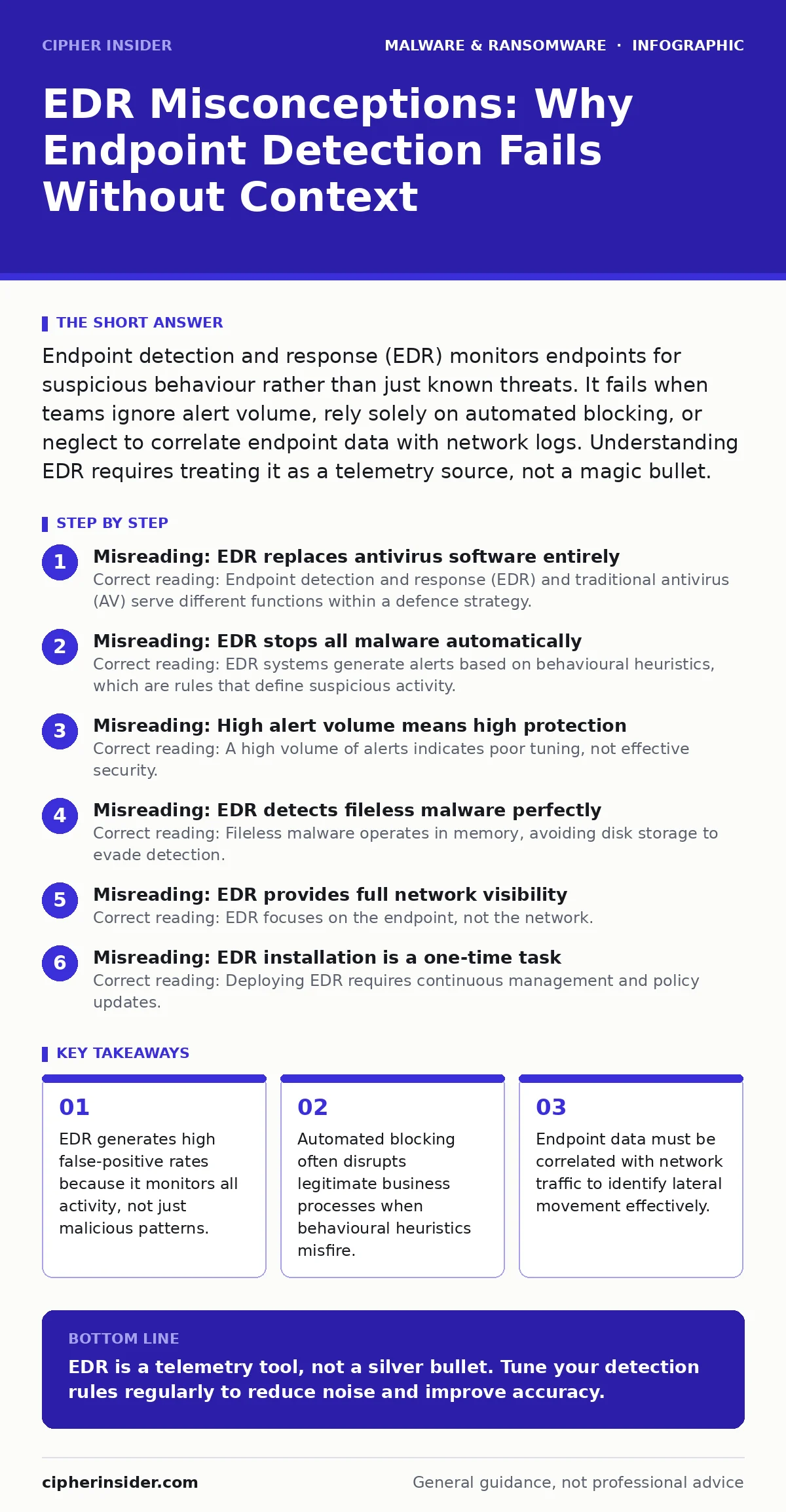
Endpoint detection and response (EDR) monitors endpoints for suspicious behaviour rather than just known threats. It fails when teams ignore alert volume, rely solely on automated blocking, or neglect to correlate endpoint data with network logs. Understanding EDR requires treating it as a telemetry source, not a magic bullet.
Misreading: EDR replaces antivirus software entirely
Correct reading: Endpoint detection and response (EDR) and traditional antivirus (AV) serve different functions within a defence strategy. AV relies on signature matching, comparing file hashes against a database of known malware. EDR records process creation, registry changes, and file modifications to identify unknown threats. You cannot discard AV because EDR does not block known, high-volume threats as efficiently.
Using EDR without AV leaves endpoints vulnerable to common, well-known malware. The two tools complement each other. AV handles the noise of known bad actors. EDR investigates the subtle anomalies that signatures miss. This layered approach reduces the workload on security analysts. It ensures that routine infections are handled automatically while complex attacks receive manual attention.
Misreading: EDR stops all malware automatically
Correct reading: EDR systems generate alerts based on behavioural heuristics, which are rules that define suspicious activity. These heuristics cannot distinguish between a hacker and a legitimate administrator performing unusual tasks. Automated blocking often fails because it lacks context. If a user runs a script that modifies system files, EDR may block it to prevent compromise.
This disrupts work if the script is legitimate. Manual review is required to validate alerts. Analysts must determine if the behaviour is malicious or benign. Relying on fully automated response creates friction for users. It also risks blocking critical business applications. Human judgment remains necessary to interpret the intent behind the activity.
Misreading: High alert volume means high protection
Correct reading: A high volume of alerts indicates poor tuning, not effective security. EDR sensors capture vast amounts of data from every endpoint. Without strict filtering, analysts face alert fatigue. They cannot investigate every notification thoroughly. This leads to missed threats hidden among false positives.
Effective EDR use requires tuning detection rules to your specific environment. You must whitelist known safe applications and processes. This reduces noise and highlights genuine anomalies. Tuning is an ongoing process. As software updates, normal behaviour changes. Rules must be adjusted accordingly. Ignoring tuning leads to a system that alerts on everything but protects nothing effectively.
Misreading: EDR detects fileless malware perfectly
Correct reading: Fileless malware operates in memory, avoiding disk storage to evade detection. EDR monitors memory activity, but this capability has limits. Some fileless techniques mimic normal system calls. They blend in with legitimate processes like PowerShell or Windows Management Instrumentation. Detecting these requires sophisticated behavioural analysis.
Even advanced EDR may miss subtle fileless attacks. You should not assume EDR provides complete visibility into memory-based threats. Combine EDR with application whitelisting. This restricts which applications can run. It prevents unauthorised scripts from executing. Layering controls reduces the risk of fileless malware persistence.
Misreading: EDR provides full network visibility
Correct reading: EDR focuses on the endpoint, not the network. It records what happens on a specific device. It does not monitor traffic between devices. Lateral movement often occurs over the network. An attacker may pivot from one endpoint to another. EDR may miss this movement if it only sees isolated endpoint events. You must correlate endpoint data with network logs. Security Information and Event Management (SIEM) systems help aggregate this data. They provide a broader view of attack paths. Without network visibility, you cannot see how threats spread. EDR is a piece of the puzzle, not the whole picture.
See also: Fileless Malware Mistakes: 7 Errors That Bypass Traditional Defenses · Computer Worms Types: How Self-Replicating Threats Spread and Infect
Misreading: EDR installation is a one-time task
Correct reading: Deploying EDR requires continuous management and policy updates. Initial installation is only the beginning. Policies must be reviewed regularly. New threats emerge constantly. Detection rules must be updated to address new techniques. User behaviour changes over time. Policies must adapt to reflect new work patterns. Ignoring policy maintenance leads to outdated rules. These rules may miss modern threats or block legitimate activity. Regular audits ensure EDR remains effective. They also help identify gaps in coverage. Maintenance is a continuous process, not a project with an end date.
Misreading: EDR eliminates the need for user training
Correct reading: EDR cannot stop users from clicking malicious links. Phishing attacks often bypass technical controls. Users must recognise suspicious emails. Training reduces the initial infection rate. EDR handles what slips through. It detects post-exploitation activity. But it cannot prevent the initial click. Combine technical controls with education. Teach users to verify senders. Encourage reporting of suspicious activity. This human layer strengthens defence. EDR and training work together. One handles technical threats. The other handles social engineering.
Misreading: EDR data is secure by default
Correct reading: EDR collects sensitive data from endpoints. This data includes user activity and system details. If attackers compromise the EDR server, they gain visibility into your environment. They can map your network. They can identify critical assets. Protect EDR infrastructure with strict access controls. Use encryption for data in transit and at rest. Monitor EDR servers for anomalies. Assume they are high-value targets. Compromising EDR gives attackers a significant advantage. Secure the sensor data as you would secure your crown jewels.
Key takeaways
- EDR generates high false-positive rates because it monitors all activity, not just malicious patterns.
- Automated blocking often disrupts legitimate business processes when behavioural heuristics misfire.
- Endpoint data must be correlated with network traffic to identify lateral movement effectively.
EDR is a telemetry tool, not a silver bullet. Tune your detection rules regularly to reduce noise and improve accuracy.
Frequently asked questions
Does EDR protect against ransomware?
EDR can detect ransomware behaviour, such as rapid file encryption. It may block the process. However, it does not prevent initial infection. Combine EDR with backups and user training for better protection.
How does EDR differ from SIEM?
EDR focuses on endpoint activity. SIEM aggregates logs from multiple sources, including networks and servers. EDR provides deep endpoint visibility. SIEM provides broad correlation. They work best together.
Can EDR slow down my computer?
EDR sensors consume system resources. Poorly tuned EDR can cause slowdowns. Ensure proper configuration. Monitor performance metrics. Adjust settings to balance security and speed.
Is cloud-based EDR secure?
Cloud-based EDR stores data off-premises. It relies on the provider's security. Verify their compliance certifications. Use encryption for data transfer. Ensure access controls are strict. This mitigates cloud risks.
How this guide was produced: written by the Cipher Insider editorial team with AI assistance, checked against the public references listed below, and reviewed when the facts change. See our editorial policy or report an error.