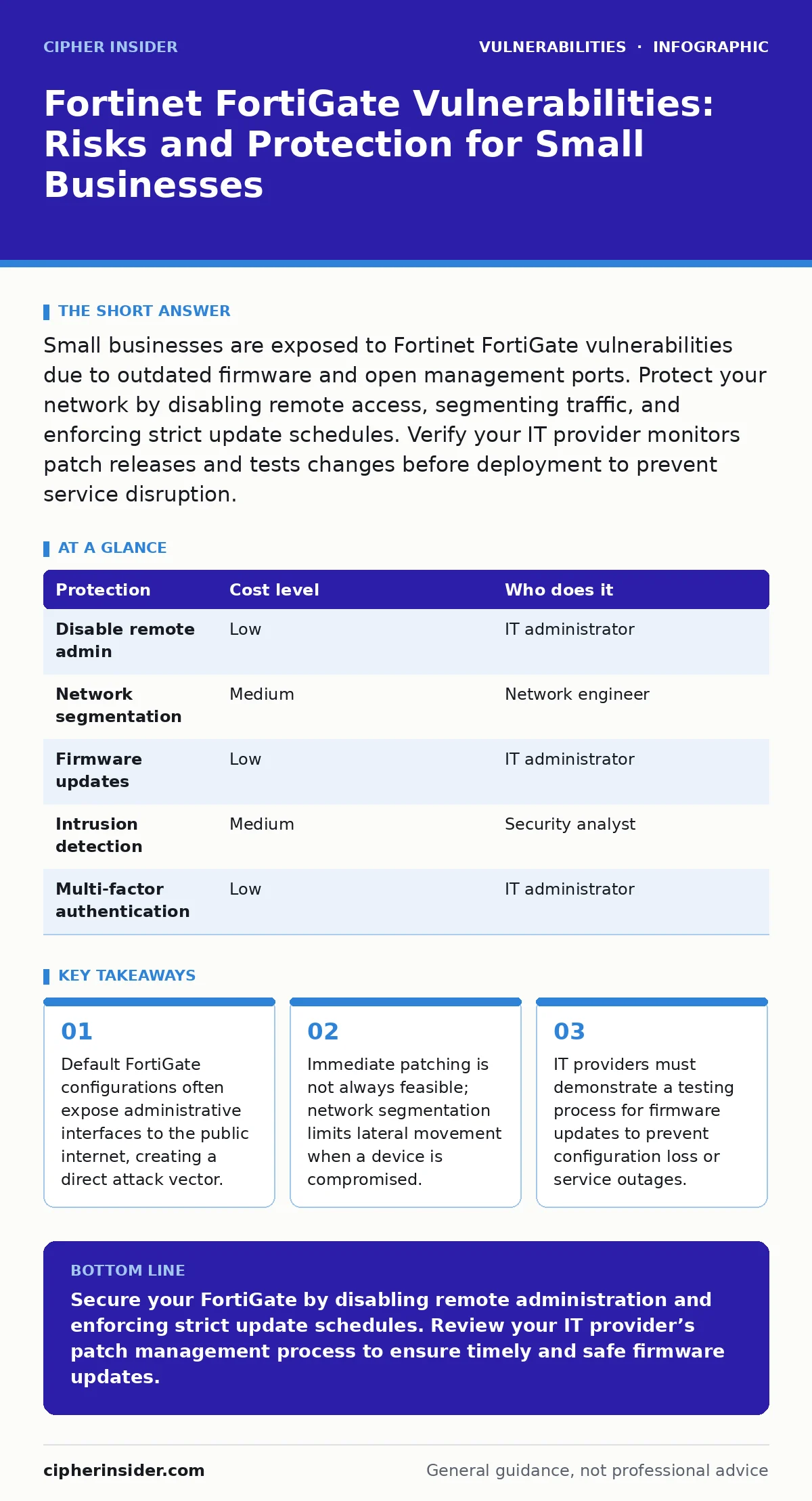
Small businesses are exposed to Fortinet FortiGate vulnerabilities due to outdated firmware and open management ports. Protect your network by disabling remote access, segmenting traffic, and enforcing strict update schedules. Verify your IT provider monitors patch releases and tests changes before deployment to prevent service disruption.
Why Small Organisations Face Disproportionate Risk
Small organisations often lack dedicated security staff, relying on default configurations that prioritise ease of use over security. Fortinet FortiGate devices are powerful, but their complexity creates a large attack surface. Many administrators enable remote management features without restricting access to specific IP addresses. This exposes the administrative interface to the entire internet, allowing attackers to probe for known vulnerabilities.
The risk increases when firmware updates are delayed. Small teams often fear that updating firmware might break custom configurations or interrupt business operations. This hesitation leaves devices running on versions with known flaws. Attackers exploit these delays because they know small targets are less likely to have rigorous patch management processes. The combination of exposed interfaces and outdated software creates a high-probability target for automated scanning tools.
The Mechanics of FortiGate Exploitation
Vulnerabilities in FortiGate devices often involve memory corruption or logic errors in the processing of network traffic. Attackers craft malicious packets that trigger these errors, allowing them to execute arbitrary code on the device. This type of attack does not require user interaction; it only requires the device to process the malicious traffic. Once code execution is achieved, the attacker gains control of the firewall’s operating system.
This control allows the attacker to modify firewall rules, intercept traffic, or pivot to internal systems. The impact extends beyond the firewall itself. Compromised firewalls can be used to launch further attacks against other organisations or to steal sensitive data passing through the network. Understanding that the firewall itself can be the target, not just the gatekeeper, is vital for effective protection.
Low-Cost Protections for Limited Budgets
Implementing strong security does not require expensive tools. Basic configuration changes can significantly reduce the attack surface. The first step is to disable remote management access from the internet. Administrative access should only be permitted from a trusted internal network or a dedicated management VLAN. This prevents direct exploitation of the web interface from external sources.
Network segmentation is another low-cost measure. By dividing the network into smaller zones, you limit the ability of an attacker to move laterally after compromising the firewall. Even if an attacker gains control of the FortiGate, they cannot easily access all internal systems. This containment strategy reduces the potential damage and buys time for detection and response.
| Protection | Cost level | Who does it |
|---|---|---|
| Disable remote admin | Low | IT administrator |
| Network segmentation | Medium | Network engineer |
| Firmware updates | Low | IT administrator |
| Intrusion detection | Medium | Security analyst |
| Multi-factor authentication | Low | IT administrator |
Managing Firmware Updates Safely
Keeping firmware up to date is necessary to patch known vulnerabilities. However, updating a firewall carries the risk of configuration loss or service interruption. Small organisations must balance the need for security with the need for stability. The solution is a disciplined update process that includes testing and backup.
Before applying any firmware update, create a full backup of the current configuration. Test the update in a non-production environment if possible. This allows you to verify that the new firmware works correctly with your specific rules and settings. If a test environment is not available, schedule updates during maintenance windows and have a rollback plan ready. This approach minimises downtime while ensuring security patches are applied promptly.
What to Ask Your IT Provider
If you outsource your IT management, you must ensure your provider follows best practices for firewall security. Ask specific questions about their patch management process. Do they monitor security advisories for Fortinet devices? How quickly do they apply critical patches? A provider that waits for long-term support releases may leave your device exposed to known vulnerabilities for months.
Inquire about their testing procedures. Do they test firmware updates before applying them to your production network? How do they handle configuration backups? A provider that applies updates without testing risks breaking your network configuration. Also, ask about their monitoring capabilities. Can they detect unusual traffic patterns that might indicate an exploit attempt? These questions help you assess whether your provider is proactive or reactive.
- Do you monitor Fortinet security advisories daily?
- What is your average time to apply critical patches?
- How do you test firmware updates before deployment?
- Do you maintain automated configuration backups?
- Can you detect and alert on suspicious traffic patterns?
See also: Remediation Tracking Mistakes That Leave Systems Exposed · Detecting VPN Appliance Vulnerabilities: Signs, Tools and Blind Spots
Beyond the Firewall: Holistic Security
Securing the FortiGate is only one part of a broader security strategy. Attackers often target other weaknesses in the network. For example, IoT device vulnerabilities can provide an entry point to the internal network, bypassing the firewall’s perimeter defenses. Similarly, insecure direct object references (IDOR) in web applications can allow attackers to access sensitive data without exploiting the firewall.
Understanding CWE weakness categories helps you identify common software flaws that might exist in applications behind the firewall. While the firewall filters traffic, it cannot protect against application-layer attacks like NoSQL injection or XML external entity (XXE) attacks. A comprehensive approach includes securing endpoints, applications, and user accounts. This layered defense ensures that a compromise of one component does not lead to total system failure.
The Hidden Cost of Complexity
FortiGate devices offer extensive features, but this complexity increases the risk of misconfiguration. Administrators may enable features they do not fully understand, creating unintended security gaps. For instance, enabling certain logging features can impact performance, leading administrators to disable them. This reduces visibility into potential attacks.
The hidden cost is the ongoing effort required to manage these devices securely. Regular audits of firewall rules and configurations are necessary to ensure they align with security policies. This requires skilled personnel or a knowledgeable IT provider. Small organisations must account for this ongoing maintenance cost when budgeting for security. Neglecting this maintenance leads to configuration drift, where the firewall’s settings no longer match the intended security posture.
Key takeaways
- Default FortiGate configurations often expose administrative interfaces to the public internet, creating a direct attack vector.
- Immediate patching is not always feasible; network segmentation limits lateral movement when a device is compromised.
- IT providers must demonstrate a testing process for firmware updates to prevent configuration loss or service outages.
Secure your FortiGate by disabling remote administration and enforcing strict update schedules. Review your IT provider’s patch management process to ensure timely and safe firmware updates.
Frequently asked questions
How often should FortiGate firmware be updated?
Critical security patches should be applied as soon as they are tested and verified. Routine updates can be scheduled monthly or quarterly, depending on the risk tolerance and business impact.
Can a firewall prevent all cyber attacks?
No. Firewalls filter network traffic based on rules, but they cannot stop all types of attacks, such as application-layer exploits or insider threats. A layered security approach is necessary.
What is the risk of not updating FortiGate firmware?
Outdated firmware contains known vulnerabilities that attackers can exploit to gain control of the device. This can lead to data breaches, network disruption, and further compromise of internal systems.
How does network segmentation help with FortiGate security?
Network segmentation limits the impact of a compromised firewall by isolating different parts of the network. This prevents an attacker from moving laterally to access all systems after gaining control of the firewall.
How this guide was produced: written by the Cipher Insider editorial team with AI assistance, checked against the public references listed below, and reviewed when the facts change. See our editorial policy or report an error.