
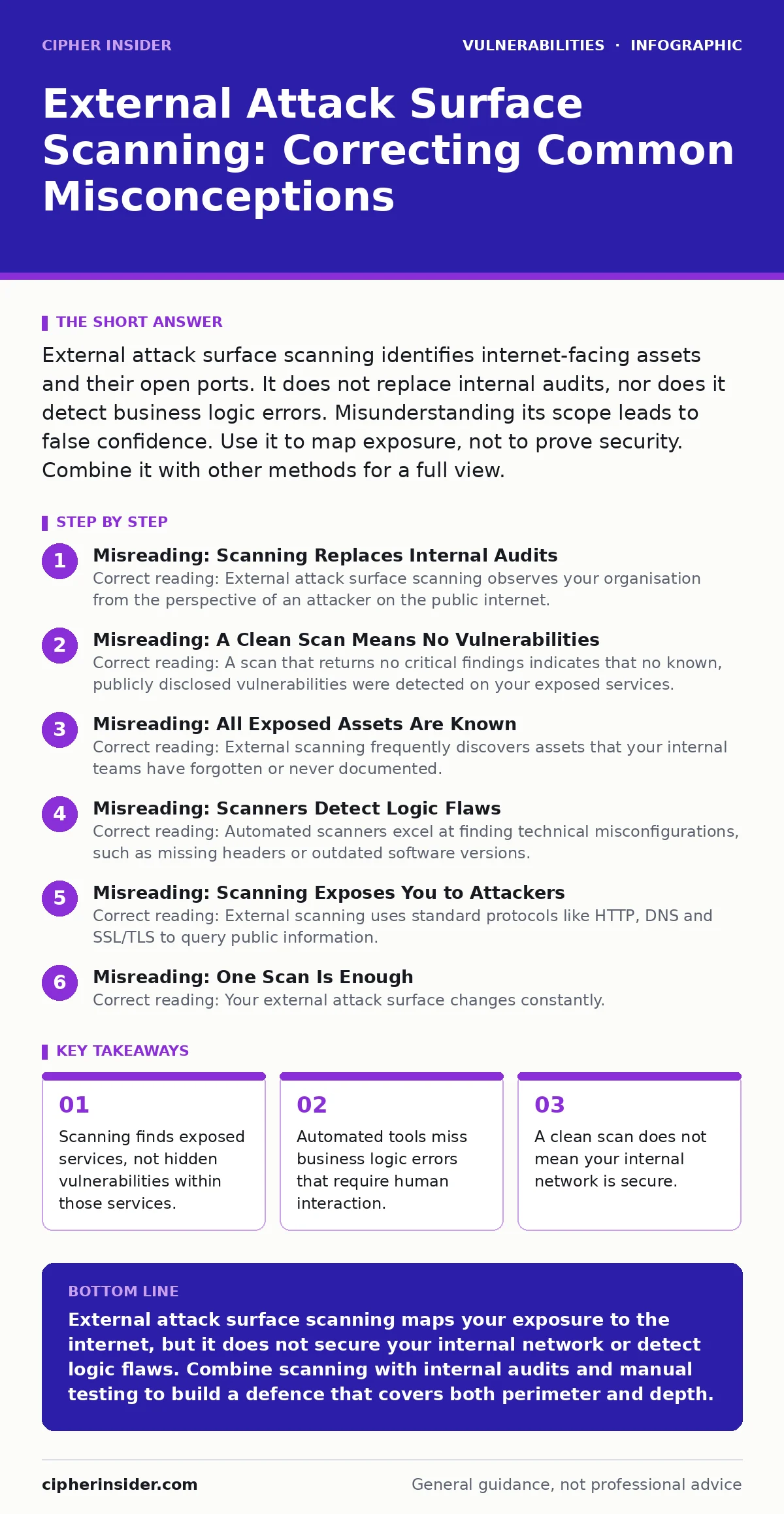
External attack surface scanning identifies internet-facing assets and their open ports. It does not replace internal audits, nor does it detect business logic errors. Misunderstanding its scope leads to false confidence. Use it to map exposure, not to prove security. Combine it with other methods for a full view.
Misreading: Scanning Replaces Internal Audits
Correct reading: External attack surface scanning observes your organisation from the perspective of an attacker on the public internet. It maps ports, services and certificates that are visible from outside. It cannot see inside your corporate network. Internal misconfigurations, such as weak file permissions or unpatched servers behind a firewall, remain invisible to external scanners.
You must treat external scanning as a map of your perimeter, not a health check of your entire estate. Relying solely on external data leaves blind spots in your internal infrastructure. Refer to the guide on IT asset inventory to understand how internal asset tracking complements external visibility.
Misreading: A Clean Scan Means No Vulnerabilities
Correct reading: A scan that returns no critical findings indicates that no known, publicly disclosed vulnerabilities were detected on your exposed services. It does not prove the absence of zero-day exploits or custom code flaws. Scanners match signatures against databases of known weaknesses. If a vulnerability has no public signature, the scanner will not flag it.
Furthermore, scanners often cannot distinguish between a secure default configuration and a deliberately hardened one. You may have a clean scan while still running outdated software that is technically vulnerable but not currently exploitable due to your specific configuration. This is why reviewing secure configuration baselines is necessary alongside scanning results.
Misreading: All Exposed Assets Are Known
Correct reading: External scanning frequently discovers assets that your internal teams have forgotten or never documented. These are often called shadow IT or zombie assets. They might be old test servers, abandoned marketing microsites or misconfigured cloud storage buckets. Finding these is a primary benefit of scanning, but it also reveals a gap in your governance processes.
If your internal records do not match the external scan results, your asset management process is failing. You cannot secure what you do not know exists. Reconciling these findings with your internal records is a continuous process, not a one-time fix. This discrepancy highlights the need for rigorous IT asset inventory practices to keep internal records aligned with external reality.
Misreading: Scanners Detect Logic Flaws
Correct reading: Automated scanners excel at finding technical misconfigurations, such as missing headers or outdated software versions. They struggle with business logic vulnerabilities. For example, an application might allow a user to view another user’s invoice if they change a number in the URL.
A scanner sees a valid response and assumes the application is working as intended. It does not understand that the response should have been denied. Detecting these flaws requires manual testing or specialised tools that simulate user journeys. This is similar to how host header injection attacks exploit trust in request headers, a nuance often missed by automated checks.
Misreading: Scanning Exposes You to Attackers
Correct reading: External scanning uses standard protocols like HTTP, DNS and SSL/TLS to query public information. It does not exploit vulnerabilities or send malicious payloads. The traffic generated by a scanner is indistinguishable from normal internet noise to most intrusion detection systems. Attackers are already scanning your perimeter continuously. By scanning yourself, you gain visibility into the same attack surface they are mapping.
The risk lies not in the scanning activity itself, but in how you respond to the findings. If you leave exposed services open because you fear the scan itself, you remain vulnerable. The goal is to reduce exposure, not to avoid detection. Understand that vulnerabilities in VPN gateways and application delivery controllers are often exposed by passive observation, not active exploitation.
See also: Automatic Software Updates Checklist: Preventing Silent Failures · Unpatched Software: Why Missing Updates Create Hidden Entry Points
Misreading: One Scan Is Enough
Correct reading: Your external attack surface changes constantly. New services are deployed, old ones are decommissioned, and cloud configurations drift. A single scan provides a snapshot in time. That snapshot becomes stale quickly. Attackers scan continuously to find new openings as your infrastructure evolves. You must scan regularly to catch these changes. Frequency depends on your deployment cycle.
Organisations with frequent deployments need daily or weekly scans. Those with static infrastructure might scan monthly. The key is consistency. Regular scanning helps you detect drift from your intended security posture. It ensures that new assets are registered and secured before they become liabilities. This aligns with the principles discussed in vulnerabilities in VPN appliances, where configuration drift can open unexpected doors.
Misreading: All Findings Are Equally Dangerous
Correct reading: Not all vulnerabilities pose the same risk. A missing security header on an internal admin page poses less risk than an exposed database port on a public server. Prioritise findings based on exposure and exploitability. Use frameworks like CWE weakness categories to understand the nature of the weakness.
A common weakness enumeration helps you categorise flaws by their root cause. This allows you to focus on high-impact issues first. Do not waste resources fixing low-risk issues while critical exposures remain open. Context matters. A vulnerability on a public-facing web server is more urgent than the same vulnerability on an isolated test environment. Understanding the context helps you allocate resources effectively.
Key takeaways
- Scanning finds exposed services, not hidden vulnerabilities within those services.
- Automated tools miss business logic errors that require human interaction.
- A clean scan does not mean your internal network is secure.
- False negatives are common when services hide behind authentication walls.
External attack surface scanning maps your exposure to the internet, but it does not secure your internal network or detect logic flaws. Combine scanning with internal audits and manual testing to build a defence that covers both perimeter and depth.
Frequently asked questions
How often should I perform external attack surface scanning?
Scan at least monthly for static environments. Increase frequency to weekly or daily for organisations with frequent cloud deployments or rapid development cycles. Consistency is more important than frequency.
Can external scanning detect unpatched internal servers?
No. External scanning only sees what is exposed to the public internet. Internal servers behind firewalls or NAT devices are invisible to external scanners. You need internal vulnerability scanning for those assets.
Does external scanning slow down my services?
Standard scanning techniques use minimal bandwidth and compute resources. They should not impact service performance. However, aggressive scanning or stress testing can cause disruptions. Use controlled, non-intrusive scanning methods.
How do I handle shadow IT assets found by scanning?
Verify if the asset is still needed. If it is, register it in your asset inventory and apply security controls. If it is not, decommission it. Document the process to prevent recurrence.
How this guide was produced: written by the Cipher Insider editorial team with AI assistance, checked against the public references listed below, and reviewed when the facts change. See our editorial policy or report an error.