
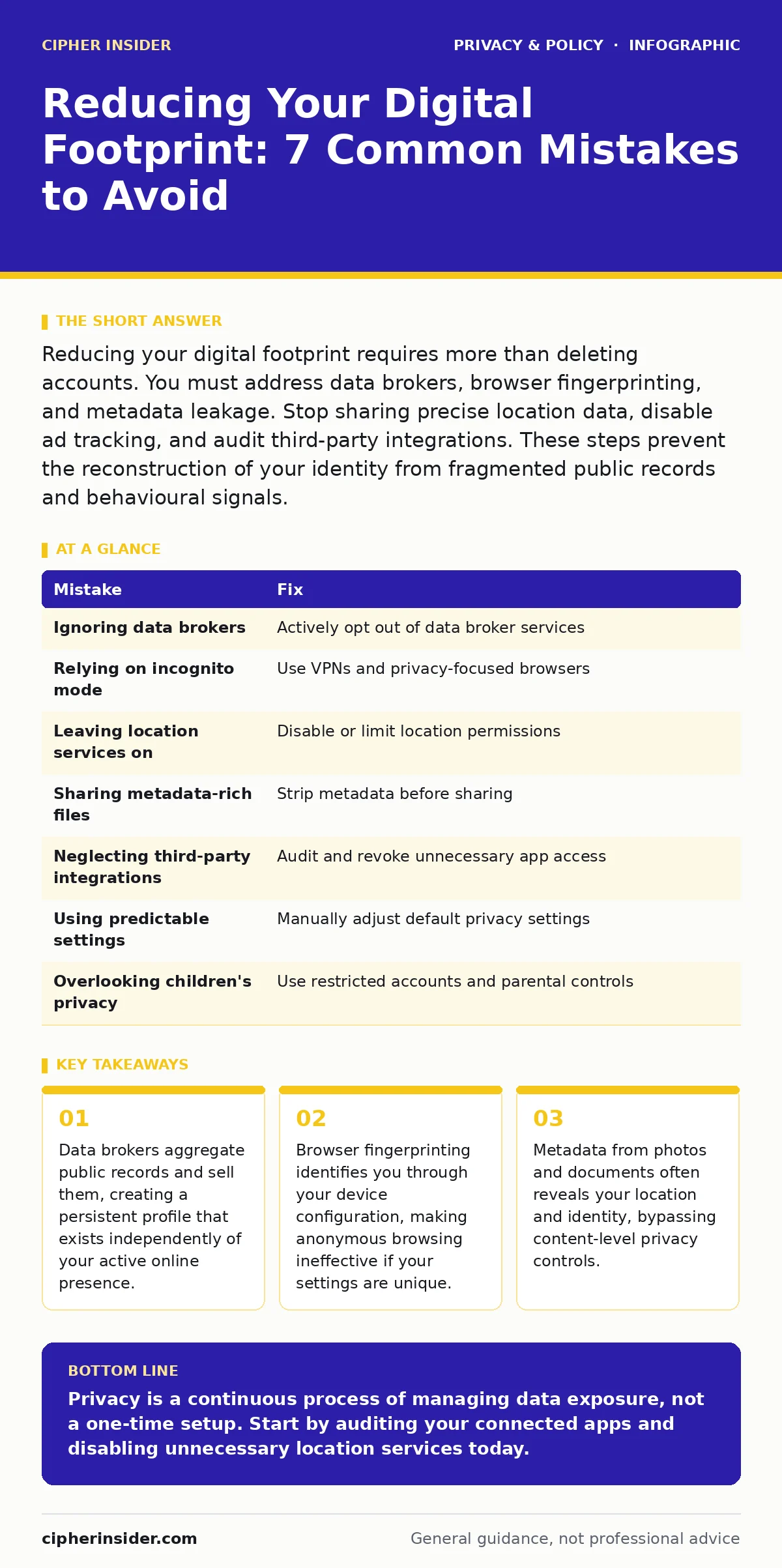
Reducing your digital footprint requires more than deleting accounts. You must address data brokers, browser fingerprinting, and metadata leakage. Stop sharing precise location data, disable ad tracking, and audit third-party integrations. These steps prevent the reconstruction of your identity from fragmented public records and behavioural signals.
Mistake 1: Ignoring Data Broker Removal Services
Many users assume that deleting their social media accounts removes their personal information from the internet. This assumption is incorrect. Data brokers collect information from public records, social platforms, and other sources to build detailed profiles. These companies sell this data to marketers, recruiters, and other entities. Your name, address, and family details persist in these databases even after you leave a platform.
Why it hurts:
These profiles are often inaccurate and difficult to correct. You lose control over who accesses your home address and phone number. This exposure increases the risk of physical stalking and identity theft. The data remains available for years, creating a long-term liability.
The fix:
You must actively opt out of these services. Identify major data brokers and submit removal requests. This process is manual and repetitive. You will need to repeat it periodically as your data reappears. Consider using a dedicated service for data brokers management if you lack the time. This ensures your contact details are not easily accessible to anyone with a search engine.
Mistake 2: Relying on Incognito Mode for Anonymity
Users frequently open private or incognito windows to browse sensitive content. They believe this hides their activity from their internet service provider, their employer, or the websites they visit. It does not. Incognito mode only prevents the local browser from saving your history, cookies, and form data. Your IP address and browsing behaviour are still visible to external parties.
Why it hurts:
This false sense of security leads to risky behaviour. You may visit sites you would normally avoid, leaving a clear trail for network administrators. Your internet service provider can still log your destination websites. Advertisers can still track your session duration and content preferences. This defeats the purpose of seeking privacy.
The fix:
Use a virtual private network to encrypt your traffic and mask your IP address. Combine this with a privacy-focused browser that blocks trackers by default. Understand that browser fingerprinting can still identify you based on your screen resolution, installed fonts, and hardware configuration. Standardise your browser settings to make your fingerprint less unique. This reduces the ability of trackers to distinguish you from other users.
Mistake 3: Leaving Location Services Enabled
Smartphones and apps constantly request access to your location. Many users grant this permission without considering the granularity of the data collected. Apps can record your precise movements, creating a detailed map of your daily routine. This includes your home, workplace, and frequent stops. This data is often shared with third-party analytics firms.
Why it hurts:
Your location history reveals your habits, health conditions, and social connections. If this data is leaked, it enables physical surveillance. It also allows advertisers to target you based on your real-world movements. This is a primary vector for location tracking abuse. You cannot undo the exposure once the data is collected.
The fix:
Disable location services for apps that do not strictly require them. Use approximate location instead of precise location where possible. Review app permissions regularly and revoke access for unused applications. For critical privacy, turn off location services entirely when not in use. This prevents the accumulation of a long-term movement profile.
Mistake 4: Sharing Metadata-Rich Files
When you share photos or documents, you often share more than the visible content. Images contain EXIF data, which includes the time, date, and GPS coordinates of where the photo was taken. Documents may contain hidden comments, author names, and edit history. This metadata persists even when you upload files to cloud storage or share them via messaging apps.
Why it hurts:
Metadata can reveal your identity and location without your consent. A photo of a meal might reveal your restaurant and the time you were there. A shared document might reveal your employer or previous drafts. This information is easily extracted by anyone who saves the file. It bypasses your efforts to redact visible sensitive information.
The fix:
Strip metadata from files before sharing them. Most operating systems offer tools to remove this data. Alternatively, take a screenshot of the image or document, which creates a new file without the original metadata. Use privacy-focused file sharing services that automatically strip metadata. This ensures you only share the intended content.
Mistake 5: Neglecting Third-Party Integrations
You likely connect your social media accounts to other apps and websites. This allows you to log in quickly or share content easily. However, these integrations grant third-party apps access to your profile data. This includes your friends list, email address, and sometimes your post history. You often do not know what data these apps collect or how they use it.
Why it hurts:
These apps can build a profile of your interests and social graph. They may sell this data to advertisers or use it for surveillance advertising. If a third-party app is compromised, your connected accounts are also at risk. You lose control over your data once it leaves your primary platform.
The fix:
Audit your connected apps regularly. Revoke access for services you no longer use. Limit the permissions granted to new integrations. Use unique passwords for important accounts instead of social logins. This reduces the blast radius of a single compromised service. It also prevents unnecessary data sharing with entities you do not trust.
See also: What is online tracking: how data follows you and how to stop it · Differential Privacy Meaning: How Noise Protects Your Data
Mistake 6: Using Predictable Privacy Settings
Many users accept default privacy settings on new devices and accounts. These defaults are often designed to maximise data collection for the platform. They may allow personalised ads, data sharing with partners, and public visibility of your profile. Changing these settings requires effort, so many users never do.
Why it hurts:
Default settings expose you to ad tracking and profiling. Your data is used to build a behavioural model that predicts your actions. This model is sold to the highest bidder. You become a commodity in the attention economy. Your privacy is eroded incrementally through small, unnoticed concessions.
The fix:
Manually review and adjust privacy settings on every new account. Disable personalised advertising where possible. Limit data sharing with third parties. Set your profile to private by default. This requires initial effort but provides long-term protection. It shifts the burden of data collection onto the platform rather than you.
Mistake 7: Overlooking Children's Online Privacy
Parents often create accounts for their children without considering the long-term implications. Children's accounts may have different privacy defaults or be subject to different regulations. However, many platforms still collect extensive data from young users. This includes browsing history, location, and interaction patterns. This data forms the basis of their digital identity.
Why it hurts:
Children cannot fully understand the risks of data sharing. Their digital footprint starts before they can consent. This early data collection can affect their future opportunities. It also exposes them to children's online privacy risks such as grooming and predatory advertising. The damage is difficult to repair once the data is widespread.
The fix:
Create separate, restricted accounts for children. Use parental controls to limit data sharing and location tracking. Educate children about privacy from an early age. Review their apps and accounts regularly. This protects their developing identity and reduces exposure to harmful content. It also sets a precedent for responsible digital behaviour.
| Mistake | Fix |
|---|---|
| Ignoring data brokers | Actively opt out of data broker services |
| Relying on incognito mode | Use VPNs and privacy-focused browsers |
| Leaving location services on | Disable or limit location permissions |
| Sharing metadata-rich files | Strip metadata before sharing |
| Neglecting third-party integrations | Audit and revoke unnecessary app access |
| Using predictable settings | Manually adjust default privacy settings |
| Overlooking children's privacy | Use restricted accounts and parental controls |
Key takeaways
- Data brokers aggregate public records and sell them, creating a persistent profile that exists independently of your active online presence.
- Browser fingerprinting identifies you through your device configuration, making anonymous browsing ineffective if your settings are unique.
- Metadata from photos and documents often reveals your location and identity, bypassing content-level privacy controls.
Privacy is a continuous process of managing data exposure, not a one-time setup. Start by auditing your connected apps and disabling unnecessary location services today.
Frequently asked questions
Does deleting my social media accounts remove my data?
No, data brokers and other platforms may retain your information. You must actively request removal from these external sources.
Can I be tracked if I use a private browser?
Yes, your internet service provider and websites can still see your traffic. Private browsing only hides history from your local device.
Is it safe to share photos on social media?
Photos often contain hidden location data. Strip metadata before sharing to prevent revealing your precise location.
How often should I review my privacy settings?
Review settings every few months or after installing new apps. Platforms frequently change their default permissions and data policies.
How this guide was produced: written by the Cipher Insider editorial team with AI assistance, checked against the public references listed below, and reviewed when the facts change. See our editorial policy or report an error.