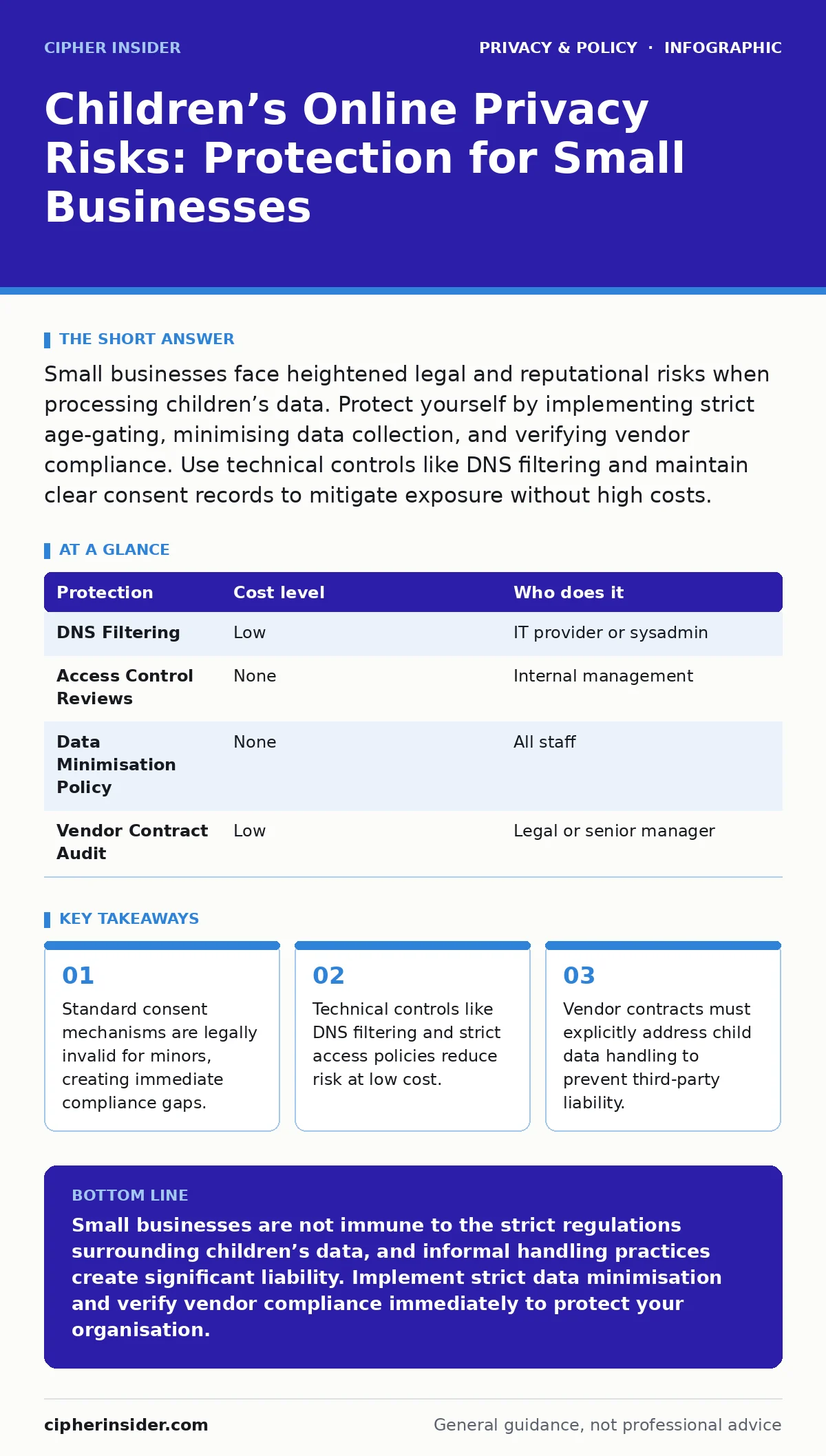
Small businesses face heightened legal and reputational risks when processing children’s data. Protect yourself by implementing strict age-gating, minimising data collection, and verifying vendor compliance. Use technical controls like DNS filtering and maintain clear consent records to mitigate exposure without high costs.
The Unique Vulnerability of Minor Data
Processing data belonging to children differs fundamentally from handling adult information. The core issue is capacity. Children lack the legal and cognitive capacity to provide informed consent in many jurisdictions. This means the standard "opt-in" checkbox you use for adult customers is legally worthless when the subject is a minor. You cannot rely on the child’s agreement. You must obtain verifiable parental consent or demonstrate that the processing is strictly necessary for a specific service the child is already using.
This distinction creates a hidden liability vector for small organisations. Many small businesses assume that because they are small, regulators will overlook minor infractions. This assumption is dangerous. Regulatory bodies often prioritise cases involving vulnerable groups, such as children, regardless of the offender’s size. The penalty is not just financial; it is reputational. Trust is the primary asset of a small business. Once a community perceives you as careless with children’s data, recovery is difficult and often impossible.
Why Small Organisations Are Exposed
Small teams often operate with flat hierarchies and limited resources. This structure leads to informal data handling practices. An employee might save a list of student names in a shared spreadsheet accessible to the whole team. This practice violates the principle of data minimisation, which requires collecting only the data strictly necessary for a specific purpose. It also breaches access control, as unnecessary personnel can view sensitive information.
The exposure increases when you use third-party services. Many small businesses rely on generic cloud storage or communication tools. These tools are designed for general business use, not for the strict compliance requirements of child data. If you upload a file containing children’s names to a standard cloud drive, you are likely transferring that data to servers in jurisdictions with different privacy laws. You lose direct control over how that data is stored, processed, and potentially accessed by the vendor’s subcontractors.
Low-Cost Technical Protections
You do not need expensive enterprise software to reduce risk. Several technical controls are low-cost or free and significantly lower your exposure. The first line of defence is network-level filtering. Using DNS over HTTPS (DoH) allows you to block access to known malicious or inappropriate domains before they load. This reduces the risk of children encountering harmful content on devices connected to your network. For a deeper understanding of this mechanism, see our guide on DNS over HTTPS.
Second, implement strict access controls. This is not about complex software, but about discipline. Use the principle of least privilege. Only staff who need specific data to perform their duties should have access to it. A teacher needs class lists; the receptionist does not. Review these permissions quarterly. Delete access for staff who leave or change roles immediately. This prevents accidental data leaks from former employees who still have active logins.
| Protection | Cost level | Who does it |
|---|---|---|
| DNS Filtering | Low | IT provider or sysadmin |
| Access Control Reviews | None | Internal management |
| Data Minimisation Policy | None | All staff |
| Vendor Contract Audit | Low | Legal or senior manager |
The Hidden Cost of Data Brokers
Even if you handle data perfectly internally, external threats remain. Data brokers aggregate personal information from public records, social media, and other sources. They often sell this data to advertisers and researchers. Children’s data is particularly valuable to these entities because it predicts future consumer behaviour. You cannot always prevent brokers from collecting data about your users, but you can stop your business from feeding them.
Avoid sharing data with analytics platforms that do not have clear child-privacy safeguards. Many standard analytics tools use tracking cookies that build profiles of users. If a child visits your site, these cookies may track their movement across the web. This creates a digital footprint you did not explicitly authorise. Use privacy-focused browsers or analytics tools that do not rely on cross-site tracking. For more on browser security, read our section on privacy-focused browsers.
What to Ask Your IT Provider
Your IT provider is a critical partner in maintaining privacy. However, many providers focus on uptime and speed, not compliance. You must explicitly ask about their handling of sensitive data. Do not assume they understand the nuances of child data protection. Ask them to explain their data retention policies. How long do they keep logs? Where are those logs stored? Who has access to them?
You should also ask about their subcontractors. Many IT firms outsource support to other companies. If your provider shares your data with a subcontractor, that subcontractor becomes a data processor. You are liable for their actions. Ensure your contract includes clauses that bind your provider to strict privacy standards. For guidance on managing these relationships, see our guide on consent management.
- Does the provider have a documented process for handling data breaches involving minors?
- Where is the data stored, and does the location comply with local privacy laws?
- How does the provider verify the identity of staff accessing sensitive data?
- What measures are in place to prevent unauthorised data export?
- Does the provider use sub-processors, and if so, who are they?
See also: Smartphone Privacy Settings for Small Business Operations · Parental Controls for Small Business: Filter Web Traffic Without Breaking the Bank
Parental Controls and Device Management
If your business provides devices to children, such as in an educational setting, you must implement parental controls. These are software restrictions that limit what a user can do on a device. They can block specific apps, filter web content, and limit screen time. This is not just a safety measure; it is a compliance measure. It demonstrates that you have taken active steps to protect minors from inappropriate content.
However, parental controls are not a substitute for good data practices. They do not prevent you from collecting unnecessary data. They do not fix poor access controls. Use them as one layer in a broader strategy. For a detailed look at these tools, refer to our guide on parental controls. Remember that no technical control is perfect. Children can often find ways around restrictions. Your primary defence is policy and training, not just software.
The Limits of Technical Solutions
Technology cannot solve every privacy problem. You cannot automate consent. You cannot use software to determine if a user is telling the truth about their age. These are human problems requiring human processes. You need clear policies that staff understand and follow. You need training that explains why these rules exist, not just what they are.
Imagine a staff member who believes they are helping a child by sharing their data with a well-meaning charity. Without clear policy, this action is a breach. With clear policy, the staff member knows to refuse the request. Training should cover real-world scenarios, not just abstract rules. It should explain the consequences of non-compliance, both legal and reputational.
Key takeaways
- Standard consent mechanisms are legally invalid for minors, creating immediate compliance gaps.
- Technical controls like DNS filtering and strict access policies reduce risk at low cost.
- Vendor contracts must explicitly address child data handling to prevent third-party liability.
Small businesses are not immune to the strict regulations surrounding children’s data, and informal handling practices create significant liability. Implement strict data minimisation and verify vendor compliance immediately to protect your organisation.
Frequently asked questions
Do I need a Data Protection Officer if I am a small business?
You only need a designated officer if your core activities require regular and systematic monitoring of individuals on a large scale. Most small businesses do not meet this threshold, but you still need someone responsible for privacy.
Can I use free email services for communicating with parents?
Free services often use your data for advertising. This may violate privacy principles if you are processing sensitive data. Use business-grade services with clear data processing agreements.
What happens if a child provides false age information?
You must have a reasonable verification process. If you have no reason to doubt the age provided, you may proceed, but you should document your verification steps. If you suspect the user is a child, you must seek parental consent.
How long should I keep children’s data?
Keep it only as long as necessary for the purpose it was collected. Delete it immediately once that purpose is fulfilled. Define specific retention periods in your policy, such as one year after the service ends.
How this guide was produced: written by the Cipher Insider editorial team with AI assistance, checked against the public references listed below, and reviewed when the facts change. See our editorial policy or report an error.