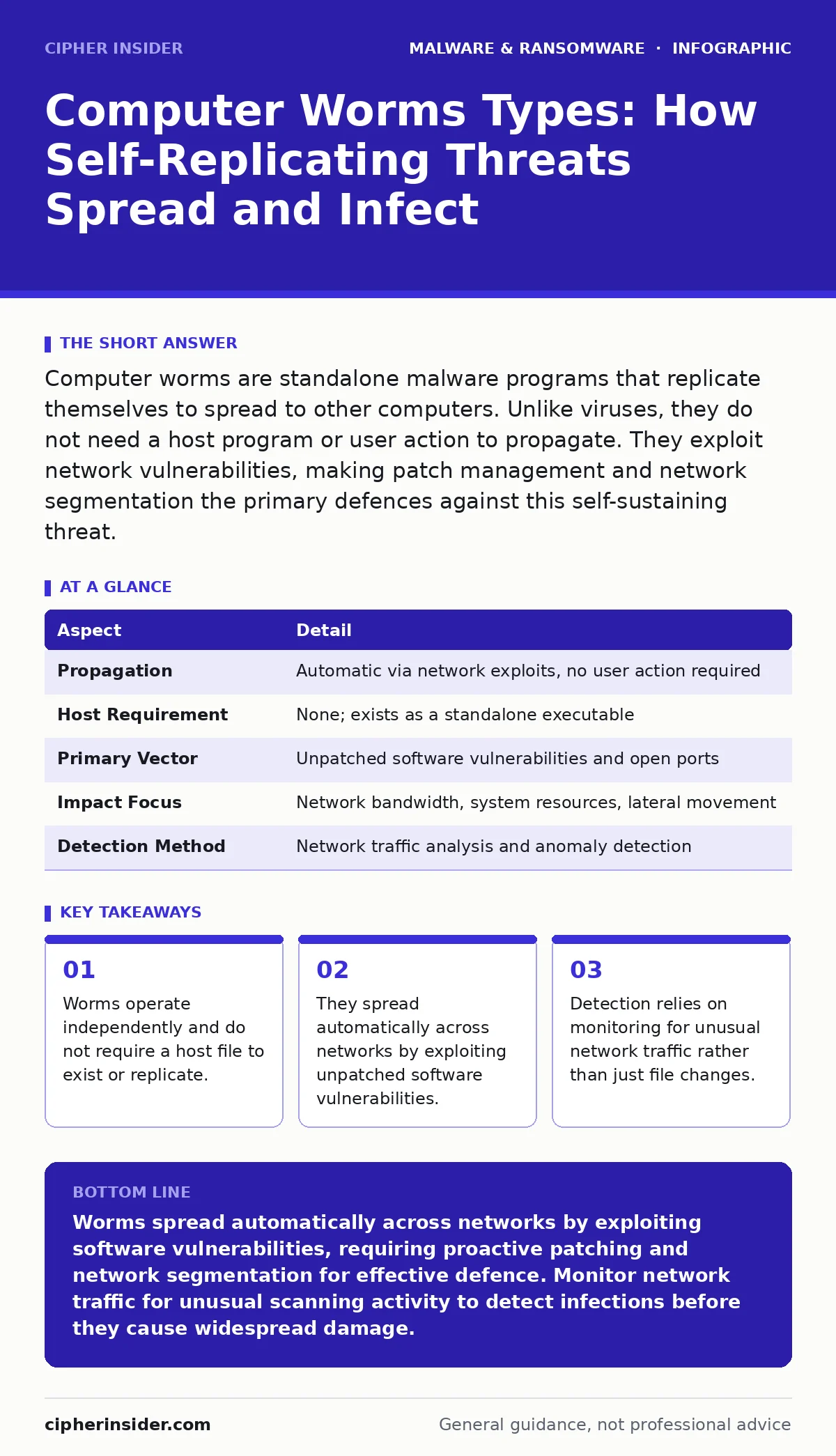
Computer worms are standalone malware programs that replicate themselves to spread to other computers. Unlike viruses, they do not need a host program or user action to propagate. They exploit network vulnerabilities, making patch management and network segmentation the primary defences against this self-sustaining threat.
Imagine a leak in a ship’s hull that allows water to flood adjacent compartments without any crew member opening a door. The water moves on its own, driven by pressure and gravity, spreading damage rapidly through the vessel’s structure. Computer worms function with similar autonomy. They are self-contained programs that copy themselves from one system to another across a network. They do not attach themselves to existing files. This distinction separates them from traditional viruses, which require a host file to survive and spread.
| Aspect | Detail |
|---|---|
| Propagation | Automatic via network exploits, no user action required |
| Host Requirement | None; exists as a standalone executable |
| Primary Vector | Unpatched software vulnerabilities and open ports |
| Impact Focus | Network bandwidth, system resources, lateral movement |
| Detection Method | Network traffic analysis and anomaly detection |
What Are the Different Computer Worms Types?
When you search for computer worms types, you are looking for the specific mechanisms these threats use to move. The classification depends on the protocol or vulnerability the worm exploits. Understanding these categories helps you predict how an infection might behave in your environment.
- Network Exploit Worms: These scan for specific vulnerabilities in operating systems or services. Once they find a match, they inject code to gain access and replicate. They rely entirely on the target having an unpatched flaw.
- Email Worms: These use social engineering to trick users into opening attachments or clicking links. While they require initial human interaction, the payload then spreads automatically to contacts in the address book.
- Peer-to-Peer Worms: These infect shared folders on file-sharing networks. They copy themselves into directories that users have marked as public, spreading to anyone who downloads files from those locations.
- Instant Messaging Worms: These propagate through chat applications by sending malicious links or files to all contacts in a user’s list. They often disguise themselves as legitimate messages or media files.
Each type has a different entry point. Network exploit worms bypass the user entirely. Email and messaging worms use the user as a gateway. Peer-to-peer worms exploit shared resources. Your defence strategy must address the specific entry point relevant to your infrastructure.
How Worms Operate and Spread
A worm’s lifecycle begins with reconnaissance. The malware scans the local network for other devices. It looks for open ports or services that are known to be vulnerable. This scanning activity generates significant network traffic. Security teams often detect worms by observing this unusual volume of connection attempts.
Once a vulnerable system is identified, the worm attempts exploitation. It sends a crafted payload designed to trigger a software bug. If the bug exists, the system grants the worm access. The worm then installs a copy of itself on the new machine. It immediately begins scanning for further targets. This cycle repeats continuously.
This automatic replication is the defining characteristic of a worm. It does not wait for a user to run a program. It does not need to be attached to a document. It lives in memory and on disk, actively seeking new hosts. This behaviour makes worms particularly dangerous in large, flat networks where there are few barriers between devices.
Who Is Affected by Worm Infections?
Worms affect any system connected to a network. This includes personal computers, servers, and Internet of Things devices. The impact depends on the worm’s purpose. Some worms are designed to consume bandwidth, causing denial of service. They flood the network with traffic, slowing down legitimate operations.
Other worms install backdoors. These allow attackers to access systems remotely. This can lead to data theft or further compromise. Some worms act as droppers for other malware. They prepare the system for more sophisticated attacks. This is why understanding malware droppers and loaders is relevant when analysing worm behaviour.
Large organisations are often prime targets. They have many interconnected devices. A worm can move laterally across a corporate network with ease. Small businesses and home users are also at risk. They may lack the resources for advanced monitoring. The consequence is the same: loss of control over the network.
Common Misconceptions About Worms
Many people confuse worms with viruses. A virus requires a host file. It attaches itself to a document or executable. It only spreads when that file is shared and opened. A worm is standalone. It does not need a host. This difference changes how you detect and remove them.
Another mistake is assuming that antivirus software alone stops worms. Traditional antivirus scans files on disk. Worms often reside in memory. They may not write files until they have established persistence. Network-based detection is often more effective. You must monitor traffic, not just files.
Some believe that being offline protects against worms. While this prevents network-based spread, it does not stop worms introduced via removable media. A worm on a USB drive can infect an offline computer when the drive is inserted. This is why Mac malware strategies also include checking external media, even if the platform is generally considered secure.
Detection and Mitigation Strategies
Detecting a worm requires looking beyond file signatures. You must analyse network behaviour. Unusual spikes in outbound traffic are a strong indicator. Many internal devices should not be initiating connections to unknown external addresses. Firewall logs can reveal this activity.
Intrusion Detection Systems are useful here. They monitor for known exploit patterns. If a worm is using a specific vulnerability, the IDS can alert you. You should also check for processes that are consuming high CPU or network resources. Worms replicate aggressively, which strains system resources.
Mitigation starts with patching. Keep all software up to date. Close the vulnerabilities that worms exploit. Network segmentation limits the spread. If a worm infects one segment, it cannot easily reach others. This containment strategy reduces the blast radius.
See also: Port Scanning Myths: What Attackers Actually Reveal · Difference Between Session Hijacking and Spoofing: Mechanisms and Defences
Advanced Considerations for Security Professionals
For those entering security, understanding the intersection of worms and other threats is vital. Worms often serve as the initial access vector. Once inside, they may download additional payloads. This is where packers and crypters come into play. Attackers use these tools to obfuscate the worm’s code. This makes static analysis difficult.
Memory forensics is a powerful technique for analysing worms. Since worms operate in memory, capturing a memory dump can reveal their presence. This is especially useful for fileless variants. You can find traces of the worm’s code and behaviour in the system’s RAM.
Be aware that worms can evolve. They may change their scanning patterns to avoid detection. They might target different vulnerabilities. Continuous monitoring and threat intelligence are necessary. You cannot assume that a worm you have seen before will behave the same way next time.
What to Do If You Suspect a Worm
If you detect suspicious activity, isolate the affected systems immediately. Disconnect them from the network. This stops the worm from spreading to other devices. Do not shut down the system yet. A shutdown may erase volatile memory evidence.
Capture network logs and memory dumps if possible. This information helps in understanding the scope of the infection. Identify the source of the worm. Determine which vulnerability was exploited. This allows you to patch the flaw and prevent reinfection.
Remove the worm using specialised tools. Standard antivirus may not be sufficient. Ensure that all copies are deleted. Restore systems from clean backups if necessary. Verify that the vulnerability is patched before reconnecting to the network.
Summary of Worm Defence
Defending against worms requires a multi-layered approach. Patch management closes the entry points. Network segmentation limits the spread. Monitoring detects the activity. Understanding the different computer worms types helps you tailor your defences. Remember that worms are autonomous. They do not wait for permission. Your systems must be ready to repel them automatically.
Key takeaways
- Worms operate independently and do not require a host file to exist or replicate.
- They spread automatically across networks by exploiting unpatched software vulnerabilities.
- Detection relies on monitoring for unusual network traffic rather than just file changes.
Worms spread automatically across networks by exploiting software vulnerabilities, requiring proactive patching and network segmentation for effective defence. Monitor network traffic for unusual scanning activity to detect infections before they cause widespread damage.
Frequently asked questions
Can a worm spread without an internet connection?
Yes, worms can spread over local area networks without internet access. They may also spread via removable media like USB drives if the target system is vulnerable.
How do worms differ from trojan horses?
Trojans disguise themselves as legitimate software and require user action to install. Worms are standalone programs that replicate and spread automatically without user interaction.
Do firewalls stop all computer worms?
Firewalls can block worms that use specific ports or protocols. However, worms using allowed ports or exploiting vulnerabilities in permitted services may bypass firewall rules.
Why are patches so important for worm prevention?
Most worms exploit known vulnerabilities in software. Applying patches fixes these flaws, removing the entry point that the worm uses to gain access and replicate.
How this guide was produced: written by the Cipher Insider editorial team with AI assistance, checked against the public references listed below, and reviewed when the facts change. See our editorial policy or report an error.