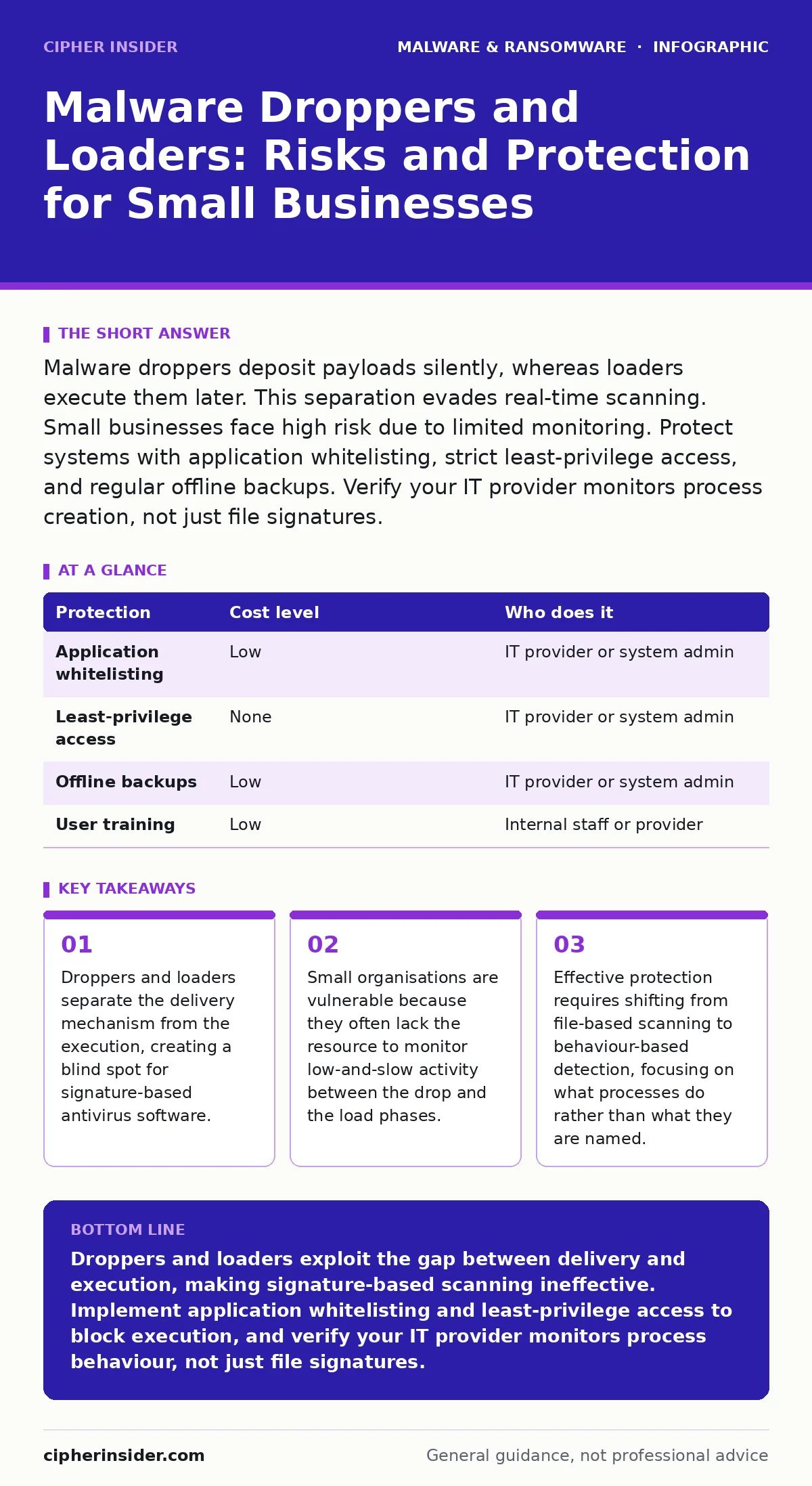
Malware droppers deposit payloads silently, whereas loaders execute them later. This separation evades real-time scanning. Small businesses face high risk due to limited monitoring. Protect systems with application whitelisting, strict least-privilege access, and regular offline backups. Verify your IT provider monitors process creation, not just file signatures.
How Droppers and Loaders Evade Detection
Malware droppers and loaders operate as a two-stage attack mechanism. The dropper is the delivery vehicle. Its sole purpose is to place a malicious payload onto a target system. It often masquerades as a legitimate file, such as a document or an installer. Once the payload is on the disk, the dropper may delete itself to remove evidence. This leaves no trace of the initial infection vector.
The loader is the execution engine. It runs after a delay or a specific trigger. This trigger might be a time interval, a network connection, or a user action. Because the loader runs separately from the dropper, it appears as a new process. Standard antivirus software often scans files when they are created or opened. If the dropper places the file and exits, the scanner may never see the loader in action. The loader executes from memory or a hidden directory, bypassing static file analysis.
This separation creates a temporal gap. During this gap, the malware is present but inactive. Security tools that rely on known signatures will not flag the file because it has not yet behaved maliciously. The system appears clean until the loader activates. This delay allows attackers to bypass initial security checks and establish persistence before alerts are triggered.
Why Small Organisations Are Exposed
Small businesses often lack the infrastructure to detect these staged attacks. Large enterprises use endpoint detection and response (EDR) systems that monitor process behaviour in real time. Small teams typically rely on basic antivirus software. This software checks files against a database of known threats. It does not watch how applications interact with the system.
The resource gap is significant. Monitoring every process on every machine requires dedicated staff and advanced tools. Small organisations often have one IT person or an external provider. They cannot manually review logs for subtle anomalies. Attackers exploit this silence. They use droppers to drop payloads that look like normal system files. The loader waits for a moment when monitoring is least likely to catch it.
Another factor is user behaviour. Employees in small teams often have administrative privileges. This allows them to install software and modify system settings. A dropper can exploit these privileges to place files in protected directories. Without least-privilege controls, the malware gains the access it needs to operate. The combination of weak monitoring and high user privileges creates a perfect environment for droppers and loaders.
The Role of Packing and Obfuscation
Attackers often use packers and crypters to hide the loader’s code. A packer compresses or encrypts the executable. This changes its binary structure, making it unrecognisable to signature-based scanners. When the loader runs, it unpacks itself in memory. The malicious code never touches the disk in its final form. This technique complicates analysis. Security tools see a compressed file, not the actual malware.
This obfuscation adds a layer of complexity. Even if a tool detects the dropper, the payload remains hidden. The loader may use legitimate system tools to execute its commands. This is known as living off the land. It uses built-in utilities like PowerShell or Windows Management Instrumentation. These tools are trusted by the operating system. Blocking them would break normal business operations. This creates a difficult trade-off for defenders.
The use of these techniques means that file reputation is not enough. A file can be signed, packed, and still malicious. The focus must shift from the file itself to its behaviour. You must look for unusual memory usage, unexpected network connections, or strange process trees. This requires more advanced detection methods than simple virus scanning provides.
Low-Cost Protections for Limited Budgets
You can reduce risk without expensive enterprise solutions. Application whitelisting is a powerful control. It allows only approved applications to run. Any other process is blocked immediately. This stops loaders from executing, even if they are packed or encrypted. You define a list of trusted programs. The system enforces this list strictly. This prevents unknown code from running, regardless of its origin.
Implementing least-privilege access is another critical step. Users should not have administrative rights for daily tasks. This limits the damage a dropper can do. It cannot write to system directories or modify security settings. The malware is confined to the user’s folder. This containment makes it easier to detect and remove. It also prevents the loader from gaining the permissions it needs to spread or encrypt files.
Regular offline backups are your final line of defence. If ransomware does execute, you can restore from a copy that is not connected to the network. This ensures business continuity. You must test these backups regularly. A backup that cannot be restored is useless. Keep copies in a location that attackers cannot access. This strategy accepts that prevention may fail, but ensures recovery is possible.
| Protection | Cost level | Who does it |
|---|---|---|
| Application whitelisting | Low | IT provider or system admin |
| Least-privilege access | None | IT provider or system admin |
| Offline backups | Low | IT provider or system admin |
| User training | Low | Internal staff or provider |
What to Ask an IT Provider
Your IT provider plays a key role in defence. You must verify their capabilities. Do not assume they are monitoring for these threats. Ask specific questions about their approach.
- Do you monitor process creation and parent-child relationships?
- How do you detect fileless malware that runs only in memory?
- What is your response time for a suspected dropper event?
- Do you use behaviour-based detection or only signature scanning?
- How often do you test backup restoration procedures?
These questions reveal their depth. A provider that only uses antivirus is not enough. You need someone who understands the mechanics of staged attacks. They should explain how they track processes and analyse behaviour. They should have a clear plan for incident response.
See also: Computer Worms Types: How Self-Replicating Threats Spread and Infect · Malicious Mobile Apps: What They Steal and How to Stop Them
The Hidden Cost of False Negatives
The danger of droppers and loaders is the false negative. This is when a threat is present but not detected. The system appears healthy, but the payload is waiting. This creates a sense of security that is not real. You may ignore other signs of compromise because your tools say you are clean.
This delay allows attackers to move laterally. They use the initial access to explore the network. They look for sensitive data or higher privileges. By the time the loader executes, they have already mapped your environment. This makes containment much harder. The attack is no longer a single event. It is a persistent presence.
The cost is not just in recovery. It is in the loss of trust. Clients and partners expect you to protect their data. A breach damages your reputation. It can lead to legal consequences. The hidden cost is the time spent investigating a breach that could have been prevented with better monitoring.
Building a Resilient Defence Strategy
You must combine technical controls with procedural discipline. Technology alone is not enough. You need a strategy that covers detection, response, and recovery. Start with the basics. Ensure all systems are patched. Disable unnecessary features. Restrict user permissions. These steps reduce the attack surface.
Then, implement monitoring that looks at behaviour. You do not need expensive tools. Many open-source solutions can log process activity. You just need someone to review the logs. Look for anomalies. A web browser spawning a command prompt is unusual. A document editor writing to a system folder is suspicious. Train your team to recognise these signs.
Finally, maintain a strong backup regime. Test it regularly. Ensure you can restore quickly. This gives you leverage in a negotiation. You do not need to pay a ransom if you can recover. This changes the dynamic. Attackers target those who are vulnerable. Make yourself a hard target.
Key takeaways
- Droppers and loaders separate the delivery mechanism from the execution, creating a blind spot for signature-based antivirus software.
- Small organisations are vulnerable because they often lack the resource to monitor low-and-slow activity between the drop and the load phases.
- Effective protection requires shifting from file-based scanning to behaviour-based detection, focusing on what processes do rather than what they are named.
Droppers and loaders exploit the gap between delivery and execution, making signature-based scanning ineffective. Implement application whitelisting and least-privilege access to block execution, and verify your IT provider monitors process behaviour, not just file signatures.
Frequently asked questions
Can a standard antivirus stop a malware dropper?
Standard antivirus may detect known droppers, but it often misses new or packed variants. It scans files, not behaviour, so it can miss the initial drop if the file signature is unknown.
What is the difference between a dropper and a loader?
A dropper places the malicious payload on the system and may delete itself. A loader executes the payload later, often after a delay or trigger, to evade detection during the initial scan.
How does application whitelisting protect against loaders?
Application whitelisting only allows approved programs to run. If a loader is not on the approved list, it cannot execute, regardless of how it was delivered or how well it is hidden.
Why is least-privilege access important for small businesses?
Least-privilege access limits the damage a dropper can do. Without admin rights, the malware cannot modify system settings or install additional components, making it easier to contain and remove.
How this guide was produced: written by the Cipher Insider editorial team with AI assistance, checked against the public references listed below, and reviewed when the facts change. See our editorial policy or report an error.