
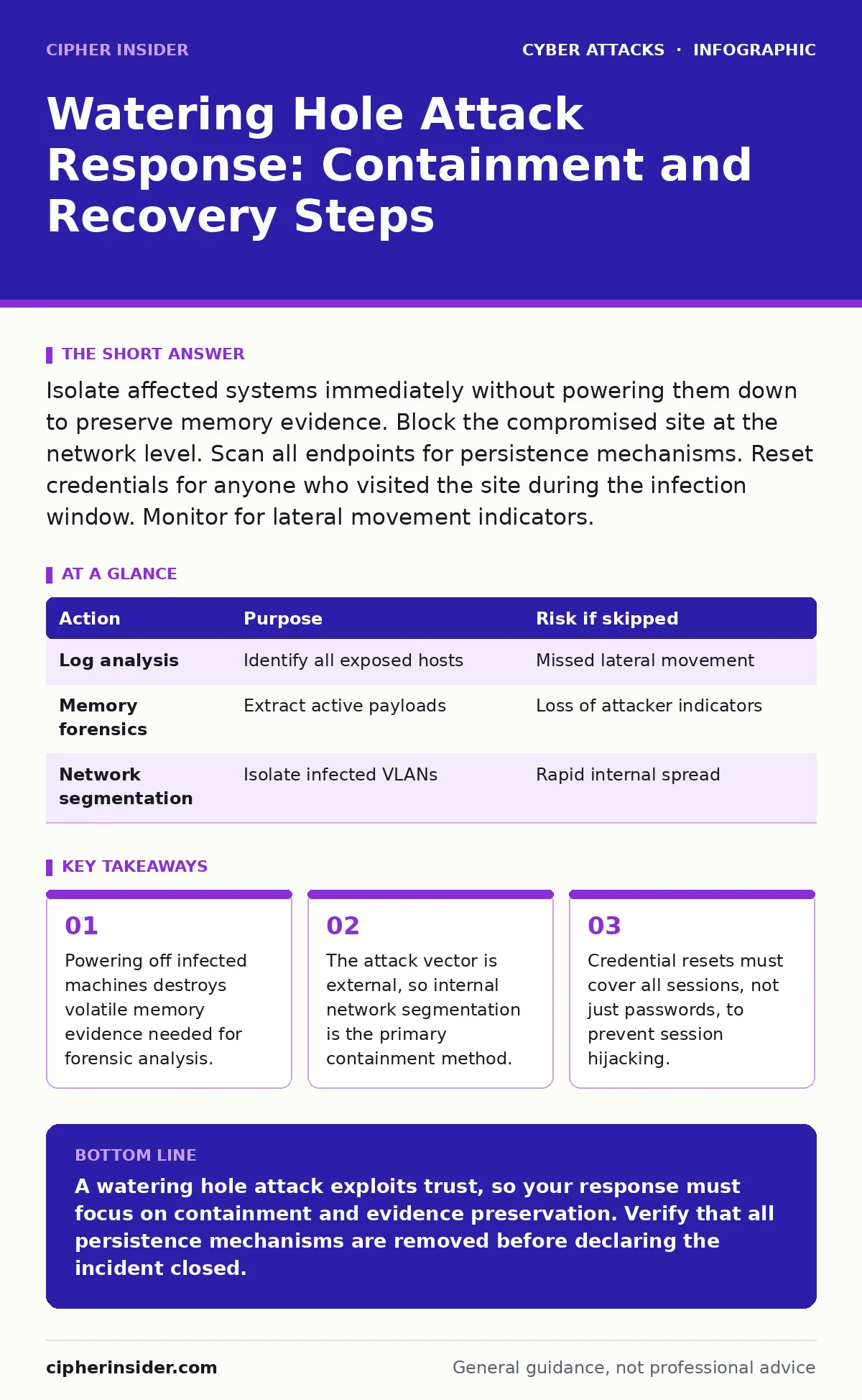
Isolate affected systems immediately without powering them down to preserve memory evidence. Block the compromised site at the network level. Scan all endpoints for persistence mechanisms. Reset credentials for anyone who visited the site during the infection window. Monitor for lateral movement indicators.
First hour
When you suspect a watering hole attack, the attacker has already placed malicious code on a website your users trust. The infection occurs when a user visits that site, often through a drive-by download that exploits a browser or plugin vulnerability. Your immediate goal is to stop the spread while preserving evidence.
- Identify the compromised website and the specific time window of exposure.
- Isolate affected endpoints from the network by disabling their network adapters.
- Capture a memory dump of infected machines before any further action.
- Block traffic to and from the compromised domain at the firewall.
- Notify the incident response team and legal counsel.
First day
Once the initial bleed is stopped, you must determine the scope. A watering hole attack is not a single point of failure; it is a gateway. The attacker likely uses the initial foothold to move laterally across your internal network. You need to find every system that communicated with the malicious site during the exposure window.
Review your web proxy logs and DNS query logs. Look for requests to the compromised domain. Cross-reference this data with your endpoint detection and response logs. If you use a secure web gateway, check for any SSL inspection failures that might have allowed the malicious payload to bypass decryption and analysis.
| Action | Purpose | Risk if skipped |
|---|---|---|
| Log analysis | Identify all exposed hosts | Missed lateral movement |
| Memory forensics | Extract active payloads | Loss of attacker indicators |
| Network segmentation | Isolate infected VLANs | Rapid internal spread |
You must also address the browser session. Many modern attacks use session hijacking to maintain access without needing credentials. Even if you change passwords, an active session token can still allow the attacker to operate. Force a session termination for all users who accessed the site. This requires invalidating tokens on the server side, not just asking users to log out.
First week
Recovery involves more than restoring files. You must eliminate the persistence mechanisms the attacker installed. These often look like legitimate system processes or scheduled tasks. Compare the current state of your systems against a known good baseline. Any deviation, no matter how small, requires investigation.
Reset credentials for all users who were active during the exposure window. This includes service accounts and application identities, not just human users. If the attacker accessed a domain controller, assume all domain credentials are compromised. This is a common consequence of watering hole attacks targeting administrative staff.
Conduct a threat hunt for indicators of compromise. Look for unusual outbound connections, especially to IP addresses that do not match known business partners. Check for new user accounts created outside of standard provisioning processes. Examine browser extensions and plugins for any that were not explicitly approved by your security policy.
Who to tell
Communication must be precise and timely. Internal stakeholders need to know what happened, what is at risk, and what they must do. Avoid technical jargon when speaking to non-technical staff. Tell them which sites to avoid and whether they need to change their passwords.
External communication depends on regulatory requirements. If personal data was accessed, you may have legal obligations to notify individuals and regulators. Consult your legal team before making any public statements. Do not admit liability prematurely, but do not hide the fact that an incident occurred. Transparency builds trust, but accuracy prevents panic.
How to stop a repeat
Preventing a repeat requires addressing the root cause: trust in the external website. You cannot control the security of every site your users visit, but you can control how your network interacts with them. Implement strict DNS filtering to block known malicious domains. Use a content delivery network with web application firewall capabilities to inspect traffic before it reaches your users.
Regularly update your browsers and plugins. Most watering hole attacks exploit known vulnerabilities that have patches available. Delaying updates gives attackers a window of opportunity. Automate patch management to ensure no system is left behind.
Educate your users about the risks of visiting trusted sites. This is not just about clicking suspicious links. It is about understanding that a familiar website can become a vector for attack. This aligns with broader security culture initiatives that emphasise collective responsibility.
See also: Alert Triage and Reporting is the Responsibility of: Who Owns the Noise? · Side-Channel Attack Response: Recovery Steps and Containment
The hidden cost of trust
The most damaging aspect of a watering hole attack is the erosion of trust. Users assume that if a site is legitimate, it is safe. This assumption is false. Attackers choose targets based on their audience, not their technical merit. A news site, a professional forum, or a industry-specific resource can all be compromised.
This means your defence-in-depth strategy must assume that the perimeter is already breached. Relying solely on perimeter firewalls is insufficient. You need internal monitoring, strict access controls, and regular audits. This approach is similar to defending against botnet attacks, where the threat comes from many sources, not just one.
Final verification
Before declaring the incident closed, verify that all persistence mechanisms are removed. Run a full antivirus scan, but do not rely on it alone. Use specialised forensic tools to check for rootkits and fileless malware. Monitor network traffic for any signs of the attacker returning.
Document the entire incident. Record the timeline, the actions taken, and the lessons learned. This documentation will be vital for future incidents and for improving your security posture. It also serves as evidence for legal and insurance purposes.
Key takeaways
- Powering off infected machines destroys volatile memory evidence needed for forensic analysis.
- The attack vector is external, so internal network segmentation is the primary containment method.
- Credential resets must cover all sessions, not just passwords, to prevent session hijacking.
A watering hole attack exploits trust, so your response must focus on containment and evidence preservation. Verify that all persistence mechanisms are removed before declaring the incident closed.
Frequently asked questions
How do I know if my company is a target for a watering hole attack?
If your industry is targeted by specific threat actors, attackers may compromise sites your employees frequent to gain initial access.
Can a VPN prevent a watering hole attack?
A VPN encrypts traffic but does not inspect it for malware. If the malicious site is trusted, the VPN will allow the traffic through, potentially delivering the payload.
Should I disconnect the internet to stop the spread?
Disconnecting the internet stops external communication but does not stop lateral movement within your local network. Isolate affected segments instead.
How long should I monitor for signs of a repeat attack?
Monitor for at least several weeks after the incident. Attackers may wait until they believe the system is secure before attempting to regain access.
How this guide was produced: written by the Cipher Insider editorial team with AI assistance, checked against the public references listed below, and reviewed when the facts change. See our editorial policy or report an error.