Fileless malware exploits trusted system processes and lives in RAM, avoiding detection by traditional antivirus. Common mistakes include ignoring PowerShell logging, allowing excessive admin rights, and failing to restrict script execution. Fix these by enabling audit logs, enforcing least privilege, and using application control policies to block unauthorized scripts from running.
Mistake 1: Assuming Antivirus Protects Against Memory-Only Attacks
Traditional antivirus software relies on signature matching against files stored on the hard drive. Fileless malware operates entirely within the system memory, often injected into legitimate processes. This mechanism bypasses static analysis because there is no malicious file for the scanner to inspect. The threat resides in the Random Access Memory, executing code that mimics normal system behaviour.
Why it hurts:
You maintain a false sense of security while the attacker executes commands in plain sight. The malware avoids creating persistent files, meaning standard scans report a clean system. This gap allows the attacker to establish a foothold, escalate privileges, and move laterally without triggering file-based alerts. The infection remains active until the system restarts, giving ample time for data exfiltration.
The fix:
Implement behavior-based detection solutions that monitor process activity rather than file content. Configure your endpoint protection to flag unusual memory allocations or code injection into trusted processes. These systems analyse how applications behave in real time, identifying deviations from normal patterns. This approach catches the execution of malicious scripts even when no file exists on the disk.
Mistake 2: Neglecting PowerShell Script Block Logging
PowerShell is a powerful administrative tool that attackers frequently abuse for fileless attacks. By default, many systems do not log the actual content of scripts executed in memory. Attackers exploit this by running encoded commands that perform malicious tasks without leaving a trace in standard event logs. The lack of visibility means security teams cannot reconstruct what the malware did.
Why it hurts:
Without script block logging, you cannot see the commands an attacker runs. The event logs may show that PowerShell started, but they omit the specific instructions passed to it. This blind spot prevents forensic analysis and delays incident response. Attackers can download additional payloads, disable security tools, or steal credentials without generating evidence that identifies their actions.
The fix:
Enable PowerShell Script Block Logging on all endpoints. This feature records the full text of scripts as they execute, including encoded commands. Configure your log management system to centralise these entries for analysis. Reviewing these logs allows you to detect suspicious patterns, such as base64-encoded strings or known malicious function calls, providing the evidence needed to identify and respond to attacks.
Mistake 3: Granting Excessive Local Administrator Privileges
Fileless malware often requires elevated privileges to perform certain actions, such as modifying system settings or accessing protected areas. When users operate with local administrator rights, malware can execute with the same high level of access. This simplifies the attacker's task, removing the need for complex privilege escalation exploits. The malware runs with the same authority as the user.
Why it hurts:
Excessive privileges allow malware to disable security controls, install persistent backdoors, and access sensitive data. An attacker can modify system configurations to hide their presence or prevent other users from logging in. This level of access turns a single compromised account into a full system compromise. The impact spreads rapidly as the malware leverages these rights to move across the network.
The fix:
Enforce the principle of least privilege by removing local administrator rights from standard user accounts. Use role-based access control to grant elevated permissions only when necessary and for limited durations. Implement Just-In-Time privilege elevation, which grants temporary admin rights for specific tasks. This reduces the attack surface and limits the damage an attacker can cause if they compromise a user account.
Mistake 4: Failing to Restrict Windows Management Instrumentation
Windows Management Instrumentation is a framework that provides a unified interface for managing system components. Attackers abuse this tool to execute commands remotely and locally without creating files. WMI allows attackers to interact with the operating system in ways that mimic legitimate administrative tasks. This makes it a prime target for fileless malware campaigns.
Why it hurts:
Unrestricted WMI access enables attackers to execute code on remote machines, spread malware across the network, and gather system information. The tool can be used to bypass security controls that focus on file execution. Because WMI is a legitimate system component, blocking it entirely is not feasible. However, leaving it unrestricted gives attackers a reliable channel for lateral movement and command execution.
The fix:
Restrict WMI access by configuring Windows Firewall rules to block inbound WMI traffic from untrusted networks. Use Group Policy to limit which users and applications can interact with WMI providers. Monitor WMI activity for unusual patterns, such as frequent remote connections or commands executed from unexpected sources. These controls reduce the ability of attackers to use WMI for malicious purposes.
Mistake 5: Ignoring Command-Line Argument Logging
Standard security logs often record that a process started, but they do not capture the command-line arguments passed to it. Fileless malware uses these arguments to pass instructions, such as downloading payloads or executing scripts. Without this detail, security teams cannot determine what the process was actually doing. The logs show activity but lack context.
Why it hurts:
Missing command-line arguments hide the specific actions of the malware. An attacker can use a legitimate tool like cmd.exe to execute malicious commands, and the logs will only show that cmd.exe ran. This lack of detail makes it difficult to distinguish between normal administrative tasks and malicious activity. It also hinders the ability to detect living-off-the-land attacks that rely on standard system utilities.
The fix:
Enable command-line logging for process creation events. This ensures that the full command, including all arguments, is recorded in the security logs. Centralise these logs and apply detection rules that flag suspicious arguments, such as encoded strings or references to temporary directories. This visibility allows you to identify when legitimate tools are being abused for malicious purposes.
See also: EDR Misconceptions: Why Endpoint Detection Fails Without Context · App permission management best practices for strict device privacy
Mistake 6: Overlooking Legitimate Scripting Languages
Attackers often use scripting languages like Python, VBScript, or JavaScript to deliver fileless malware. These languages are commonly used for legitimate automation and development, so security teams may overlook them. The malware executes within the interpreter, leaving no file on disk. This reliance on trusted interpreters makes detection challenging.
Why it hurts:
Scripting languages provide a flexible environment for attackers to write and execute malicious code. Because these interpreters are legitimate, they are rarely blocked by security controls. The malware can perform complex tasks, such as encrypting files or stealing data, using the full capabilities of the scripting language. The lack of file-based indicators makes it difficult for traditional antivirus to detect the threat.
The fix:
Monitor the execution of scripting interpreters for unusual activity. Implement application control policies that restrict which scripts can run and from which locations. Use behavioural analysis to detect when scripts perform actions typical of malware, such as accessing sensitive files or connecting to external servers. These measures help identify malicious scripts even when they use legitimate interpreters.
Mistake 7: Relying Solely on Perimeter Defenses
Many organisations focus their security efforts on the network perimeter, assuming that internal traffic is trusted. Fileless malware often enters through legitimate channels, such as email attachments or compromised websites. Once inside, it moves laterally using internal protocols. Perimeter defenses cannot stop threats that originate from within the network or use trusted channels.
Why it hurts:
Relying on perimeter defenses leaves the internal network vulnerable to lateral movement. Attackers can use compromised credentials to access other systems and execute fileless malware. The lack of internal visibility means that these movements go undetected until significant damage has occurred. This approach fails to address the reality that threats often bypass the perimeter and operate within the trusted environment.
The fix:
Implement a zero-trust architecture that verifies every request, regardless of its origin. Use network segmentation to limit lateral movement and restrict access to sensitive resources. Monitor internal traffic for anomalies and enforce strict access controls. This approach ensures that even if an attacker breaches the perimeter, their ability to move and execute malware within the network is severely limited.
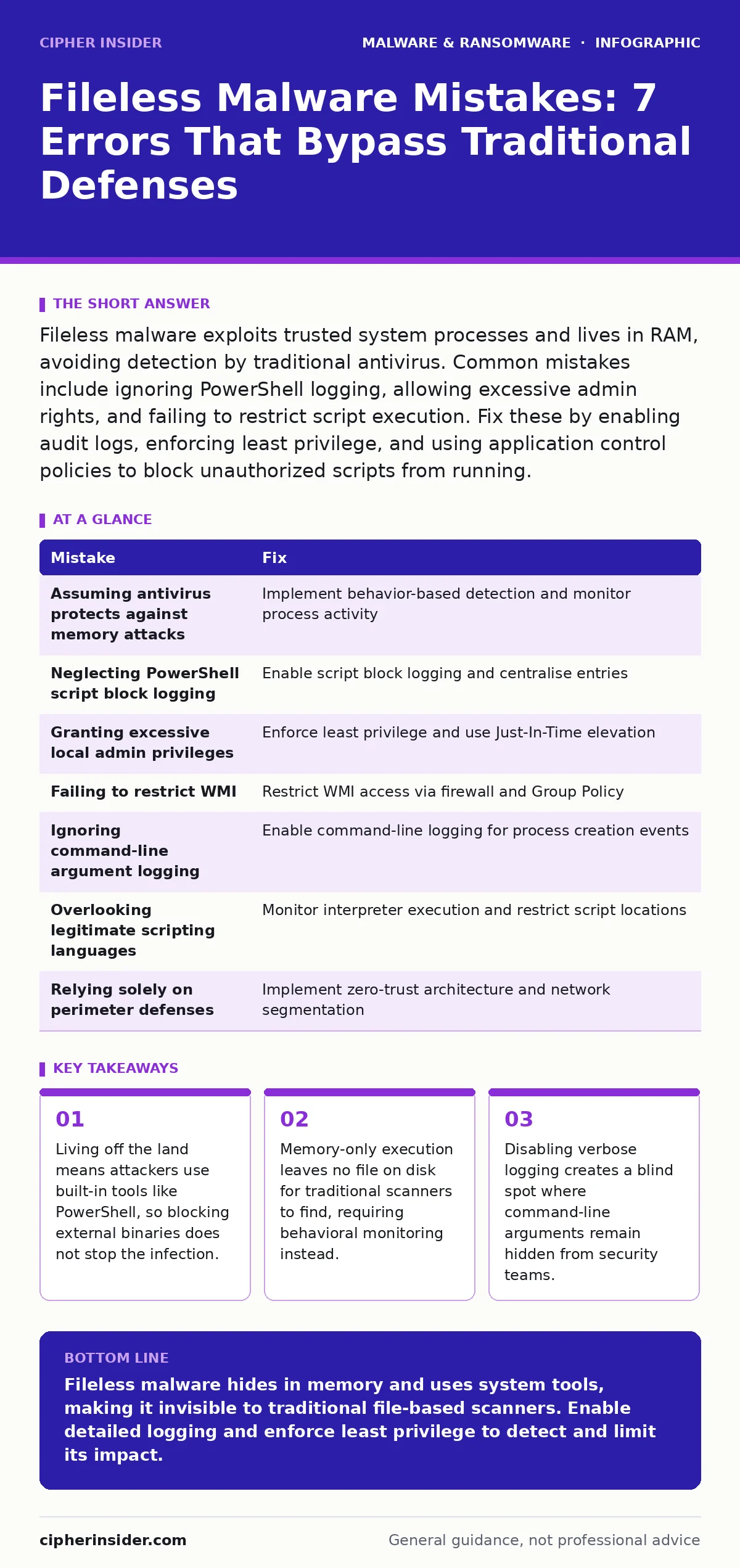
| Mistake | Fix |
|---|---|
| Assuming antivirus protects against memory attacks | Implement behavior-based detection and monitor process activity |
| Neglecting PowerShell script block logging | Enable script block logging and centralise entries |
| Granting excessive local admin privileges | Enforce least privilege and use Just-In-Time elevation |
| Failing to restrict WMI | Restrict WMI access via firewall and Group Policy |
| Ignoring command-line argument logging | Enable command-line logging for process creation events |
| Overlooking legitimate scripting languages | Monitor interpreter execution and restrict script locations |
| Relying solely on perimeter defenses | Implement zero-trust architecture and network segmentation |
Key takeaways
- Living off the land means attackers use built-in tools like PowerShell, so blocking external binaries does not stop the infection.
- Memory-only execution leaves no file on disk for traditional scanners to find, requiring behavioral monitoring instead.
- Disabling verbose logging creates a blind spot where command-line arguments remain hidden from security teams.
Fileless malware hides in memory and uses system tools, making it invisible to traditional file-based scanners. Enable detailed logging and enforce least privilege to detect and limit its impact.
Frequently asked questions
Does a firewall stop fileless malware?
A firewall controls network traffic but cannot see code running inside your computer. It may block the initial download, but it cannot stop malware that uses legitimate internal tools to execute commands once it is already inside the system.
How do I know if I have fileless malware?
Look for unusual process behaviour, such as legitimate tools like PowerShell or WMI executing strange commands. Check for unexpected network connections from these tools and review detailed logs for encoded scripts or suspicious command-line arguments that do not match normal administrative tasks.
Can a reboot remove fileless malware?
Yes, because fileless malware lives in the system memory, a reboot clears the active code. However, the attacker may have installed a persistence mechanism or stolen data before the reboot. You must still investigate the root cause and secure the system to prevent reinfection.
Are Mac users safe from fileless malware?
No, Mac systems are also vulnerable to fileless techniques that abuse built-in tools like Python or shell scripts. While Mac malware may differ in specific execution methods, the core concept of living in memory and using trusted processes applies to all operating systems.
How this guide was produced: written by the Cipher Insider editorial team with AI assistance, checked against the public references listed below, and reviewed when the facts change. See our editorial policy or report an error.