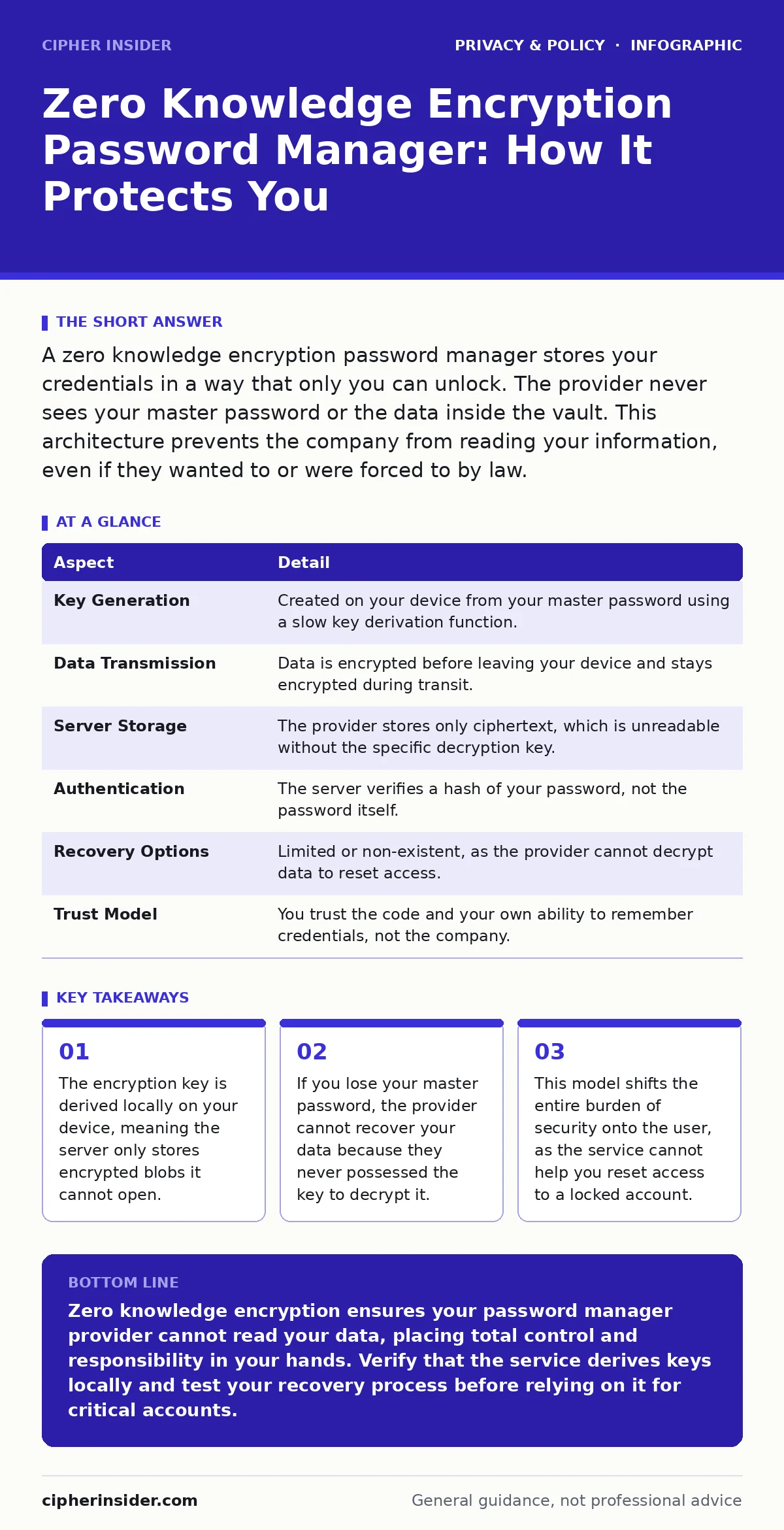
A zero knowledge encryption password manager stores your credentials in a way that only you can unlock. The provider never sees your master password or the data inside the vault. This architecture prevents the company from reading your information, even if they wanted to or were forced to by law.
The Core Concept of Zero Knowledge
Imagine you place a letter inside a steel safe and lock it with a combination only you know. You then mail this safe to a storage company. The company stores the safe, but they never have the combination. They cannot see the letter, nor can they help you if you forget the combination. Zero knowledge encryption password manager systems operate on this exact principle. The service provider holds the encrypted data, but they lack the cryptographic key required to read it.
This architecture changes the traditional relationship between a user and a cloud service. In standard models, the provider often holds a copy of your credentials to facilitate account recovery or service monitoring. In a zero knowledge model, the provider is mathematically blind to your content. This distinction matters significantly for privacy. It ensures that your sensitive data remains private even if the provider is compromised, subpoenaed, or acts maliciously. The security boundary moves from the server room to your personal device.
At a Glance: How the System Works
| Aspect | Detail |
|---|---|
| Key Generation | Created on your device from your master password using a slow key derivation function. |
| Data Transmission | Data is encrypted before leaving your device and stays encrypted during transit. |
| Server Storage | The provider stores only ciphertext, which is unreadable without the specific decryption key. |
| Authentication | The server verifies a hash of your password, not the password itself. |
| Recovery Options | Limited or non-existent, as the provider cannot decrypt data to reset access. |
| Trust Model | You trust the code and your own ability to remember credentials, not the company. |
How Encryption Prevents Provider Access
The mechanism relies on asymmetric and symmetric cryptography working together. When you create an account, your device generates a unique encryption key from your master password. This process uses a key derivation function, which intentionally slows down the calculation to resist brute-force attacks. The resulting key encrypts your password vault locally. This means the raw data, such as your bank login credentials, is converted into random-looking ciphertext before it ever touches the internet.
The server receives only this ciphertext. It stores the encrypted blob and a separate hash of your password for verification. When you log in, you enter your master password. Your device generates the same key and attempts to decrypt the local data. The server checks if the hash matches its stored record. If it matches, it sends the encrypted vault back to you. You decrypt it locally. The server never handles the plaintext data. This separation ensures that even if attackers breach the server, they only steal unreadable ciphertext.
Who This Architecture Affects Most
This model primarily affects users who store high-value credentials. If you use a single password for every site, a password manager is less critical, though still beneficial for hygiene. However, if you store banking details, government IDs, or corporate access tokens, the zero knowledge property becomes vital. It protects you from insider threats at the service company. Employees cannot casually browse your vault. It also protects you from legal compulsion in jurisdictions where companies are forced to hand over data.
For enterprise users, this creates a different set of challenges. Administrators cannot reset user passwords or audit individual account contents. This lack of visibility can conflict with corporate compliance requirements. Organizations must balance privacy with control. They often implement separate identity management systems to handle access revocation. For personal users, the impact is simpler. You gain total privacy but lose the convenience of account recovery. You become the sole guardian of your access.
What People Usually Get Wrong
Many users assume that "zero knowledge" means they can forget their password and still get help. This is a dangerous misconception. Because the provider does not know your password, they cannot reset it. If you lose your master password, your data is permanently inaccessible. Some services offer emergency kits or recovery phrases, but these are just alternative ways to reconstruct the key. They are not backdoors. Another common error is trusting the provider's security rating blindly. A strong cryptographic protocol does not fix a poorly coded application.
Users also often confuse encryption at rest with zero knowledge. Encryption at rest means data is scrambled on the disk, but the provider holds the keys. Zero knowledge means the provider never has the keys. This difference is subtle but profound. It determines who can read your data if the server is compromised. Always verify that the key derivation and encryption happen on your device, not on the server. If the server generates the key, it is not zero knowledge.
See also: Tor Browser Explained: Routing, Relays, and Real Anonymity · Smart home privacy risks: recovery steps after a sensor leak
Managing the Trade-Offs of Privacy
The trade-off for this high level of privacy is operational friction. You must manage your own security hygiene. This includes remembering a strong, unique master password. It also includes keeping your device secure from malware that could keylog your input. The encryption protects data in transit and at rest, but it does not protect you from a compromised endpoint. If a keylogger captures your master password as you type it, the encryption is bypassed.
You should also consider how you handle device loss. If you lose your phone or laptop, you need a way to restore your vault on a new device. This usually involves a backup file or a cloud sync mechanism. Ensure this backup is also encrypted. Storing an unencrypted backup of your password vault defeats the purpose of using a secure manager. The convenience of automatic sync must not come at the cost of leaving plaintext data exposed on intermediate servers.
Integrating With Other Privacy Measures
Zero knowledge encryption is one layer of a broader privacy strategy. It protects stored credentials, but it does not hide your browsing habits or identity. To maximize privacy, you should combine this with other tools. For instance, using encrypted email protects the content of your communications, while a password manager protects your access to those accounts. These systems work together to reduce your digital footprint.
You should also consider browser fingerprinting, which tracks users based on their device configuration rather than cookies. Even with a secure password manager, your browser can reveal unique identifiers. Blocking tracking scripts and using privacy-focused browsing modes helps obscure this data. Understanding how data protection officers manage organizational privacy can also inform your personal approach to data minimization. The goal is to reduce the amount of data you expose to the internet, making any potential breach less damaging.
Practical Steps for Secure Adoption
Adopting a zero knowledge system requires careful preparation. First, choose a manager that publishes its source code for independent audit. Open standards allow the community to verify that the implementation matches the theoretical security model. Second, create a master password that is long and unique. It should not be a phrase you use elsewhere. Third, enable two-factor authentication on the manager account itself. This adds a layer of protection against stolen credentials, even if the vault encryption is solid.
Finally, test your recovery process. Write down your recovery code or set up a trusted device backup. Verify that you can restore your vault on a different machine. Do not wait until you lose your password to test this. Regular checks ensure that your backup method is functional. This discipline ensures that the security benefits of zero knowledge encryption do not become a source of stress or data loss during an emergency.
Key takeaways
- The encryption key is derived locally on your device, meaning the server only stores encrypted blobs it cannot open.
- If you lose your master password, the provider cannot recover your data because they never possessed the key to decrypt it.
- This model shifts the entire burden of security onto the user, as the service cannot help you reset access to a locked account.
Zero knowledge encryption ensures your password manager provider cannot read your data, placing total control and responsibility in your hands. Verify that the service derives keys locally and test your recovery process before relying on it for critical accounts.
Frequently asked questions
Can a zero knowledge password manager recover my password?
No, the provider cannot recover your password because they never store the encryption key. You must rely on a written recovery code or backup file provided during setup.
Is zero knowledge encryption the same as end-to-end encryption?
They are similar concepts. End-to-end encryption ensures data is encrypted from sender to receiver. Zero knowledge specifically refers to the service provider lacking access to the decryption keys for stored data.
What happens if the password manager company goes bankrupt?
Your data remains encrypted on their servers. You can usually export your vault to a new provider if you have your master password and the data is not locked in a proprietary format.
Does zero knowledge protect me from keyloggers?
No, zero knowledge protects data stored on the server and in transit. It does not protect your master password if malware captures it as you type it on an infected device.
How this guide was produced: written by the Cipher Insider editorial team with AI assistance, checked against the public references listed below, and reviewed when the facts change. See our editorial policy or report an error.