Stop using the infected device immediately. Disconnect it from all networks to prevent data exfiltration. Boot from a trusted external drive. Run a dedicated removal tool. Reset all credentials accessed on that machine. Monitor accounts for unauthorised activity. Do not trust the operating system on the infected device until fully reimaged.
First hour
Immediate containment steps
You must act quickly to limit the damage. Keyloggers record every keystroke you enter. This includes passwords, messages and financial details. The malware often communicates with a remote server. Cutting off that connection stops the theft in progress. Do not attempt to delete files yet. Deleting files while the malware is active can trigger anti-analysis mechanisms or cause data loss.
- Disconnect the device from Wi-Fi immediately.
- Unplug any Ethernet cables connected to the device.
- Turn off Bluetooth and mobile hotspots if present.
- Do not shut down the computer yet.
- Do not log into any online accounts.
Understanding the threat
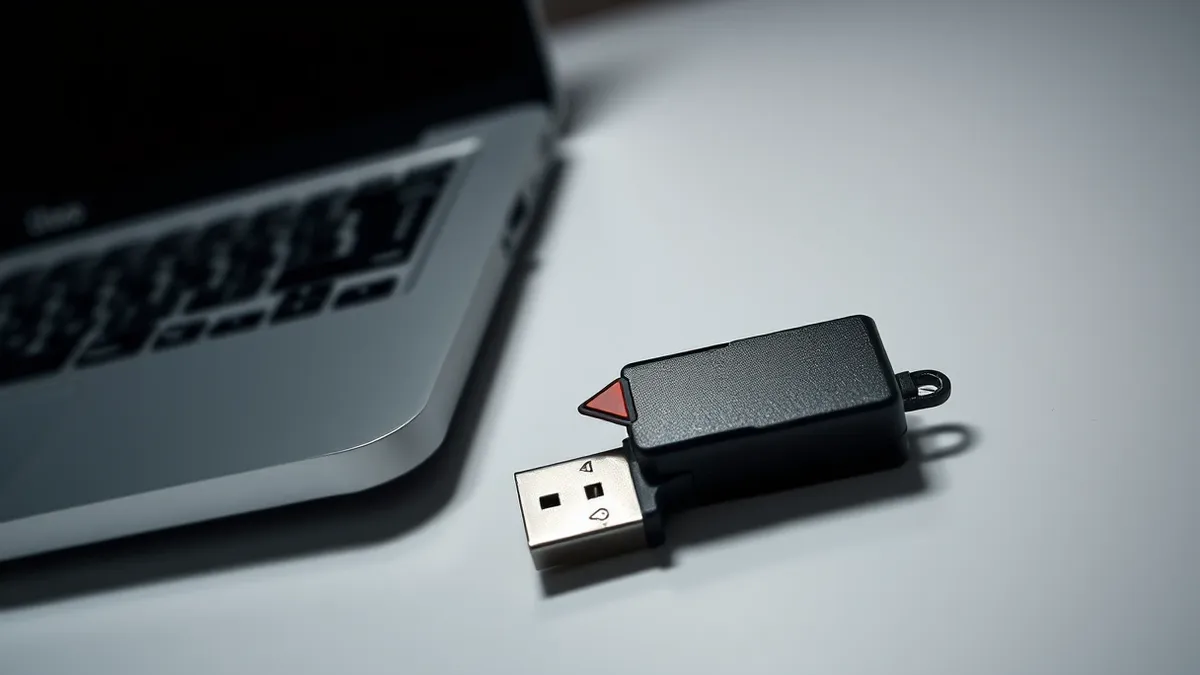
Keyloggers come in two main forms. Software keyloggers install as applications or drivers. They hook into the operating system’s input handling. Hardware keyloggers sit between the keyboard and the computer. You must check for physical devices first. Look at the USB ports and the keyboard connection. If you see an unfamiliar dongle or a thick adapter, remove it carefully. Do not plug it into another computer.
Software keyloggers are harder to see. They often masquerade as legitimate system processes. Some use rootkit techniques to hide from standard task managers. This is why standard scans on the infected machine often fail. The malware protects its own files. You need an external perspective to remove it safely.
First day
How to remove keyloggers using external tools
You cannot trust the operating system on the infected machine. The keylogger has access to system privileges. It can block security software from running. It can hide its own files. You must boot from a trusted external source. Create a bootable USB drive on a clean computer. Use a reputable security tool or a lightweight operating system image. This environment runs independently of the infected hard drive.
- Insert the bootable USB drive into the infected computer.
- Restart the computer and enter the boot menu.
- Select the USB drive as the boot device.
- Run a full system scan from this external environment.
- Quarantine or delete any detected threats.
This method ensures the keylogger is not running in memory. It cannot hide or defend itself. You gain full visibility over the file system. Check for unusual scheduled tasks or startup items. Look for files with recent modification dates that do not match your usage patterns.
Checking for persistence mechanisms
Malware authors ensure their tools survive reboots. They modify registry keys or add entries to startup folders. Even if you delete the main file, the system may try to reconnect and download a new copy. Scan for unknown browser extensions. These can act as secondary keyloggers. They capture data entered into web forms. Remove any extension you did not install yourself.
Check for unknown user accounts. Attackers sometimes create hidden accounts to maintain access. Review the local user list from your clean boot environment. Disable any account you do recognise. This step is critical for preventing immediate reinfection.
First week
Credential reset strategy
You must assume all credentials typed on the infected device are compromised. This includes email, banking, social media and work accounts. Do not reset these passwords on the infected machine. The keylogger will record the new password. Use a clean device, such as a smartphone or a different computer. If you have two-factor authentication enabled, change the recovery methods too. Attackers may have captured your backup codes.
Prioritise accounts with high value. Email is the primary target. It allows attackers to reset passwords for other services. Secure your email first. Then move to financial accounts. Finally, update social media and other personal accounts. Change your security questions as well. These are often based on publicly available information.
Monitoring for secondary effects
Keyloggers are rarely the end goal. They are often part of a larger attack chain. The attacker may use your credentials to spread malware droppers and loaders to your contacts. This amplifies the infection. Review your sent emails for unrecognised messages. Check your contacts for unusual activity. Inform close colleagues if you suspect professional accounts were compromised.
Look for signs of clipboard hijackers as well. These tools monitor what you copy and paste. They can replace cryptocurrency addresses or sensitive text. If you handle financial transactions, verify every address manually. Do not trust copied text from the infected period.
Who to tell
Reporting the incident
If the infection occurred on a work device, notify your IT security team immediately. They need to know to monitor for lateral movement. They may need to isolate other devices on the same network. Provide them with the timeline of your actions. Do not wait for them to discover the issue. Early reporting limits organisational risk.
For personal devices, consider reporting to your bank if financial data was at risk. They can flag your accounts for suspicious activity. This helps catch unauthorised transactions early. Keep records of all steps you took. This documentation helps if you need to dispute charges later.
Preventing repeat infections
Strengthening your defences
Keyloggers often enter through malicious mobile apps or downloaded software. Be cautious with applications from unofficial stores. Check permissions carefully. A simple game does not need access to your clipboard or input events. Use application allowlisting if possible. This ensures only approved software can run.
Regular updates patch vulnerabilities that keyloggers exploit. Enable automatic updates for your operating system and browsers. Use a standard user account for daily tasks. Administrative privileges allow malware to install drivers and modify system settings. Limit these privileges to when you need them.
Behavioural awareness
Phishing emails remain the primary delivery method. Attackers trick you into running the keylogger. Look for urgent language and unexpected attachments. Verify the sender before clicking links. Consider using a separate browser for sensitive tasks. This limits the exposure of your main profile.
Understand behavior-based detection tools. These analyse how programs act rather than just checking file signatures. They can spot unusual input monitoring even if the file is new. Ensure your security solution includes this feature. It provides a layer of protection against unknown threats.
Recovery and reinstallation
When to reimage
If the keylogger was deeply embedded, a simple removal may not be enough. Some rootkits modify core system files. These changes can persist even after deletion. Reinstalling the operating system from scratch is the safest option. Back up your personal files first. Scan them with a clean tool before restoring. Do not restore program files or settings.
This process takes time but guarantees a clean start. It removes any hidden persistence mechanisms you might have missed. Use this opportunity to set up a fresh, secure configuration. Enable full-disk encryption. This protects your data if the device is stolen or physically accessed.
Long-term hygiene
Ongoing protection
Security is not a one-time fix. Threats evolve constantly. New keyloggers bypass old defences. Stay informed about current threats. Read about memory forensics techniques to understand how attackers hide. This knowledge helps you appreciate the depth of the threat.
Regularly review your security settings. Check for unknown programs monthly. Monitor your credit reports for unusual activity. Use a password manager to generate unique, complex passwords. This limits the damage if one account is compromised. Never reuse passwords across services.
Key takeaways
- Disconnecting the network stops the keylogger from sending stolen keystrokes to the attacker’s command server.
- Booting from an external drive prevents the malware from loading into memory, allowing safe removal.
- Password resets must happen on a clean device, never on the compromised system, to avoid re-capture.
Assume all data entered on an infected device is stolen and reset those credentials from a clean machine. Reinstall the operating system to ensure no hidden components remain before returning to normal use.
Frequently asked questions
Can I remove a keylogger with just an antivirus scan?
Standard scans often fail because keyloggers run at the driver level and hide from the active operating system. You need to boot from an external drive to scan and remove them effectively.
Do keyloggers steal passwords from password managers?
Yes, if you type the master password on the infected device. The keylogger captures the keystrokes. It does not bypass the encryption of the stored passwords, but it captures the key to open them.
How this guide was produced: written by the Cipher Insider editorial team with AI assistance, checked against the public references listed below, and reviewed when the facts change. See our editorial policy or report an error.