
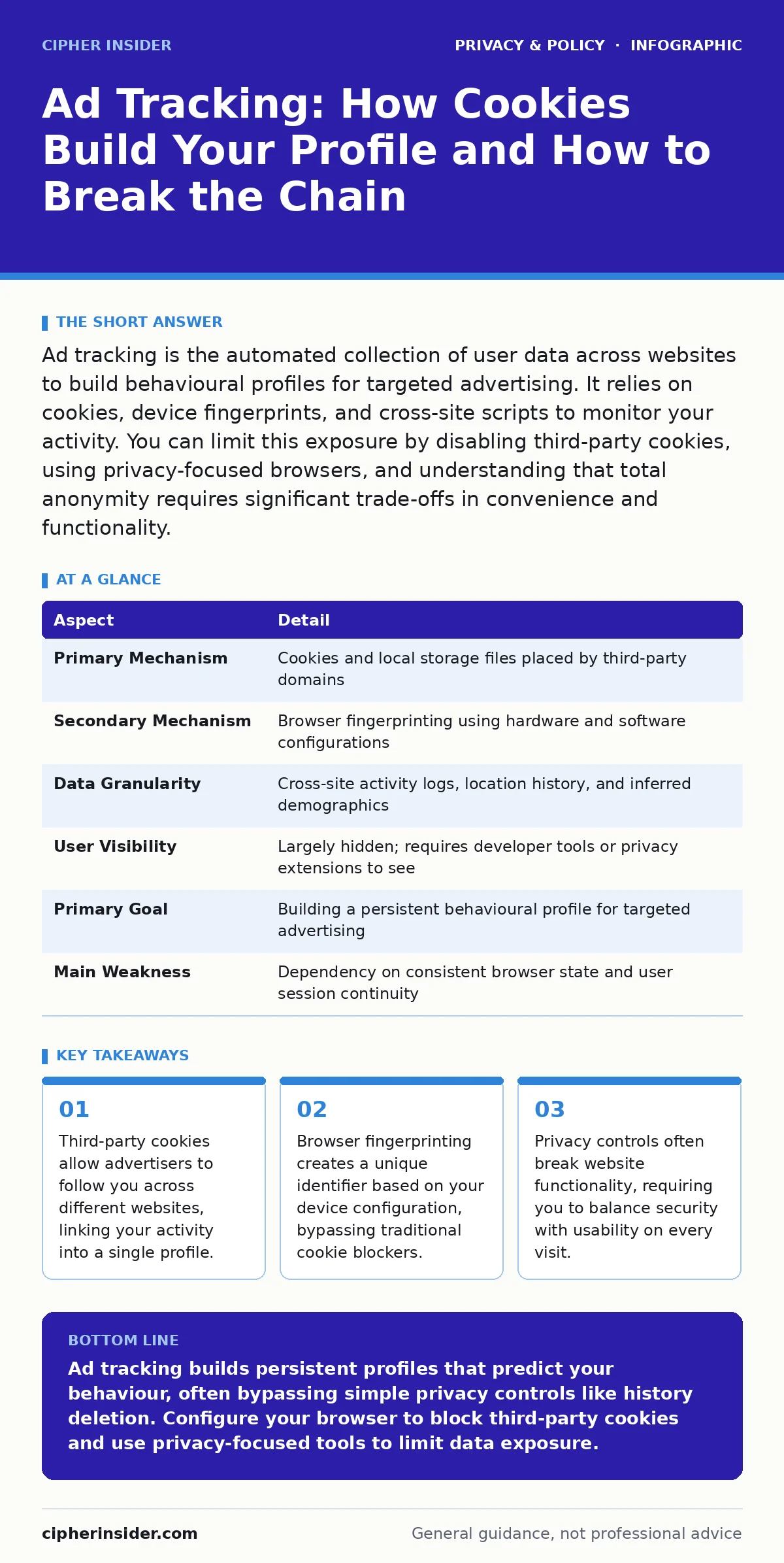
Ad tracking is the automated collection of user data across websites to build behavioural profiles for targeted advertising. It relies on cookies, device fingerprints, and cross-site scripts to monitor your activity. You can limit this exposure by disabling third-party cookies, using privacy-focused browsers, and understanding that total anonymity requires significant trade-offs in convenience and functionality.
The Invisible Ledger of Digital Behaviour
Imagine walking through a city where every shopkeeper whispers your every move to a central clerk. This clerk does not know your name, but they know you bought coffee, looked at shoes, and then visited a gym. They combine these fragments to predict you will buy running socks tomorrow. This is the mechanical reality of ad tracking. It is not a malicious conspiracy, but a highly automated commercial process designed to match your predicted interests with relevant advertisements. The system operates on the assumption that your past digital actions are reliable predictors of your future spending.
| Aspect | Detail |
|---|---|
| Primary Mechanism | Cookies and local storage files placed by third-party domains |
| Secondary Mechanism | Browser fingerprinting using hardware and software configurations |
| Data Granularity | Cross-site activity logs, location history, and inferred demographics |
| User Visibility | Largely hidden; requires developer tools or privacy extensions to see |
| Primary Goal | Building a persistent behavioural profile for targeted advertising |
| Main Weakness | Dependency on consistent browser state and user session continuity |
How Tracking Scripts Execute Surveillance
The foundation of most tracking is the cookie. A cookie is a small text file stored on your device by the website you visit. First-party cookies, set by the site you are reading, remember your login status or language preference. Third-party cookies, however, are set by external domains embedded within that page, such as an ad network or analytics provider. When you visit a news site, a shopping portal, and a forum, the same third-party script may run on all three. It reads the cookie it previously dropped, appending your new activity to your existing profile. This allows the tracker to see connections between seemingly unrelated sites.
Beyond cookies, systems employ browser fingerprinting. This technique collects data about your browser version, operating system, installed fonts, screen resolution, and time zone. It combines these attributes into a unique hash, effectively creating a digital fingerprint. Unlike cookies, which you can delete, this fingerprint is difficult to alter without changing your actual hardware or software configuration. This method persists even when you clear your browsing history, making it a resilient tool for cross-site identification.
The Hidden Costs of Free Services
You may assume that because you did not pay for a service, your data is the only currency. This is partially true, but the cost is often hidden in the form of personalised manipulation. When trackers understand your triggers, they can tailor content to exploit specific psychological biases.
This creates an edge case where the usual advice of "reading the terms of service" fails, as the data usage is often buried in dense legal jargon or implied through default settings. The trade-off is convenience versus autonomy. You gain faster, personalised experiences, but you lose the ability to browse anonymously. This dynamic shifts power away from the user and towards the aggregators of data.
Common Misconceptions About Privacy Controls
Many users believe that deleting their browsing history erases their digital footprint. This is a critical error. History is local; it lives only on your device. Deleting it removes your own record of where you went, but it does not remove the data already sent to remote servers. The trackers have already received the information. Similarly, using incognito or private browsing modes does not hide you from your internet service provider or the websites you visit. It simply prevents your device from saving local history and cookies after you close the window. The remote servers still log your IP address and activity during that session.
Another common mistake is assuming that disabling cookies stops all tracking. As noted, fingerprinting bypasses this control. Furthermore, many modern websites rely on first-party cookies for basic functionality. Disabling all cookies may break login systems, shopping carts, and accessibility features. This forces you into a cycle of constant configuration, where you must manually whitelist sites you trust while blocking others. This friction is the hidden cost of privacy. It requires time and technical knowledge to manage effectively.
Strategic Mitigation of Tracking Vectors
To reduce your exposure, you must layer your defences. Start by configuring your browser settings to block third-party cookies by default. Most modern browsers offer this option in their privacy settings. This stops the most common form of cross-site tracking. Next, consider using privacy-focused browsers that automatically strip tracking parameters from URLs and block known tracking domains. These browsers apply a strict default policy, reducing the burden on you to configure each site individually. However, be aware that this may break some websites that rely on these scripts for core functionality.
For deeper protection, you can use a virtual private network or a privacy-oriented search engine. A virtual private network encrypts your traffic and masks your IP address, making it harder for trackers to associate your activity with your physical location. However, this does not stop the websites themselves from collecting data. It only obscures the network-level identity. You must also review the permissions you grant to apps and extensions, as these can act as tracking agents themselves. Regular audits of installed software prevent silent data leakage from compromised or poorly coded extensions.
See also: What is online tracking: how data follows you and how to stop it · Reducing Your Digital Footprint: 7 Common Mistakes to Avoid
The Limits of Anonymity Online
It is impossible to be completely anonymous while using the public internet. Every connection leaves a trace, whether in server logs, IP records, or metadata. The goal should not be invisibility, but rather data minimisation. This means providing only the information necessary for the service to function. When signing up for accounts, use unique credentials stored in a password managers for families or individual vaults to prevent credential stuffing attacks that can further expose your identity. This isolates your digital identities, ensuring that a breach on one site does not compromise your profile on another.
Understanding the role of data brokers is also vital. These companies aggregate data from public records, online activity, and third-party purchases to create detailed consumer profiles. They sell this data to advertisers, insurers, and employers. Even if you block cookies, your data may have been sold by a data broker who obtained it from a different source. Recognising this wider ecosystem helps you understand why local browser controls are only one part of the solution. You must also consider the policies of the services you use, favouring those with transparent data practices.
Balancing Usability and Security
The final challenge is maintaining a usable web experience. Strict privacy settings can render many sites unusable. You will need to develop a heuristic for when to relax your controls. Essential services, such as banking or work portals, require full functionality and should be whitelisted. Casual browsing sites can remain under strict privacy policies. This selective approach reduces friction while maintaining a high baseline of protection. It acknowledges that security is not a binary state, but a spectrum of risk management. By understanding the mechanisms of ad tracking, you can make informed choices about where you stand on that spectrum.
Key takeaways
- Third-party cookies allow advertisers to follow you across different websites, linking your activity into a single profile.
- Browser fingerprinting creates a unique identifier based on your device configuration, bypassing traditional cookie blockers.
- Privacy controls often break website functionality, requiring you to balance security with usability on every visit.
Ad tracking builds persistent profiles that predict your behaviour, often bypassing simple privacy controls like history deletion. Configure your browser to block third-party cookies and use privacy-focused tools to limit data exposure.
Frequently asked questions
Does turning off location services stop ad tracking?
It prevents apps from knowing your precise physical location, but trackers can still estimate your location based on your IP address and Wi-Fi network information.
Can I see the profile advertisers have built about me?
Some ad networks provide opt-out portals where you can view a simplified version of your profile, but most data is aggregated and not displayed in full detail to users.
Do VPNs stop all forms of ad tracking?
No, VPNs hide your IP address and encrypt traffic, but they do not prevent websites from using cookies or fingerprinting to track your activity once the connection reaches the server.
Is it better to use an ad blocker or a privacy browser?
Privacy browsers offer a more comprehensive solution by blocking trackers, fingerprinting, and cryptominers by default, whereas ad blockers primarily focus on removing visible advertisements and may miss data collection scripts.
How this guide was produced: written by the Cipher Insider editorial team with AI assistance, checked against the public references listed below, and reviewed when the facts change. See our editorial policy or report an error.