
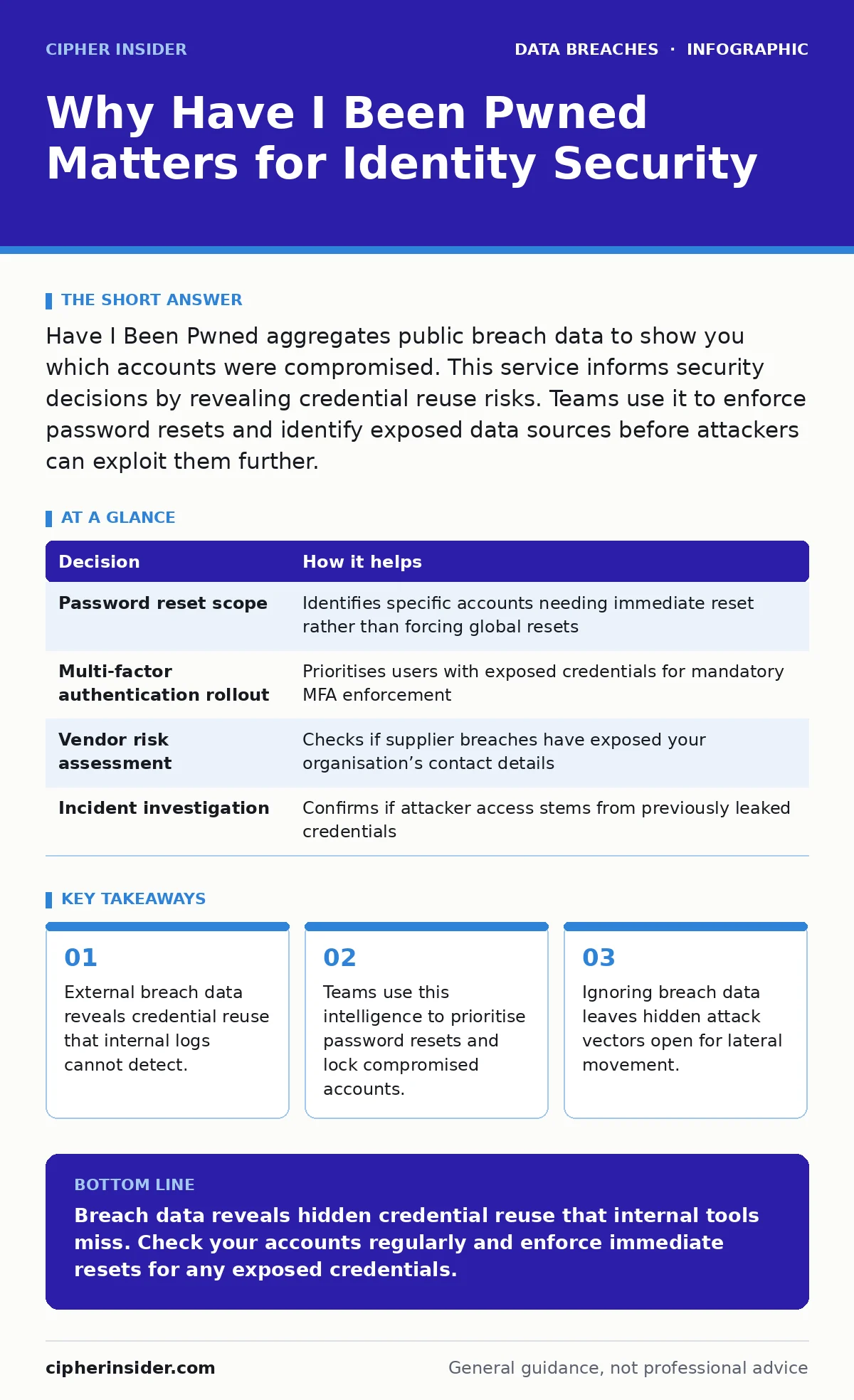
Have I Been Pwned aggregates public breach data to show you which accounts were compromised. This service informs security decisions by revealing credential reuse risks. Teams use it to enforce password resets and identify exposed data sources before attackers can exploit them further.
The Blind Spot in Internal Monitoring
Your organisation monitors login attempts and firewall logs. These tools show activity inside your perimeter. They do not show where your users have reused passwords on external sites. When an external site suffers a data breach, the stolen credentials become available to attackers. If you never check those credentials against known breaches, you remain blind to the risk. The assumption that a password is secure because it has not been guessed internally is a dangerous fallacy.
How Breach Data Informs Security Decisions
Security decisions rely on accurate risk assessment. Without knowing which credentials are exposed, you cannot prioritise remediation efforts effectively. Have I Been Pwned provides the missing context. It tells you which accounts are at risk and when the exposure occurred. This information allows you to move from reactive incident response to proactive risk reduction. You can target specific users or services rather than applying blanket policies that frustrate staff.
| Decision | How it helps |
|---|---|
| Password reset scope | Identifies specific accounts needing immediate reset rather than forcing global resets |
| Multi-factor authentication rollout | Prioritises users with exposed credentials for mandatory MFA enforcement |
| Vendor risk assessment | Checks if supplier breaches have exposed your organisation’s contact details |
| Incident investigation | Confirms if attacker access stems from previously leaked credentials |
The Cost of Ignoring Exposure
Imagine a team that relies solely on internal security tools. They see no unusual login attempts. They assume their defences are holding. Meanwhile, an attacker uses a credential stuffing attack against their login portal. The attacker uses passwords stolen from an unrelated social media site. The users reused those passwords. The internal logs record successful logins because the credentials are correct. The team misses the initial compromise. The attacker moves laterally through the network. The breach grows unnoticed for weeks.
How Security Teams Use Breach Intelligence
Security teams integrate breach data into their workflows. They do not wait for a crisis. They use APIs to check employee email addresses against known breaches. They automate password reset notifications for exposed accounts. They use the data to train users on the dangers of credential reuse. Some teams block logins from accounts that appear in high-severity breaches. This reduces the attack surface significantly. It turns a passive database into an active defence mechanism.
The Mechanism of Credential Reuse
Credential reuse is the primary vector for account takeover. Users create one strong password and reuse it across multiple services. This simplifies their lives but multiplies the risk. If one service suffers a data breach, the attacker obtains the password. The attacker then tries that password on email, banking, and corporate systems. This is called credential stuffing. Have I Been Pwned identifies these reused credentials. It breaks the chain of reuse by alerting the user. You then change the password on all affected services.
Integrating with Broader Security Practices
Breach data is one piece of the puzzle. It works best when combined with other security measures. For instance, knowing about a breach helps you understand the value of data encryption. If data is encrypted at rest, a breach might still expose usernames but not passwords. This reduces the immediate risk. You should also consider backup data exposure. If backups are not secured, attackers can retrieve historical data that was previously considered safe. Breach awareness prompts you to review these adjacent risks.
The Limits of Breach Databases
Have I Been Pwned only shows what has been made public. Not all breaches are disclosed. Some attacks remain hidden for years. Some data is sold on dark web markets without being indexed. This service does not protect you from zero-day vulnerabilities or phishing attacks that steal passwords in real-time. It does not replace multi-factor authentication. It is a detection tool, not a prevention tool. You must understand these limits to avoid false confidence. Relying solely on breach data leaves gaps in your defence strategy.
Proactive Identity Hygiene
Regular checks form part of identity hygiene. You should check for breaches after any major incident in the news. You should also check periodically as part of routine security maintenance. This habit helps you catch exposures early. Early detection limits the damage. It allows you to reset passwords before attackers can exploit them. It also helps you identify patterns in your own security behaviour. If you frequently appear in breaches, you may need to change how you manage passwords. Consider using a password manager to generate unique passwords for every site.
The Human Factor in Security
Users often underestimate the risk of small breaches. They assume that only major companies matter. This is incorrect. Small breaches provide attackers with large datasets. These datasets are used to refine their attacks. They target users who have reused passwords from smaller sites. By checking breach data, you learn that every account matters. You start treating small services with the same caution as major platforms. This shift in mindset strengthens your overall security posture. It reduces the likelihood of successful credential stuffing attacks.
Building a Resilient Defence
Resilience comes from layers of defence. Breach data adds a layer of visibility. It shows you where your defences are weak. You use this visibility to strengthen those areas. You enforce multi-factor authentication on exposed accounts. You educate users on the risks of reuse. You review your vendor relationships to ensure they are not a source of exposure. You combine this data with credit monitoring to detect financial fraud. This holistic approach creates a robust security culture. It prepares your organisation for the realities of the digital threat environment.
Key takeaways
- External breach data reveals credential reuse that internal logs cannot detect.
- Teams use this intelligence to prioritise password resets and lock compromised accounts.
- Ignoring breach data leaves hidden attack vectors open for lateral movement.
Breach data reveals hidden credential reuse that internal tools miss. Check your accounts regularly and enforce immediate resets for any exposed credentials.
Frequently asked questions
Does checking a breach database protect my account?
No, it only informs you of past exposures. You must change your password and enable multi-factor authentication to protect the account.
How often should I check for breaches?
Check after major news events and periodically as part of routine security maintenance. Enable automated alerts if available.
Can I trust the data in these databases?
The data is sourced from publicly disclosed breaches. It is accurate for known incidents but does not cover hidden or undisclosed attacks.
What if I find my email in a breach?
Change the password for that account immediately. Check if you used the same password elsewhere and change those too.
How this guide was produced: written by the Cipher Insider editorial team with AI assistance, checked against the public references listed below, and reviewed when the facts change. See our editorial policy or report an error.