
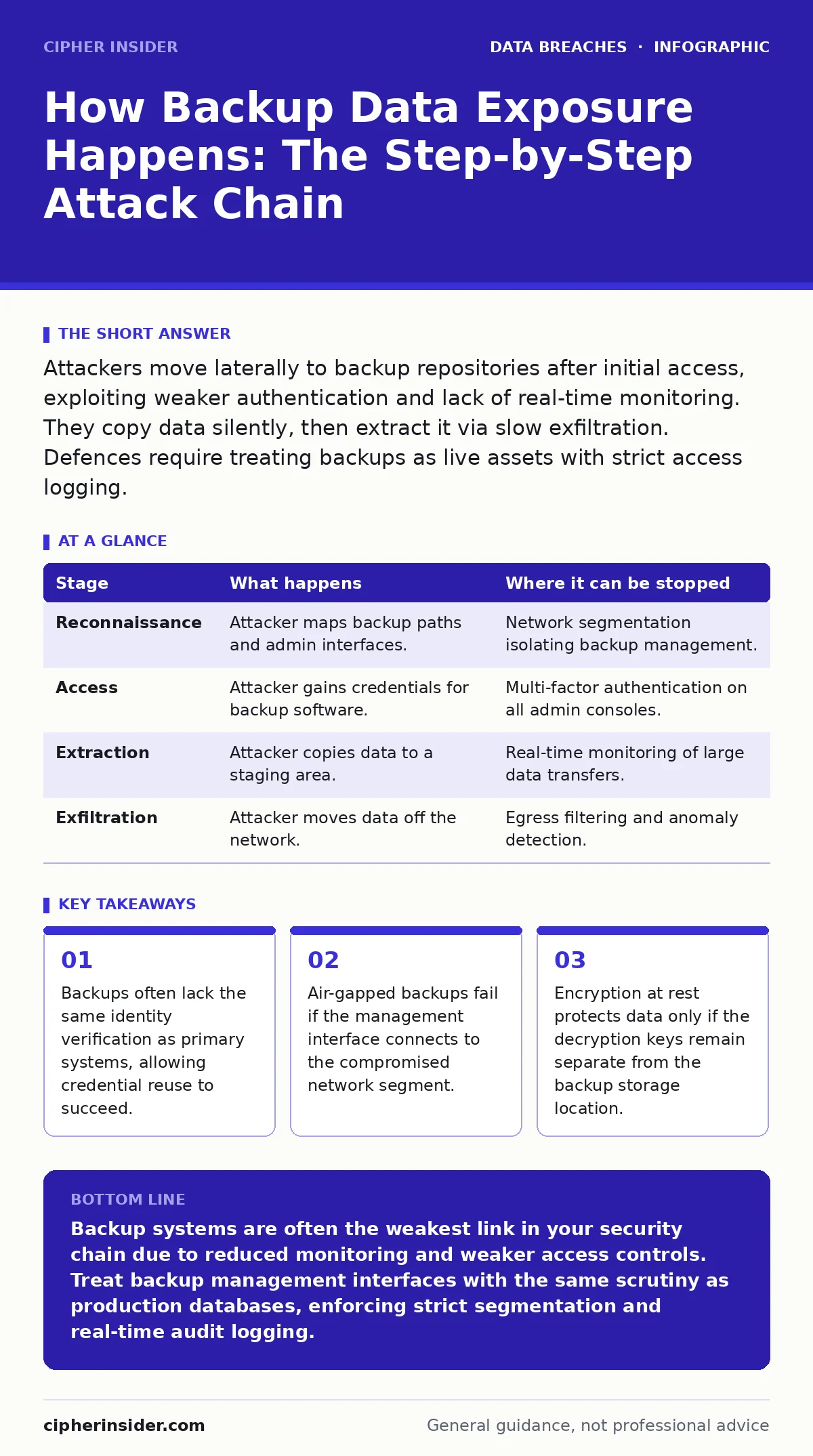
Attackers move laterally to backup repositories after initial access, exploiting weaker authentication and lack of real-time monitoring. They copy data silently, then extract it via slow exfiltration. Defences require treating backups as live assets with strict access logging.
The Initial Breach and Lateral Movement
You must understand that backup exposure rarely begins at the backup server itself. It starts elsewhere. An attacker gains entry through a vulnerable application, a misconfigured cloud storage bucket, or a phishing campaign that compromises a user account. This initial foothold provides limited access, usually confined to a single workstation or a low-privilege service account.
The attacker’s next objective is lateral movement. They scan the internal network to find other machines with more valuable data. Standard security tools monitor active production servers closely. They watch for unusual process execution, unexpected network connections, and privilege escalation attempts. These sensors are noisy and effective. Backup infrastructure, however, is often quieter. It sits on the periphery of daily operations, monitored less frequently because it is assumed to be a passive repository.
This assumption is the first flaw. The attacker moves toward the backup controller or the storage appliance. They look for shared folders, administrative interfaces, or database connections that link the primary environment to the backup system. If the backup software uses the same credentials as the production environment, the attacker now holds the keys to the vault.
Stage 1: Reconnaissance of the Backup Architecture
The attacker maps the backup topology. They identify where the backup software resides, how it communicates with storage, and what protocols it uses. Common protocols include SMB, NFS, or proprietary APIs. The attacker looks for unencrypted traffic or weak authentication mechanisms.
They also check for administrative interfaces exposed to the internal network. Many backup consoles run on web servers that require only basic authentication. If this console is reachable from the compromised workstation, the attacker can attempt to log in. They may use default credentials, weak passwords, or stolen hashes. The goal is not to break encryption yet, but to gain control of the backup management layer.
| Stage | What happens | Where it can be stopped |
|---|---|---|
| Reconnaissance | Attacker maps backup paths and admin interfaces. | Network segmentation isolating backup management. |
| Access | Attacker gains credentials for backup software. | Multi-factor authentication on all admin consoles. |
| Extraction | Attacker copies data to a staging area. | Real-time monitoring of large data transfers. |
| Exfiltration | Attacker moves data off the network. | Egress filtering and anomaly detection. |
Gaining Control of the Management Layer
Once the attacker has identified the entry point, they attempt to authenticate. This stage relies on the principle of least privilege being ignored. Many organisations grant backup service accounts broad read permissions to ensure reliable data capture. These accounts are often service accounts, which means they do not expire and do not require interactive login.
The attacker exploits this by using the service account to log into the backup console. From here, they can view the list of protected systems, retention policies, and storage locations. They do not need to decrypt the data yet. They need to understand what is there. This intelligence gathering is silent. It generates no alerts because accessing the console is a normal administrative action.
Silent Data Extraction
With control of the console, the attacker begins extraction. They do not download everything at once. That would trigger bandwidth alerts. Instead, they select high-value targets. These might include financial records, intellectual property, or customer databases. They initiate a restore job or a direct copy operation to a location they control, such as a shared folder on the compromised workstation or an external drive connected to the backup server.
This stage exploits the blind spot in monitoring. Most security information and event management systems focus on production activity. They do not closely watch the backup software’s internal logs. A large data transfer within the backup system looks like a routine maintenance task. The attacker works slowly, moving data in small chunks over days or weeks. This technique, known as low-and-slow exfiltration, avoids threshold-based alerts.
The Exfiltration Phase
The final stage is getting the data out. The attacker may compress and encrypt the stolen data to make it harder to detect. They then transfer it to an external server. This transfer must bypass firewall rules. Attackers often use legitimate protocols like HTTPS or DNS tunneling to hide their traffic.
If the backup system is air-gapped, the attacker must physically access the storage media. This is rare but possible if the backup tapes or drives are stored in an accessible location. More commonly, the backup system has a network connection for management purposes. The attacker uses this link to exfiltrate the data. The speed of the transfer depends on the network bandwidth and the attacker’s patience.
Interrupting the Chain
You can interrupt this chain at several points. The most effective method is network segmentation. The backup management interface should not be reachable from the general corporate network. It should only be accessible from a dedicated administration workstation. This limits the attacker’s ability to move laterally to the backup system.
Another critical control is strict access logging. Every action in the backup console should be logged and monitored. This includes login attempts, job initiations, and data exports. You should set alerts for unusual activity, such as large data transfers outside of scheduled backup windows. This requires a security operation centre that understands backup behaviour.
Encryption is also vital, but it must be implemented correctly. Encrypting the data at rest protects it if the storage media is stolen. It does not protect it if the attacker has access to the backup console and the decryption keys. You must store encryption keys separately from the backup data. If the attacker gains access to the console, they should not automatically have access to the keys.
The Role of Third-Party Risks
Often, the backup system is managed by a third-party provider. This introduces additional complexity. You must ensure that the provider follows strict security practices. This includes regular audits, secure access controls, and incident response plans. A breach in the provider’s environment can expose your data just as easily as a breach in your own.
Beyond Technical Controls
Technical controls are necessary but not sufficient. You must also consider human factors. Employees may accidentally expose backup credentials in code repositories or configuration files. They may also fall for phishing attacks that target backup administrators. Training is essential to prevent these mistakes.
Furthermore, you must have a plan for when things go wrong. If an attacker accesses your backups, you need to know how to respond. This includes isolating the affected systems, rotating credentials, and assessing the scope of the breach. You should also be aware of breach notification laws that may require you to report the incident to authorities and affected individuals.
Final Considerations
Backup data exposure is a growing threat. Attackers know that backups are often less protected than production systems. They exploit this weakness to steal data without being detected. You must treat your backups as a critical asset. Apply the same security controls to backups as you do to your primary systems. This includes strong authentication, encryption, monitoring, and regular testing.
Remember that security is a process, not a product. You must continuously improve your defences. Stay informed about new threats and vulnerabilities. Regularly update your backup software and configurations. By taking a proactive approach, you can reduce the risk of backup data exposure and protect your organisation from significant harm.
Key takeaways
- Backups often lack the same identity verification as primary systems, allowing credential reuse to succeed.
- Air-gapped backups fail if the management interface connects to the compromised network segment.
- Encryption at rest protects data only if the decryption keys remain separate from the backup storage location.
Backup systems are often the weakest link in your security chain due to reduced monitoring and weaker access controls. Treat backup management interfaces with the same scrutiny as production databases, enforcing strict segmentation and real-time audit logging.
Frequently asked questions
Can air-gapped backups be hacked remotely?
No, true air-gapped backups are physically disconnected. However, if the management console is connected to the network, an attacker can corrupt or steal data before it is written to the offline media.
How do I know if my backups are being accessed?
Implement detailed logging on your backup software. Monitor for unusual login times, large data transfers, or access from unexpected IP addresses. Set alerts for deviations from normal backup schedules.
Is encrypting backups enough to prevent exposure?
Encryption protects data at rest but not in use. If an attacker gains access to the backup console and the decryption keys, they can read the data. Keys must be stored separately and access to them strictly controlled.
What is the biggest mistake organisations make with backup security?
Assuming backups are passive and safe. Organisations often neglect to monitor backup traffic or restrict access to backup management interfaces, leaving them open to lateral movement from compromised workstations.
How this guide was produced: written by the Cipher Insider editorial team with AI assistance, checked against the public references listed below, and reviewed when the facts change. See our editorial policy or report an error.