
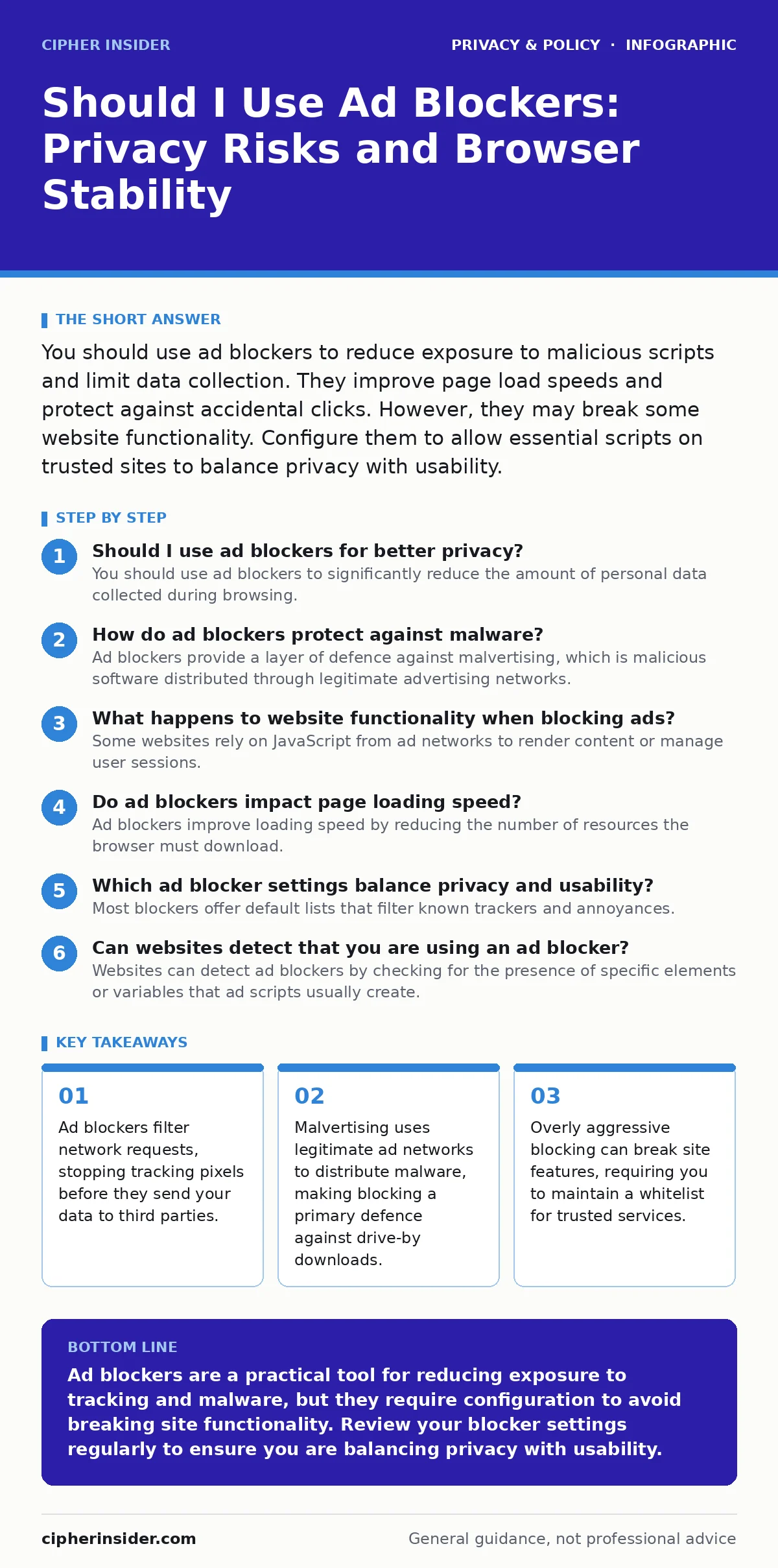
You should use ad blockers to reduce exposure to malicious scripts and limit data collection. They improve page load speeds and protect against accidental clicks. However, they may break some website functionality. Configure them to allow essential scripts on trusted sites to balance privacy with usability.
Should I use ad blockers for better privacy?
You should use ad blockers to significantly reduce the amount of personal data collected during browsing. Ad networks rely on tracking pixels, which are tiny invisible images embedded in web pages to record your activity. When you load a page, these pixels send your IP address, browser type and location to remote servers. An ad blocker intercepts these requests before they leave your device. This prevents the creation of detailed profiles based on your interests and habits. The protection applies to both advertisements and the underlying tracking infrastructure.
How do ad blockers protect against malware?
Ad blockers provide a layer of defence against malvertising, which is malicious software distributed through legitimate advertising networks. Attackers purchase ad space on popular websites and inject code that exploits vulnerabilities in your browser or operating system. This happens without you clicking anything, known as a drive-by download. By blocking the ad container, the blocker prevents the malicious code from executing. This mechanism stops many common infection vectors that rely on the initial delivery of the ad content.
What happens to website functionality when blocking ads?
Some websites rely on JavaScript from ad networks to render content or manage user sessions. Blocking these scripts can cause buttons to stop working, videos to fail loading or login forms to disappear. Developers sometimes tie essential site features to the same domains used for analytics. When you block the domain, you block the feature. This is a trade-off between privacy and convenience. You may need to disable blocking on specific sites to access their full functionality.
Do ad blockers impact page loading speed?
Ad blockers improve loading speed by reducing the number of resources the browser must download. A typical webpage contains multiple external scripts, images and stylesheets from third-party servers. Each request adds latency, especially on slower connections. By filtering out these unnecessary elements, the browser renders the core content faster. This reduces data usage and lowers the load on your device's processor. The effect is most noticeable on media-heavy sites with numerous third-party integrations.
Which ad blocker settings balance privacy and usability?
Most blockers offer default lists that filter known trackers and annoyances. You can adjust these settings to allow specific domains or script types. A balanced approach involves using strict blocking on unknown sites and relaxed blocking on trusted services. Many blockers include a toggle to pause filtering for a single tab. This allows you to test if a site works without ads. If the site functions correctly, you can add it to a whitelist. This ensures you only disable protection where necessary.
| Setting Level | Privacy Impact | Usability Impact | Best Use Case |
|---|---|---|---|
| Strict | High blocking of trackers | May break site features | Unknown or untrusted websites |
| Balanced | Blocks known ads and trackers | Minimal disruption | General daily browsing |
| Relaxed | Blocks only intrusive ads | Full site functionality | Trusted news or service providers |
See also: Browser Hijacker Warning Signs and Removal Steps · Browser Fingerprinting Response: Immediate Steps and Recovery
Can websites detect that you are using an ad blocker?
Websites can detect ad blockers by checking for the presence of specific elements or variables that ad scripts usually create. If the expected element is missing, the site assumes a blocker is active. Some sites will then display a message asking you to disable the blocker. Others may refuse to load content entirely. This is a form of cat-and-mouse game between publishers and users. You can often bypass these checks by allowing specific domains or using scripts that mimic ad container presence.
How do ad blockers interact with consent management?
Ad blockers can interfere with consent management platforms, which are tools used to comply with privacy regulations. These platforms often rely on JavaScript to present cookie banners and record your choices. If you block the script, the banner may not appear or may not save your preference. This can lead to a degraded user experience or repeated prompts. Some blockers include filters to manage consent banners automatically. This reduces friction but may not align with your specific consent choices for data processing.
What are the limitations of ad blocker protection?
Ad blockers do not protect against all forms of tracking or malicious activity. They primarily filter network requests based on predefined lists. New or unknown trackers may not be on these lists. Additionally, blockers cannot protect you from phishing sites that mimic legitimate pages. They also do not encrypt your traffic or hide your IP address from the website you are visiting directly. For comprehensive protection, you should combine ad blockers with other security measures. Understanding online tracking mechanisms helps you appreciate what blockers can and cannot stop.
How do I maintain ad blocker effectiveness over time?
Ad blocking relies on filter lists that must be updated regularly to include new trackers and ad domains. Most extensions update these lists automatically. You should verify that automatic updates are enabled in the extension settings. If you use custom lists, you must update them manually. Outdated lists allow new trackers to pass through, reducing your privacy protection. Regularly review your whitelist to remove sites you no longer visit. This keeps your configuration clean and effective.
Should I use ad blockers on mobile devices?
Mobile devices are vulnerable to the same tracking and malvertising risks as desktop computers. Many mobile browsers support ad blocking extensions or have built-in filtering capabilities. Using blockers on mobile reduces data usage and improves battery life by limiting background script execution. Some mobile operating systems restrict background network activity, which can interfere with blocker functionality. Ensure your mobile browser allows extensions or uses a system-wide DNS filtering service for consistent protection.
Key takeaways
- Ad blockers filter network requests, stopping tracking pixels before they send your data to third parties.
- Malvertising uses legitimate ad networks to distribute malware, making blocking a primary defence against drive-by downloads.
- Overly aggressive blocking can break site features, requiring you to maintain a whitelist for trusted services.
Ad blockers are a practical tool for reducing exposure to tracking and malware, but they require configuration to avoid breaking site functionality. Review your blocker settings regularly to ensure you are balancing privacy with usability.
Frequently asked questions
Do ad blockers slow down my internet connection?
No, ad blockers typically speed up page loading by blocking unnecessary data requests. They reduce the amount of data your device needs to download and process.
Are ad blockers legal to use?
Yes, using ad blockers is legal in most jurisdictions. However, some websites may restrict access if they detect blocking, as they rely on ad revenue for operation.
Can ad blockers block all tracking?
No, ad blockers primarily block known trackers and ads. They cannot stop all forms of tracking, especially those embedded directly in the website's code or via server-side logging.
Do I need an ad blocker if I have antivirus software?
Yes, antivirus software scans for known malware signatures after they are downloaded. Ad blockers prevent malicious ads from loading in the first place, providing a different layer of defence.
How this guide was produced: written by the Cipher Insider editorial team with AI assistance, checked against the public references listed below, and reviewed when the facts change. See our editorial policy or report an error.