
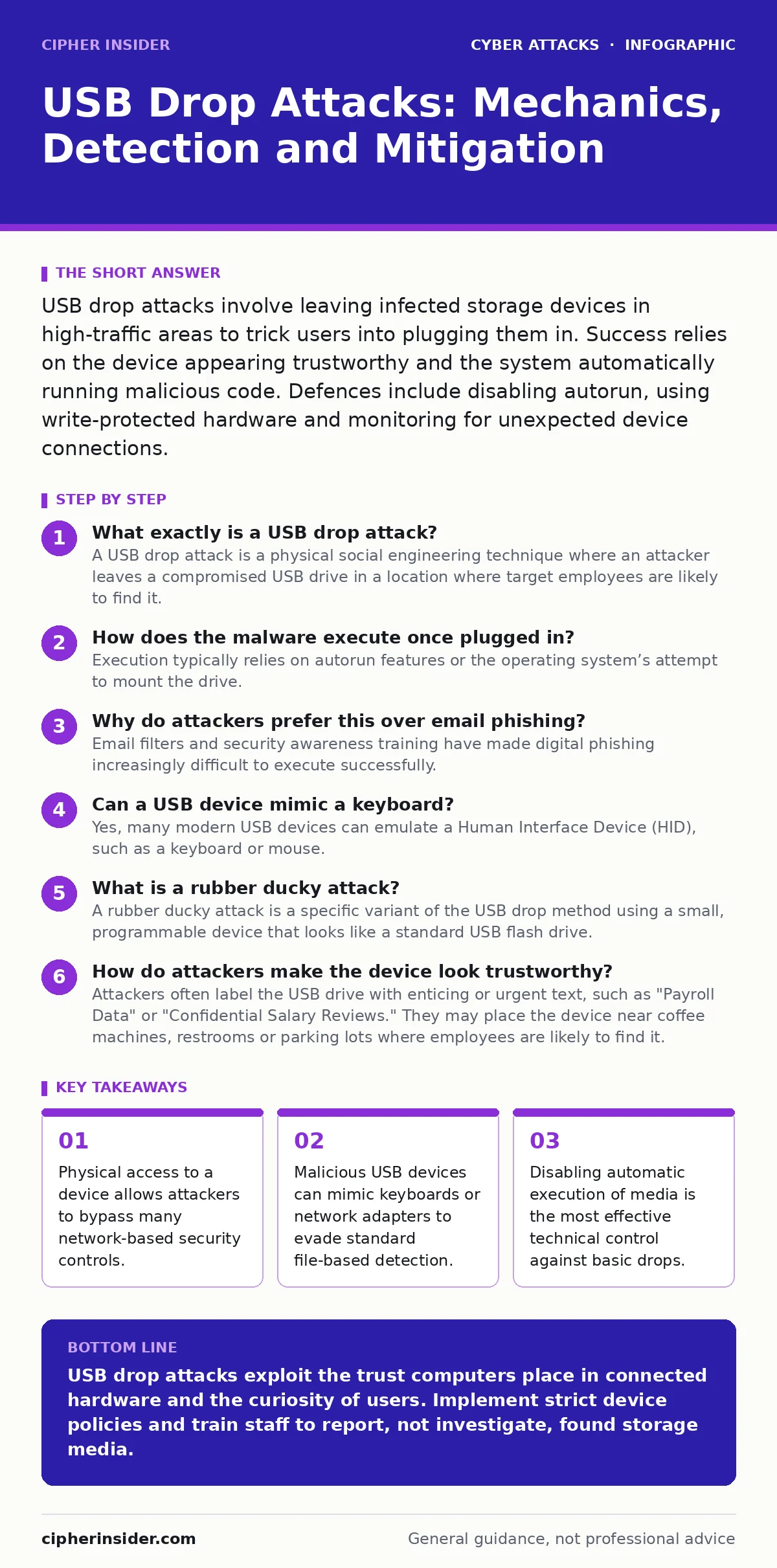
USB drop attacks involve leaving infected storage devices in high-traffic areas to trick users into plugging them in. Success relies on the device appearing trustworthy and the system automatically running malicious code. Defences include disabling autorun, using write-protected hardware and monitoring for unexpected device connections.
What exactly is a USB drop attack?
A USB drop attack is a physical social engineering technique where an attacker leaves a compromised USB drive in a location where target employees are likely to find it. The device is designed to look lost or valuable, prompting the finder to plug it into a corporate computer. The goal is to execute malware silently when the operating system recognises the new hardware. This method bridges the gap between the physical world and the digital network.
How does the malware execute once plugged in?
Execution typically relies on autorun features or the operating system’s attempt to mount the drive. Older systems used autorun.inf files to launch programs immediately upon connection. Modern operating systems suppress this behaviour, so attackers now use more sophisticated methods. They may exploit vulnerabilities in the driver loading process or use the device to emulate a different type of hardware entirely. The malware runs in the background, often before the user notices any pop-up windows.
Why do attackers prefer this over email phishing?
Email filters and security awareness training have made digital phishing increasingly difficult to execute successfully. A USB drop bypasses email gateways, spam filters and sandboxing tools that inspect attachments. It targets the human element directly, relying on curiosity rather than trickery in a digital interface. This approach is particularly effective against air-gapped systems that have no network connection. The physical nature of the attack creates a direct pathway into isolated environments.
Can a USB device mimic a keyboard?
Yes, many modern USB devices can emulate a Human Interface Device (HID), such as a keyboard or mouse. When plugged in, the computer trusts the input device and processes keystrokes without requiring driver installation or user confirmation. The attacker programs the device to type commands that open a command prompt and download or execute malware. This technique, known as a BadUSB attack, is difficult to detect because the traffic looks like legitimate user input. Standard antivirus software often ignores keyboard input sequences.
What is a rubber ducky attack?
A rubber ducky attack is a specific variant of the USB drop method using a small, programmable device that looks like a standard USB flash drive. Internally, it contains a microcontroller that replays a pre-programmed script of keystrokes. The name comes from the original hardware tool called the USB Rubber Ducky. These devices are inexpensive and widely available, lowering the barrier to entry for attackers. They can execute complex sequences of commands in seconds, establishing persistence before security tools react.
| Attack Type | Mechanism | Detection Difficulty | Primary Defence |
|---|---|---|---|
| Standard Drop | Malicious files on storage | Low | Disable autorun |
| HID Emulation | Keyboard/mouse mimicry | High | Device whitelisting |
| Network Adapter | Ethernet/Wi-Fi bridge | Medium | Port security |
| Rubber Ducky | Scripted keystrokes | High | Input monitoring |
How do attackers make the device look trustworthy?
Attackers often label the USB drive with enticing or urgent text, such as "Payroll Data" or "Confidential Salary Reviews." They may place the device near coffee machines, restrooms or parking lots where employees are likely to find it. The physical appearance is carefully curated to match corporate standards, including using company logos or generic branding. The goal is to reduce suspicion and increase the likelihood of an employee taking the device to their workstation. Social engineering principles dictate that perceived value drives the action.
What happens if the device uses a network adapter?
Some advanced USB drops emulate a network interface card, such as an Ethernet or Wi-Fi adapter. When plugged in, the computer assigns it an IP address and attempts to connect to a network. The device can then act as a rogue access point or redirect traffic to a malicious server. This allows the attacker to exfiltrate data or inject malicious payloads into the network stream. It bypasses perimeter firewalls because the traffic originates from an internal network interface. Detecting this requires monitoring for unexpected network interfaces or unusual DNS queries.
How can an organisation prevent USB drop attacks?
Technical controls form the first line of defence by disabling the ability to execute code from removable media. Group policy settings can restrict USB storage access entirely, allowing only specific whitelisted devices. Endpoint detection tools should monitor for the insertion of unknown hardware and block execution if no authorised signature is found. Physical security measures, such as cable locks and secure storage for laptops, reduce the opportunity for attackers to leave devices. However, technology alone is insufficient without behavioural changes.
Why is security culture the final defence?
No technical control can fully prevent a determined insider or a curious employee from plugging in an unknown device. This requires consistent reinforcement through security awareness training that explains the mechanics of these attacks. Employees must understand that curiosity can compromise the entire network. Regular tabletop exercises can simulate USB drop scenarios to test response procedures.
What should you do if you find a USB drive?
Do not plug the device into any computer, including personal devices or smartphones. Place it in a secure location and report it to your IT security team immediately. The device may contain malware that activates upon connection, even if no files are opened. It could also be a tracking device or a tool to bypass physical security. Treating every found USB drive as malicious is the safest approach. Your caution protects the organisation from potential data breaches and system compromise.
Key takeaways
- Physical access to a device allows attackers to bypass many network-based security controls.
- Malicious USB devices can mimic keyboards or network adapters to evade standard file-based detection.
- Disabling automatic execution of media is the most effective technical control against basic drops.
USB drop attacks exploit the trust computers place in connected hardware and the curiosity of users. Implement strict device policies and train staff to report, not investigate, found storage media.
Frequently asked questions
Can antivirus software stop a USB drop attack?
Standard antivirus can detect known malware files on storage drives, but it cannot stop devices that emulate keyboards or network adapters.
Is disabling USB ports a viable solution?
Disabling USB ports prevents data theft and malware installation but may hinder legitimate business operations. Use selective blocking instead.
Do encrypted drives protect against USB drops?
Encryption protects the data on the drive if it is stolen, but it does not prevent the device from executing malicious code when plugged in.
Can smartphones be targeted by USB drops?
Smartphones can be infected if they allow file transfer via USB, but most modern mobile operating systems restrict automatic execution of code from external devices.
How this guide was produced: written by the Cipher Insider editorial team with AI assistance, checked against the public references listed below, and reviewed when the facts change. See our editorial policy or report an error.