
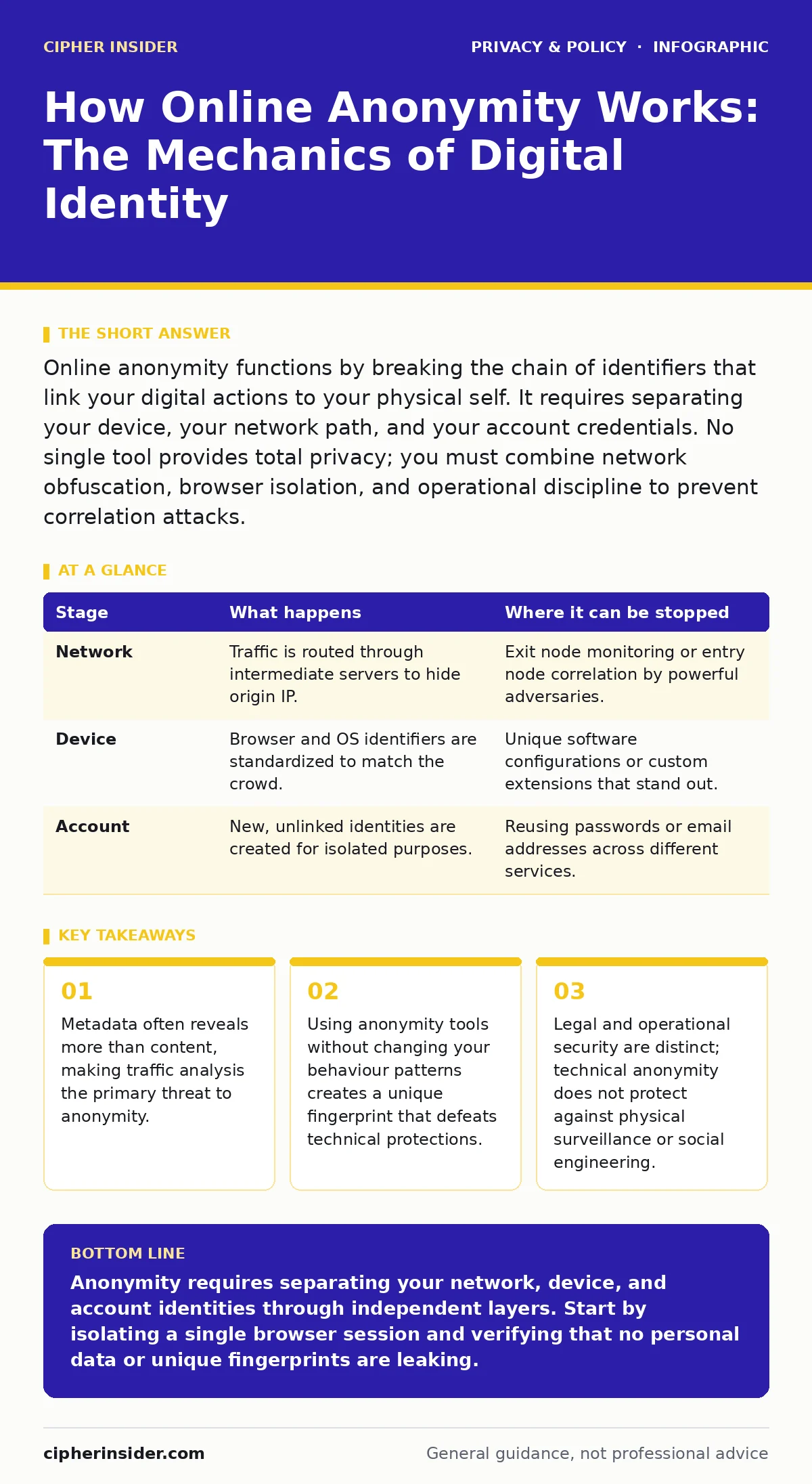
Online anonymity functions by breaking the chain of identifiers that link your digital actions to your physical self. It requires separating your device, your network path, and your account credentials. No single tool provides total privacy; you must combine network obfuscation, browser isolation, and operational discipline to prevent correlation attacks.
The Anatomy of Identity Leakage
Digital anonymity is not a binary switch. It is a process of ensuring that no single observer can connect a specific action to your real-world identity. When you browse the web, your device emits a constant stream of data. This data includes your IP address, which identifies your network location, and your user agent, which describes your browser and operating system.
Service providers collect this metadata to build profiles. They do not need to read your messages to know who you are. They only need to see that a device with a specific configuration visited a specific site at a specific time. If that pattern is unique, you are identified. Anonymity requires disrupting this pattern.
The Layered Approach to Separation
You cannot achieve anonymity by relying on a single mechanism. If one layer fails, the remaining layers may not be sufficient. Think of anonymity as a chain. The strength of the chain is determined by its weakest link. You must address network traffic, local device identity, and account association simultaneously.
Network traffic reveals where you are. Device identity reveals what you are using. Account association reveals who you are. If you hide your location but use a unique browser configuration, you are still identifiable. If you hide your browser but log into a personal account, you are still identifiable. Each layer must be independent.
Stage 1: Network Obfuscation
The first stage involves hiding your IP address and encrypting your traffic. Your Internet Service Provider knows your IP address. Every website you visit also sees it. To break this link, you route your traffic through an intermediate server. This server acts as a proxy, making it appear as though the traffic originates from it.
Tor is a widely used system for this purpose. It routes traffic through multiple volunteer-operated relays. Each relay decrypts only enough information to know where to send the data next. The final relay, called the exit node, sends the data to the destination. The destination sees the exit node’s IP address, not yours. However, the entry node knows your IP address. No single node knows both your identity and your destination.
| Stage | What happens | Where it can be stopped |
|---|---|---|
| Network | Traffic is routed through intermediate servers to hide origin IP. | Exit node monitoring or entry node correlation by powerful adversaries. |
| Device | Browser and OS identifiers are standardized to match the crowd. | Unique software configurations or custom extensions that stand out. |
| Account | New, unlinked identities are created for isolated purposes. | Reusing passwords or email addresses across different services. |
Stage 2: Browser Isolation
Even with your IP address hidden, your browser can identify you. Websites use fingerprinting to create a unique signature of your device. This signature includes your screen resolution, installed fonts, and hardware capabilities. If your browser has a rare combination of these traits, you are easily tracked.
To counter this, you must use a browser that standardizes these traits. The Tor Browser, for instance, forces all users to have the same window size and the same set of fonts. This makes it difficult for websites to distinguish between users. You must not install additional extensions, as these can break the standardisation and create a unique fingerprint.
Stage 3: Account Dissociation
The final stage is behavioural. If you use your real name, email address, or payment details on an anonymous network, you have defeated the purpose. You must create new accounts that have no link to your primary identity. This includes using privacy-focused email services that do not require phone verification.
You must also separate your activities. Do not log into your personal social media accounts while using anonymity tools. This action links your anonymous IP address to your known identity. It creates a bridge that allows observers to deanonymise you. You must treat anonymous sessions as completely separate entities from your daily digital life.
The Hidden Cost of Convenience
Anonymity requires significant effort. It is slow, cumbersome, and often incompatible with modern web features. Streaming services, banking platforms, and social media sites actively block traffic from anonymity networks. They do this to prevent abuse, but it also limits legitimate use. You must accept that many online services will be inaccessible.
This friction is a feature, not a bug. The difficulty of maintaining anonymity discourages casual misuse and ensures that only determined users succeed. If anonymity were easy, it would be less effective because everyone would use it, reducing the pool of indistinguishable users. The effort you expend is part of the protection.
Operational Security and Human Error
Technical tools are only as effective as the behaviour that supports them. Operational security refers to the practices you adopt to protect your identity. This includes not discussing your anonymous activities with others, not taking screenshots of sensitive content, and not saving files to your local drive.
A single mistake can compromise months of careful preparation. Uploading a document with metadata that contains your real name is a common error. Taking a photo that includes EXIF data with GPS coordinates is another. You must scrub all files before uploading them. You must assume that any data you create in an anonymous session can be linked back to you if you make a mistake.
Reading the Signals
You can assess your level of anonymity by testing for leaks. There are online tools that show your IP address, DNS settings, and WebRTC leaks. WebRTC is a protocol that allows peer-to-peer communication in browsers. It can bypass proxy settings and reveal your real IP address. You must ensure your browser blocks WebRTC or that it is configured to use the proxy.
Regularly checking for leaks is necessary because updates can change how your software behaves. A browser update might reintroduce a fingerprinting vector. A system update might change your network settings. You must verify that your anonymity layers remain intact after any change to your software or network.
See also: Tor Browser Explained: Routing, Relays, and Real Anonymity · End-to-end encryption mechanics explained clearly
Integration with Daily Privacy
Anonymity is a specialised tool. It is not suitable for everyday browsing. For general privacy, you should focus on reducing your digital footprint. This involves limiting the data you share with services and using privacy-focused search engines. You can learn more about this in our guide to reducing your digital footprint.
For managing credentials, using a password manager ensures that you do not reuse passwords. This prevents a breach on one site from compromising your identity on another. See our guide on password managers for families for details on secure credential storage. For device-level privacy, adjust your smartphone privacy settings to limit background data collection.
Surveillance advertising relies on tracking your behaviour across sites. Blocking trackers and using consent management tools can reduce this exposure. However, these measures do not provide anonymity. They only reduce the amount of data collected. For true anonymity, you must isolate your activities and use dedicated tools.
The Limits of Technical Protection
No technology can provide complete anonymity. Powerful adversaries with access to global network traffic can perform correlation attacks. They match the timing and volume of traffic entering and exiting a network to identify users. This is difficult but not impossible. You must understand the threat model you are facing.
If you are protecting against casual tracking, standard privacy tools are sufficient. If you are protecting against state-level surveillance, you must adopt strict operational security and assume that your technical measures may fail. Anonymity is a spectrum, not a destination. You must choose the level of protection that matches your risk.
Key takeaways
- Metadata often reveals more than content, making traffic analysis the primary threat to anonymity.
- Using anonymity tools without changing your behaviour patterns creates a unique fingerprint that defeats technical protections.
- Legal and operational security are distinct; technical anonymity does not protect against physical surveillance or social engineering.
Anonymity requires separating your network, device, and account identities through independent layers. Start by isolating a single browser session and verifying that no personal data or unique fingerprints are leaking.
Frequently asked questions
Is using a VPN enough for online anonymity?
No. A VPN hides your IP address from websites but not from your Internet Service Provider. It also does not prevent browser fingerprinting or account association. You need additional layers like browser isolation and new accounts.
Can websites still track me if I use Tor?
Yes, if you log into personal accounts or install custom browser extensions. Tor hides your network location, but it does not stop websites from tracking your behaviour within their own systems or via unique browser fingerprints.
Does deleting cookies ensure anonymity?
Deleting cookies removes some tracking data, but it does not prevent fingerprinting. Websites can still identify you based on your device configuration, screen resolution, and other browser characteristics.
How do I know if my anonymity is working?
Use online leak tests to check for IP, DNS, and WebRTC leaks. Ensure your IP address matches the proxy or Tor exit node. Check that your browser fingerprint is not unique by comparing it with others in the same network.
How this guide was produced: written by the Cipher Insider editorial team with AI assistance, checked against the public references listed below, and reviewed when the facts change. See our editorial policy or report an error.