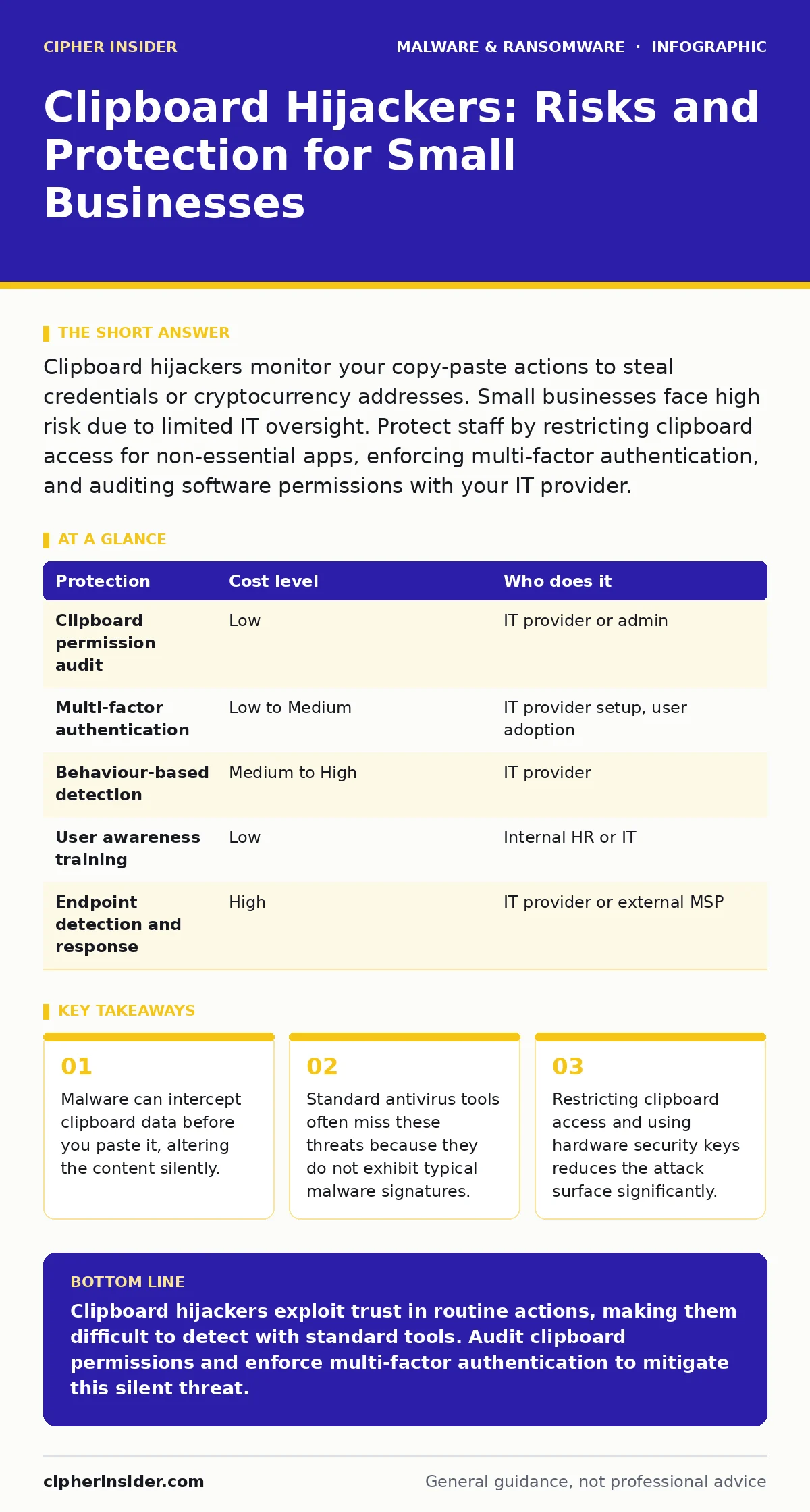
Clipboard hijackers monitor your copy-paste actions to steal credentials or cryptocurrency addresses. Small businesses face high risk due to limited IT oversight. Protect staff by restricting clipboard access for non-essential apps, enforcing multi-factor authentication, and auditing software permissions with your IT provider.
The Silent Interception Mechanism
Clipboard hijacking exploits the operating system’s clipboard, a temporary storage area for data you copy. When you press copy, the data moves to this buffer. When you paste, it moves from the buffer to the target application. Hijacking malware sits between these two steps.
It monitors the clipboard for specific patterns, such as alphanumeric strings that resemble cryptocurrency wallet addresses or structured data like credit card numbers. Once it detects a match, it replaces the original content with the attacker’s own data. The replacement happens in milliseconds. You see no error message. The paste action feels normal.
This method is particularly dangerous because it requires no user interaction beyond the copy-paste action. The malware does not need to phish for your password. It simply waits for you to expose sensitive data through routine workflow. This makes it a high-efficiency tool for theft.
Why Small Organisations Remain Exposed
Small businesses often lack the layered security architecture of larger enterprises. You may rely on consumer-grade protection or a single IT provider for all technical needs. This creates blind spots. The malware often enters through legitimate-looking software, such as a productivity tool or a browser extension.
Once installed, it requests clipboard access. Many operating systems grant this permission broadly to ensure compatibility with various applications. You might not notice the permission change. The malware blends in with normal system processes. Without dedicated monitoring, it remains invisible.
Small teams also tend to have fewer checks and balances. If an employee handles payments, their actions may go unreviewed. The hijacker exploits this trust. It relies on the assumption that the pasted data is correct because the user copied it themselves. This psychological blind spot is the attacker’s greatest advantage.
The Hidden Cost of Standard Defences
Many organisations assume their antivirus software protects against clipboard hijackers. This assumption is often incorrect. Traditional antivirus relies on signatures, which are unique identifiers of known malicious files. Clipboard hijackers often use generic code structures. They do not have a unique signature.
The cost of this gap is not just financial. It is operational. Detecting a hijacker requires behaviour-based detection, which monitors how software interacts with the system. This type of monitoring is resource-intensive. It can slow down older machines. It also generates false positives, flagging legitimate software as suspicious. You must balance security with performance.
Low-Cost Protections for Your Team
You can reduce risk without expensive hardware. Start by auditing clipboard permissions. Most modern operating systems allow you to see which apps have access to the clipboard. Revoke access for any application that does not strictly need it. This includes generic utilities and older productivity tools.
Implement multi-factor authentication wherever possible. If an attacker steals a password via the clipboard, they still need the second factor to log in. This adds a layer of protection that clipboard hijacking cannot bypass. Hardware security keys offer the highest level of protection against credential theft. They prevent the attacker from using stolen data even if the clipboard is compromised.
What to Ask Your IT Provider
Your IT provider is your first line of defence. You must ensure they understand the specific threat of clipboard hijacking. Do not assume they do. Ask them to demonstrate how they detect and prevent such threats.
Use this table to evaluate their offerings and your own implementation efforts.
| Protection | Cost level | Who does it |
|---|---|---|
| Clipboard permission audit | Low | IT provider or admin |
| Multi-factor authentication | Low to Medium | IT provider setup, user adoption |
| Behaviour-based detection | Medium to High | IT provider |
| User awareness training | Low | Internal HR or IT |
| Endpoint detection and response | High | IT provider or external MSP |
Ask specific questions to gauge their competence. Do not accept vague answers.
- How do you monitor for unauthorised clipboard access?
- Can you detect software that modifies data in real-time?
- What is your process for reviewing application permissions?
- How do you handle false positives from behaviour monitoring?
- Do you provide regular reports on endpoint security status?
Beyond the Clipboard
Clipboard hijacking is often part of a broader attack. Attackers may combine it with browser hijackers to redirect users to fake login pages. They might use botnets to distribute the hijacking software across many machines. Understanding these connections helps you build a holistic defence.
Review your software installation policies. Ensure only vetted applications can be installed. Use application whitelisting if possible. This prevents unauthorised software from running in the first place. It reduces the chance of a hijacker ever gaining a foothold.
Long-Term Security Hygiene
Security is not a one-time fix. Clipboard hijackers evolve. They change their code to evade detection. They adapt to new operating system features. You must maintain a proactive stance.
Regularly update your operating systems and applications. Patches often include security improvements that close loopholes exploited by hijackers. Keep your antivirus and endpoint protection current. Ensure your IT provider reviews their detection rules regularly.
Consider the ransomware payment debate in your planning. If you are compromised, having backups and a clear incident response plan is vital. Do not assume you can simply pay to recover. Clipboard hijackers may have stolen more than just data. They may have mapped your network.
Review your incident response plan. Ensure it covers data interception, not just system downtime. Test your backups. Verify that you can restore data without paying ransoms. This preparation reduces the panic during a real event. It allows you to focus on containment and recovery.
Key takeaways
- Malware can intercept clipboard data before you paste it, altering the content silently.
- Standard antivirus tools often miss these threats because they do not exhibit typical malware signatures.
- Restricting clipboard access and using hardware security keys reduces the attack surface significantly.
Clipboard hijackers exploit trust in routine actions, making them difficult to detect with standard tools. Audit clipboard permissions and enforce multi-factor authentication to mitigate this silent threat.
Frequently asked questions
Can a clipboard hijacker steal passwords?
Yes, if you copy a password and paste it into a login field, the hijacker can intercept and replace it with a stolen one.
Do I need special software to protect against clipboard hijackers?
You can use built-in operating system settings to restrict clipboard access. Advanced behaviour-based detection tools offer deeper protection.
How do I know if my clipboard is being monitored?
Look for unexpected battery drain or slow performance. Check application permissions to see which apps have clipboard access.
Is multi-factor authentication enough to stop clipboard hijacking?
It prevents attackers from using stolen passwords, but it does not stop the theft of other data like bank details or cryptocurrency addresses.
How this guide was produced: written by the Cipher Insider editorial team with AI assistance, checked against the public references listed below, and reviewed when the facts change. See our editorial policy or report an error.