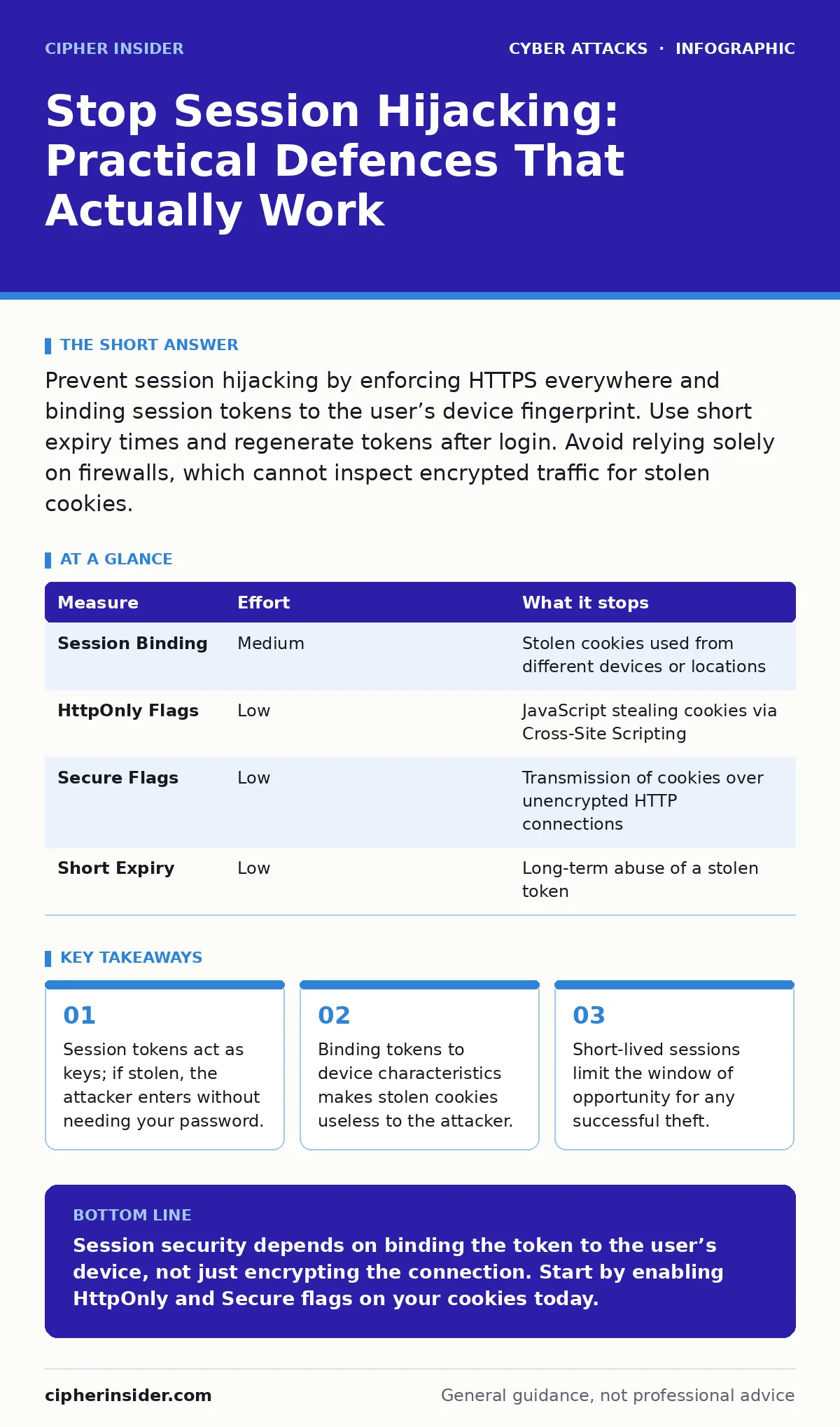
Prevent session hijacking by enforcing HTTPS everywhere and binding session tokens to the user’s device fingerprint. Use short expiry times and regenerate tokens after login. Avoid relying solely on firewalls, which cannot inspect encrypted traffic for stolen cookies.
The Token Is The Key
When you log in, the server creates a unique string of characters called a session token. It sends this token to your browser, which stores it in a cookie. For every subsequent request, your browser sends this cookie back. The server checks the token and, if valid, grants access. It does not ask for your password again.
This efficiency creates a vulnerability. If an attacker steals that token, they become you. They do not need your password. They do not need to bypass two-factor authentication. They simply present the valid token. This is session hijacking. The attacker walks through the front door using your key, while you are still inside.
Binding Tokens to Identity
The most effective defence is to make the token useless if it moves to a different context. This is known as session binding. The server records specific attributes of your device when the session starts. These attributes might include your User-Agent string, which identifies your browser and operating system, or your IP address range.
When the token is presented again, the server checks these attributes. If the token arrives from a different browser type or a different geographic region, the server rejects it. This stops an attacker who has stolen your cookie but is using their own laptop. The token is bound to your specific environment.
| Measure | Effort | What it stops |
|---|---|---|
| Session Binding | Medium | Stolen cookies used from different devices or locations |
| HttpOnly Flags | Low | JavaScript stealing cookies via Cross-Site Scripting |
| Secure Flags | Low | Transmission of cookies over unencrypted HTTP connections |
| Short Expiry | Low | Long-term abuse of a stolen token |
Hardening Cookie Attributes
You must instruct the browser on how to handle these tokens. This is done through cookie flags. The Secure flag ensures the cookie is only sent over HTTPS connections. HTTPS encrypts the data in transit, preventing eavesdroppers on public Wi-Fi from reading the token. This is similar to how evil twin Wi-Fi attacks trick users into connecting to fake networks to intercept data. Without the Secure flag, the token travels in plain text.
The HttpOnly flag prevents client-side scripts from accessing the cookie. Many attacks rely on injecting malicious JavaScript into a webpage. This script can read cookies and send them to the attacker. If the cookie is marked HttpOnly, the script cannot see it. This mitigates the impact of Cross-Site Scripting, a common vector for stealing session data.
Limiting the Window of Opportunity
Even with binding and flags, tokens can be stolen. You must limit how long a stolen token remains valid. Set short session expiry times. If a session expires after thirty minutes of inactivity, the attacker has only thirty minutes to act. This reduces the risk significantly.
Regenerate the token after every login. Some systems reuse the same token for multiple login attempts. If an attacker intercepts the token before you log in, they can use it later. By generating a new token upon authentication, you invalidate any previously captured versions. This is known as token rotation. It ensures that even if the initial handshake is compromised, the final session is safe.
What Does Not Work
Many organisations rely on perimeter defences to stop this threat. Firewalls and intrusion detection systems are excellent at blocking external attacks. They are useless against session hijacking. The hijacked session looks like legitimate traffic from a trusted user. The firewall sees a valid connection and allows it.
Similarly, password strength is irrelevant here. The attacker is not guessing your password. They are using your valid session key. No amount of complexity in your password helps if the token is stolen. This is why callback phishing or watering hole attacks are dangerous; they steal the token directly, bypassing password protections entirely.
Mitigating Network Threats
Attacks often originate from the local network. On public Wi-Fi, attackers can position themselves between you and the router. This is a man-in-the-middle position. They can intercept unencrypted traffic. While HTTPS prevents this for most data, poor implementation can leave gaps.
Ensure your application enforces strict Transport Security. This tells the browser to always use HTTPS for your domain, even if the user types HTTP. This prevents downgrade attacks where the attacker forces the connection to an unencrypted state. It also helps against DNS spoofing, where attackers redirect you to a fake server that strips encryption.
Managing Third-Party Risks
Modern applications rely on many third-party scripts. These scripts can sometimes access cookies if not properly restricted. Use Content Security Policy headers to control which domains can execute scripts on your page. This limits the damage if a third-party service is compromised.
If a malicious script cannot run, it cannot steal HttpOnly cookies. This adds a layer of defence in depth. It complements the HttpOnly flag by removing the attack vector entirely. This approach is effective against drive-by downloads that attempt to inject malicious code into trusted pages.
Immediate Action Plan
You can implement several measures today. First, audit your cookie settings. Ensure Secure and HttpOnly flags are enabled for all session cookies. Second, check your session timeout settings. Reduce them to a reasonable duration based on your risk appetite. Third, implement token regeneration on login.
These steps are technical but straightforward. They address the core mechanics of session management. By focusing on the token itself, you remove the value of the stolen credential.
- Enable Secure and HttpOnly flags on all session cookies.
- Set session expiry to thirty minutes or less for sensitive actions.
- Regenerate session tokens after every successful authentication.
Key takeaways
- Session tokens act as keys; if stolen, the attacker enters without needing your password.
- Binding tokens to device characteristics makes stolen cookies useless to the attacker.
- Short-lived sessions limit the window of opportunity for any successful theft.
Session security depends on binding the token to the user’s device, not just encrypting the connection. Start by enabling HttpOnly and Secure flags on your cookies today.
Frequently asked questions
Can a VPN prevent session hijacking?
A VPN encrypts your traffic to the VPN server, but the traffic from the VPN server to the website is still visible. It does not protect you if the website itself is compromised or if you are on a malicious local network.
Is two-factor authentication enough?
Two-factor authentication protects the login process. Once logged in, the session token is all that is needed. If the token is stolen, 2FA does not stop the attacker from accessing the account.
How do I know if my session has been hijacked?
Look for unexpected activity in your account history. If you see logins from unknown locations or devices, your session may be compromised. Change your password and log out of all devices immediately.
Does clearing cookies prevent hijacking?
Clearing cookies ends your current session. It does not prevent future hijacking. It only removes the stored token from your browser, forcing a new login and new token generation.
How this guide was produced: written by the Cipher Insider editorial team with AI assistance, checked against the public references listed below, and reviewed when the facts change. See our editorial policy or report an error.