
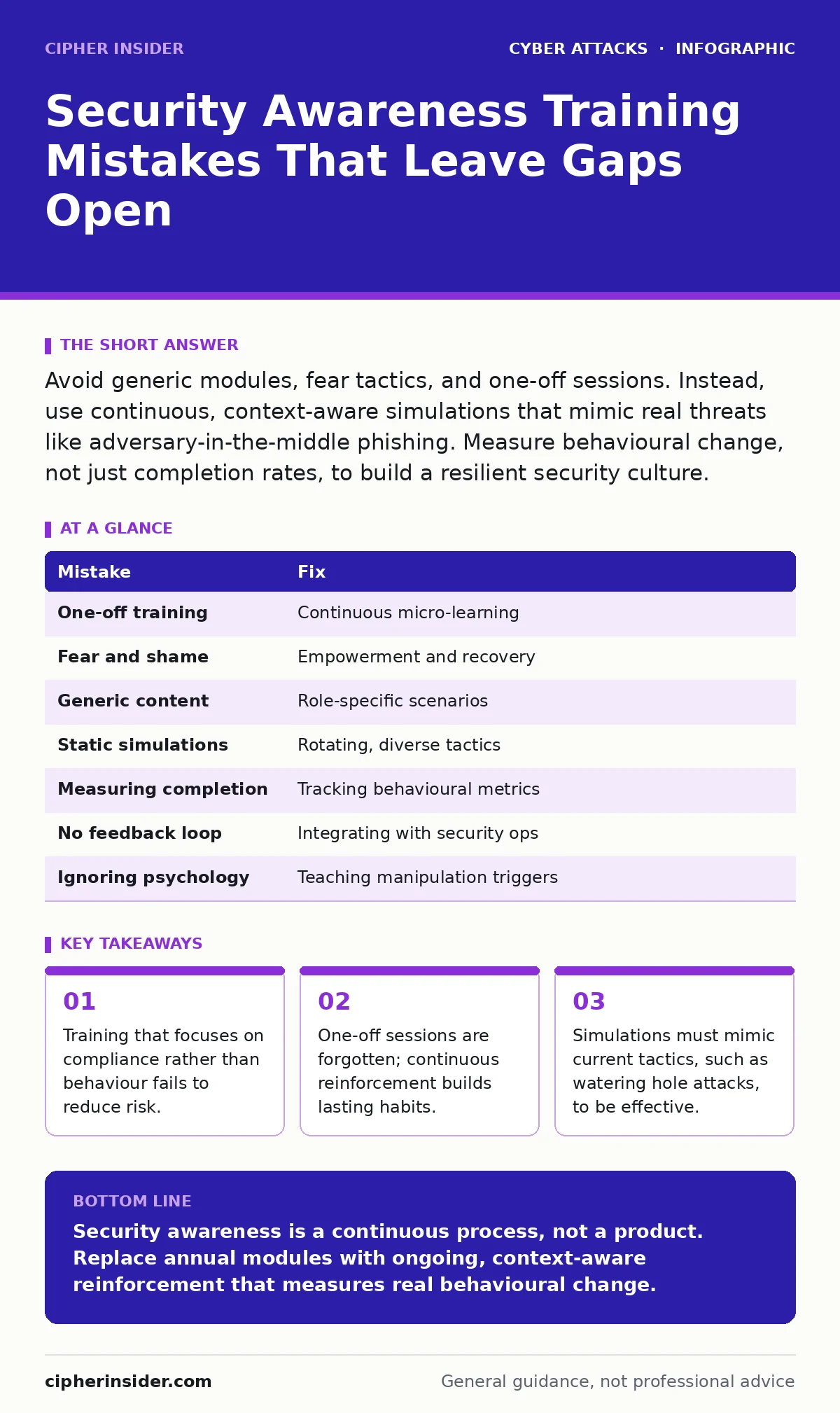
Avoid generic modules, fear tactics, and one-off sessions. Instead, use continuous, context-aware simulations that mimic real threats like adversary-in-the-middle phishing. Measure behavioural change, not just completion rates, to build a resilient security culture.
Security awareness training is often treated as a box-ticking exercise. Organisations deploy annual modules to satisfy auditors, assuming completion equals protection. This approach misunderstands how human behaviour interacts with technical controls. You are not trying to create perfect users, but rather resilient ones who can recover from mistakes.
Mistake 1: Treating Training as a One-Off Event
Why it hurts: Human memory fades rapidly. A single annual session leaves users unprepared for the majority of the year. Attackers do not wait for your training calendar. By the time you schedule the next module, the previous lessons have degraded into noise. This gap allows subtle threats, such as drive-by downloads, to succeed because the user’s mental model of the threat is outdated.
The fix: Implement continuous micro-learning. Deliver short, frequent nudges rather than long, infrequent lectures. These should be integrated into the user’s daily workflow, such as a tip in the email client or a brief alert before a high-risk action. This keeps security top-of-mind without causing fatigue.
Mistake 2: Using Fear and Shame as Motivators
Why it hurts: Fear-based training triggers anxiety, which impairs decision-making. When users are afraid of making a mistake, they are more likely to hide it. This creates a culture of silence where incidents go unreported. If a user clicks a link during an adversary-in-the-middle phishing attempt, they may panic and delay reporting, allowing the attacker to deepen their foothold. Shame erodes trust between staff and the security team.
The fix: Focus on empowerment and recovery. Teach users what to do if they make a mistake, rather than punishing the error. Create a clear, frictionless reporting mechanism. When users know they will be supported, not blamed, they become an extension of your defence team. This shifts the mindset from hiding errors to mitigating them quickly.
Mistake 3: Ignoring Context and Role
Why it hurts: Generic training fails to address specific risks. A developer faces different threats than an accountant. Sending everyone the same module means no one receives relevant guidance. For example, developers need to understand how botnet attacks might compromise build servers, while finance staff need to focus on invoice fraud. Generic content is easily tuned out as irrelevant.
The fix: Segment your audience. Tailor content to the specific tools and data each role handles. Use their actual workflows in simulations. If you are training finance staff, simulate an invoice request via their specific accounting software, not just a generic email. This relevance increases engagement and ensures the training applies to their daily reality.
Mistake 4: Relying on Static Phishing Simulations
Why it hurts: Static simulations use the same templates repeatedly. Users learn to spot the fake by memorising visual cues, such as a specific logo or a generic greeting. This does not teach them to analyse unknown threats. Modern attacks, like watering hole attacks, compromise legitimate sites, so the URL may look correct. If users only recognise "bad" emails by their ugly appearance, they will miss sophisticated compromises.
The fix: Rotate simulation tactics frequently. Use diverse scenarios that mimic current threat intelligence. Include simulations that look legitimate, such as internal policy updates or vendor notifications. This forces users to verify the source and content, rather than just scanning for obvious red flags. It builds analytical skills rather than pattern recognition.
Mistake 5: Measuring Completion Instead of Behaviour
Why it hurts: Tracking who clicked "Finish" tells you nothing about capability. A user can complete a module without understanding a single concept. This metric creates a false sense of security. This disconnect means you are investing in training that does not reduce risk.
The fix: Measure behavioural outcomes. Track click rates on simulations, reporting rates, and time-to-report. Analyse trends over time. Are users getting better at spotting threats? Are they reporting incidents faster? These metrics reflect actual learning and resilience. Use this data to refine your content and target areas where users struggle.
Mistake 6: Neglecting the Technical Feedback Loop
Why it hurts: Awareness training exists in a vacuum if it is not linked to technical controls. If users report a suspicious link, but the security team does not act on it, they will stop reporting. This breaks the feedback loop. Users need to see that their actions have a tangible effect. Without this, training feels like a chore rather than a contribution to security.
The fix: Integrate training with your security operations. When a user reports a phishing attempt, acknowledge it and explain the outcome. If the email was indeed malicious, share a brief summary of what happened. This closes the loop and reinforces the value of their vigilance. It also helps users understand the technical reality of threats, such as how DNS spoofing can mimic legitimate domains.
Mistake 7: Failing to Address Social Engineering Psychology
Why it hurts: Training that focuses only on technical indicators misses the human element. Attackers exploit urgency, authority, and curiosity. If users do not understand these psychological triggers, they will fall for well-crafted messages that look technically perfect. A message from "IT Support" demanding immediate password reset exploits authority and urgency, bypassing technical checks.
The fix: Teach the psychology of manipulation. Explain why attackers create urgency and how it bypasses critical thinking. Use scenarios that highlight these triggers. Help users recognise when they are being pressured to act without verifying. This builds a deeper defence against social engineering that goes beyond checking URLs.
| Mistake | Fix |
|---|---|
| One-off training | Continuous micro-learning |
| Fear and shame | Empowerment and recovery |
| Generic content | Role-specific scenarios |
| Static simulations | Rotating, diverse tactics |
| Measuring completion | Tracking behavioural metrics |
| No feedback loop | Integrating with security ops |
| Ignoring psychology | Teaching manipulation triggers |
Key takeaways
- Training that focuses on compliance rather than behaviour fails to reduce risk.
- One-off sessions are forgotten; continuous reinforcement builds lasting habits.
- Simulations must mimic current tactics, such as watering hole attacks, to be effective.
Security awareness is a continuous process, not a product. Replace annual modules with ongoing, context-aware reinforcement that measures real behavioural change.
Frequently asked questions
How often should we run phishing simulations?
Run them regularly, such as monthly or bi-weekly, to keep skills sharp without causing alarm fatigue. Rotate the scenarios to prevent memorisation.
What is the best way to handle a user who clicks a simulated phishing link?
Provide immediate, constructive feedback. Explain why the message was suspicious and what to look for next time. Avoid punitive measures.
Can training prevent all social engineering attacks?
No. Training reduces risk but cannot eliminate it. Combine awareness with technical controls, such as multi-factor authentication, to create a layered defence.
How do we measure the effectiveness of our training?
Track metrics like click rates on simulations, reporting rates, and time-to-report. Look for trends over time to see if user behaviour is improving.
How this guide was produced: written by the Cipher Insider editorial team with AI assistance, checked against the public references listed below, and reviewed when the facts change. See our editorial policy or report an error.