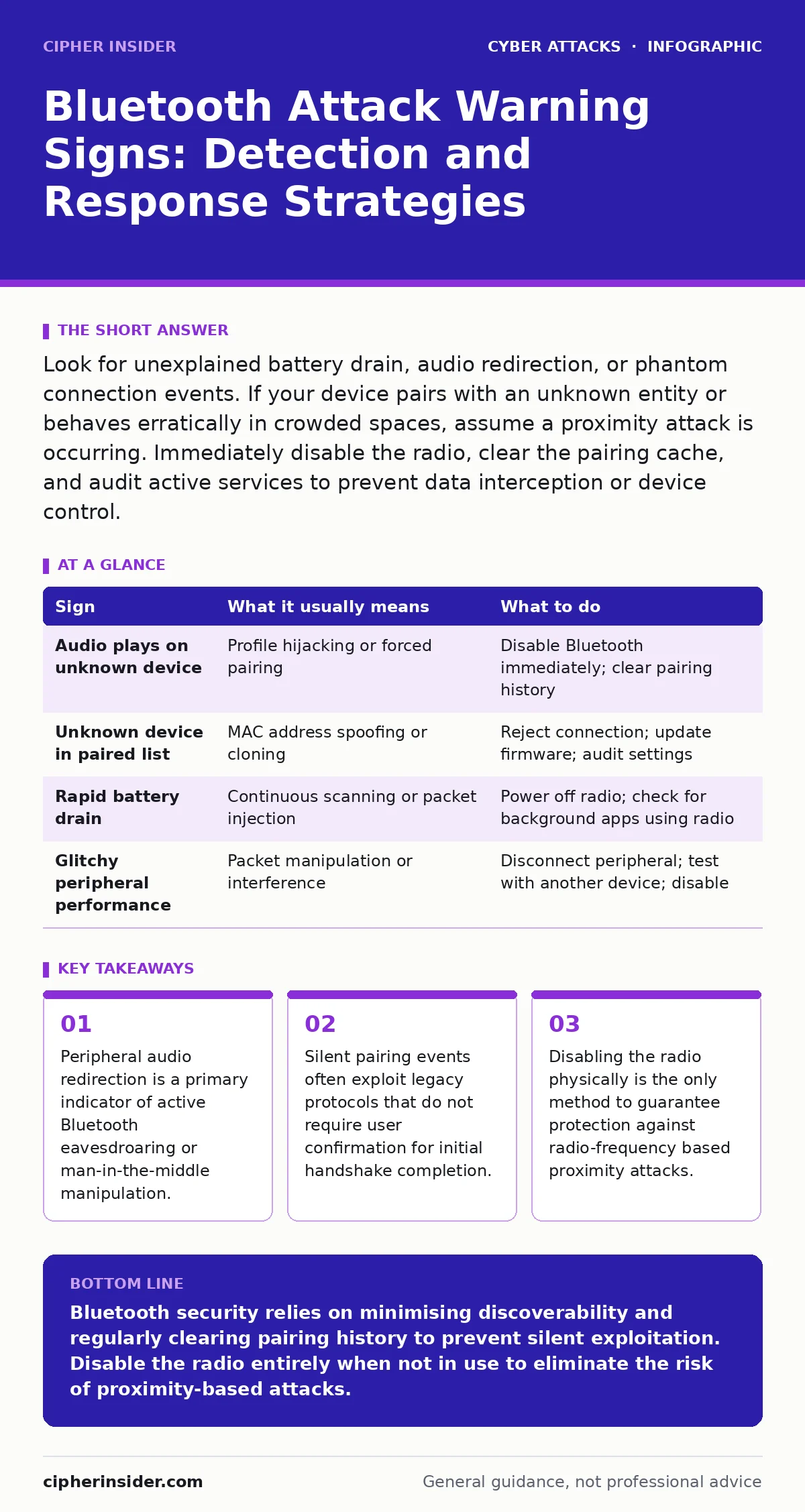
Look for unexplained battery drain, audio redirection, or phantom connection events. If your device pairs with an unknown entity or behaves erratically in crowded spaces, assume a proximity attack is occurring. Immediately disable the radio, clear the pairing cache, and audit active services to prevent data interception or device control.
Recognising Immediate Bluetooth Attack Indicators
Bluetooth attacks often manifest through obvious behavioural changes that alert the user immediately. The most common early warning sign is unexpected audio redirection. You may hear notifications, calls, or media playing through a nearby speaker or headset that you did not intend to use. This occurs when an attacker forces a connection to your audio profile, overriding your default output settings.
Another immediate indicator is the sudden appearance of unknown devices in your paired list. If a device name appears that you do not recognise, or if your device attempts to reconnect to a previously paired item that is no longer present, a spoofing attempt may be underway. Attackers often clone the MAC address of legitimate devices to trick your system into accepting a connection without proper authentication.
Battery drain is a less obvious but significant early warning. Bluetooth radios consume power even when idle, but an active attack or a continuous scanning loop by a malicious device can accelerate battery depletion. If your device runs out of charge significantly faster than usual while in a crowded area, suspect that your radio is engaged in unwanted communication.
Subtle Bluetooth Exploits Easy to Miss
Many Bluetooth vulnerabilities operate silently, leaving no visible trace on the user interface. These attacks exploit the underlying protocol stack rather than the application layer. For instance, an attacker may use a "bluejacking" technique to send unsolicited messages. While this is often considered a nuisance, it confirms that your device is discoverable and potentially vulnerable to more severe data exfiltration methods.
Packet injection attacks are particularly difficult to detect. An attacker positioned within range can inject malicious data into the Bluetooth communication stream. This does not always break the connection but can alter data in transit. You might experience minor glitches, such as dropped audio packets or delayed keystrokes, without realising that an adversary is manipulating the signal.
Legacy protocol weaknesses remain a hidden risk. Older Bluetooth versions often lack encryption for certain service profiles. Even if your device supports modern security standards, connecting to an older peripheral may force a downgrade to an insecure protocol. This negotiation happens automatically in the background, leaving you exposed without any warning notification. Understanding the blast radius of such a connection helps you appreciate the potential damage from a single compromised peripheral.
Immediate Response to Detected Anomalies
When you suspect a Bluetooth attack, speed is critical. The first step is to disable the Bluetooth radio entirely. Do not merely disconnect the device; turn off the radio at the hardware or operating system level. This stops all transmission and reception, cutting off the attacker's access vector immediately. If your device has a physical switch or a hardware shortcut, use it to ensure the radio is truly off.
Next, clear the pairing cache. This removes all stored keys and trust relationships between your device and previously paired peripherals. This step is necessary because an attacker may have inserted a malicious key into your trusted list. Without clearing this cache, your device may automatically reconnect to the attacker's spoofed device the moment you re-enable Bluetooth.
Finally, audit your active services. Check which applications and services have permission to use Bluetooth. Disable any unnecessary services, such as file transfer or object push, which are common targets for malware delivery. Restricting permissions reduces the attack surface and limits what an adversary can do even if they gain initial access.
| Sign | What it usually means | What to do |
|---|---|---|
| Audio plays on unknown device | Profile hijacking or forced pairing | Disable Bluetooth immediately; clear pairing history |
| Unknown device in paired list | MAC address spoofing or cloning | Reject connection; update firmware; audit settings |
| Rapid battery drain | Continuous scanning or packet injection | Power off radio; check for background apps using radio |
| Glitchy peripheral performance | Packet manipulation or interference | Disconnect peripheral; test with another device; disable |
Preventing Future Bluetooth Vulnerabilities
Prevention relies on configuration discipline rather than reactive measures. Keep your device in non-discoverable mode by default. This prevents unknown devices from seeing your device in their search results. You should only enable discoverability when you are actively pairing a new, trusted peripheral, and then disable it immediately afterwards. This simple habit drastically reduces the chance of being targeted by automated scanning tools.
Use modern Bluetooth standards whenever possible. Ensure your devices support Bluetooth 4.2 or later, which includes improved security features such as LE Secure Connections. Older versions lack robust encryption and authentication mechanisms, making them easier to exploit. If you must use an older device, treat it as a high-risk endpoint and avoid pairing it with sensitive systems.
Regularly update your device firmware. Manufacturers frequently patch vulnerabilities in the Bluetooth stack. These updates often address critical flaws that allow remote code execution or data theft. Ignoring these updates leaves you exposed to known exploits that attackers actively scan for. This practice aligns with broader security awareness training principles, emphasising that software maintenance is a security control.
Understanding the Attack Surface
Bluetooth is a proximity-based technology, which limits the physical range of most attacks. However, this limitation is often overstated. With directional antennas or high-gain receivers, attackers can extend their effective range significantly. This means that being indoors or behind walls does not guarantee safety. Understanding this physical reality helps you assess risk in different environments.
The convenience of Bluetooth comes at the cost of constant listening. Your device is always scanning for known peripherals to reconnect automatically. This background activity is a necessary feature for seamless user experience but creates a persistent attack surface. Attackers exploit this by broadcasting fake signals that mimic your trusted devices, triggering automatic reconnection attempts.
Consider the implications of session hijacking in a Bluetooth context. If an attacker intercepts the initial pairing handshake, they may be able to replay the session later. This allows them to impersonate your device to other peripherals. Clearing pairing history is the only reliable defence against this type of replay attack, as it invalidates the stolen session keys.
Advanced Detection Techniques
For advanced users, monitoring Bluetooth traffic can provide deeper insights. Some operating systems allow you to view active Bluetooth connections and their associated applications. Regularly reviewing this list can reveal hidden processes that are using the radio without your knowledge. If you see an unfamiliar application accessing Bluetooth, investigate it immediately.
Packet analysis tools can detect anomalous Bluetooth traffic patterns. While these tools require technical expertise, they can identify signs of packet injection or spoofing that are invisible to the user. If you notice a high volume of broadcast packets from unknown sources, it may indicate a scanning or jamming attempt. Documenting these patterns can help you identify recurring threats.
Finally, consider the use of Faraday bags for high-security scenarios. These bags block all radio frequencies, including Bluetooth. If you are carrying a device in a high-risk environment, placing it in a Faraday bag ensures it cannot be detected or connected to. This is the ultimate physical control, eliminating the risk of radio-frequency attacks entirely.
Key takeaways
- Peripheral audio redirection is a primary indicator of active Bluetooth eavesdroaring or man-in-the-middle manipulation.
- Silent pairing events often exploit legacy protocols that do not require user confirmation for initial handshake completion.
- Disabling the radio physically is the only method to guarantee protection against radio-frequency based proximity attacks.
Bluetooth security relies on minimising discoverability and regularly clearing pairing history to prevent silent exploitation. Disable the radio entirely when not in use to eliminate the risk of proximity-based attacks.
Frequently asked questions
Can Bluetooth attacks occur through walls?
Yes, although signal strength decreases with distance and obstacles, attackers using high-gain antennas can extend their range significantly, making indoor protection imperfect.
Is turning Bluetooth off enough to stop attacks?
Disabling the radio stops all transmission and reception, effectively preventing Bluetooth-based attacks. However, it does not protect against other wireless protocols like Wi-Fi that may remain active.
How do I know if my device is vulnerable?
Check your Bluetooth version and firmware status. Older versions and outdated firmware often contain known vulnerabilities. Regular updates and using non-discoverable mode reduce risk.
What is the difference between bluejacking and bluesnarfing?
Bluejacking involves sending unsolicited messages, which is annoying but not harmful. Bluesnarfing involves stealing data from your device, which is a serious security breach requiring immediate action.
How this guide was produced: written by the Cipher Insider editorial team with AI assistance, checked against the public references listed below, and reviewed when the facts change. See our editorial policy or report an error.